Need help?
Do you have a question about the Array electronic 3644A and is the answer not in the manual?
Explains safety levels (Danger, Caution, Note, Warning) and general precautions.
Step-by-step instructions for safely connecting the power supply to the mains.
Details on the fuse location, purpose, and replacement procedure.
Introduction to the 3600 series, its capabilities, key features, and technical specifications.
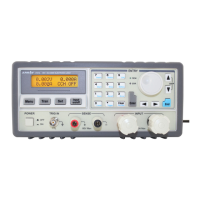
Details the physical layout, front and back views of the power supply unit.
How to connect the power supply to a load and perform basic operations like setting voltage/current.
Guide to menu settings for max voltage/power, communication, and parameter storage.
Connecting the power supply to PC and installing the PowerMS software.
Overview of the PowerMS interface, controls, keypad, and rotary dial.
Configuring communication settings, managing power parameters, and generating data reports.
Procedure for removing the PowerMS software from the computer.
 General
| Brand | Array electronic |
|---|---|
| Model | 3644A |
| Category | Power Supply |
| Language | English |


 To Next Page