6 BDA Broadband Telecommunications Drop Amplifier 485855-001 Rev B
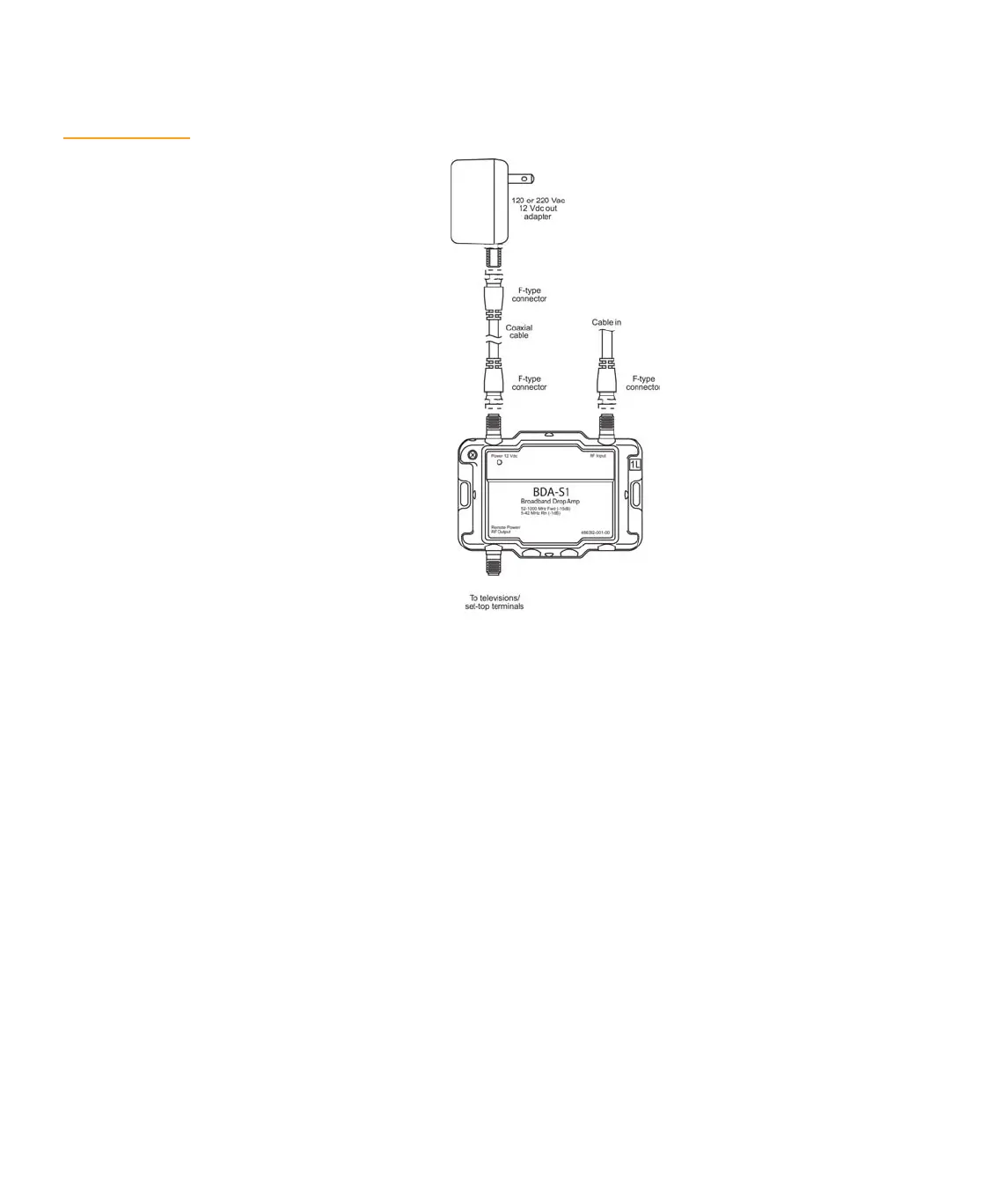
Figure 3 illustrates a local power installation.
Figure 3
Local power
installation
You can locate the BDA-** remotely in the basement or attic and power it from an ac outlet
near the television. For best signal quality, install the BDA-** as close to the cable entrance
as possible. Use the power inserter to send power to the amplifier through the coaxial cable
attached to REMOTE POWER/RF port 1 on the amplifier.
To install a BDA-** drop amplifier using remote power:
1. Connect a coaxial cable from the REMOTE POWER/RF OUTPUT port of the amplifier
to the RF PWR port of the BDP 100/PI power inserter.
2. Connect the RF OUT port of the power inserter to your television or set-top terminal
using a coaxial cable.
3. If you have a two or four output amplifier, connect the additional televisions or
set-top terminals to the remaining output ports on the amplifier using coaxial cable.
4. Terminate all unused ports with 75 ohms for optimum RF performance.
5. Connect the coaxial cable in source to the RF INPUT port of the amplifier.
6. Connect a coaxial cable from the ac adapter to the PWR IN port of the power
inserter.
7. Plug the ac adapter into the wall outlet.
The POWER 12 VDC port on the amplifier remains non-terminated.


 To Next Page