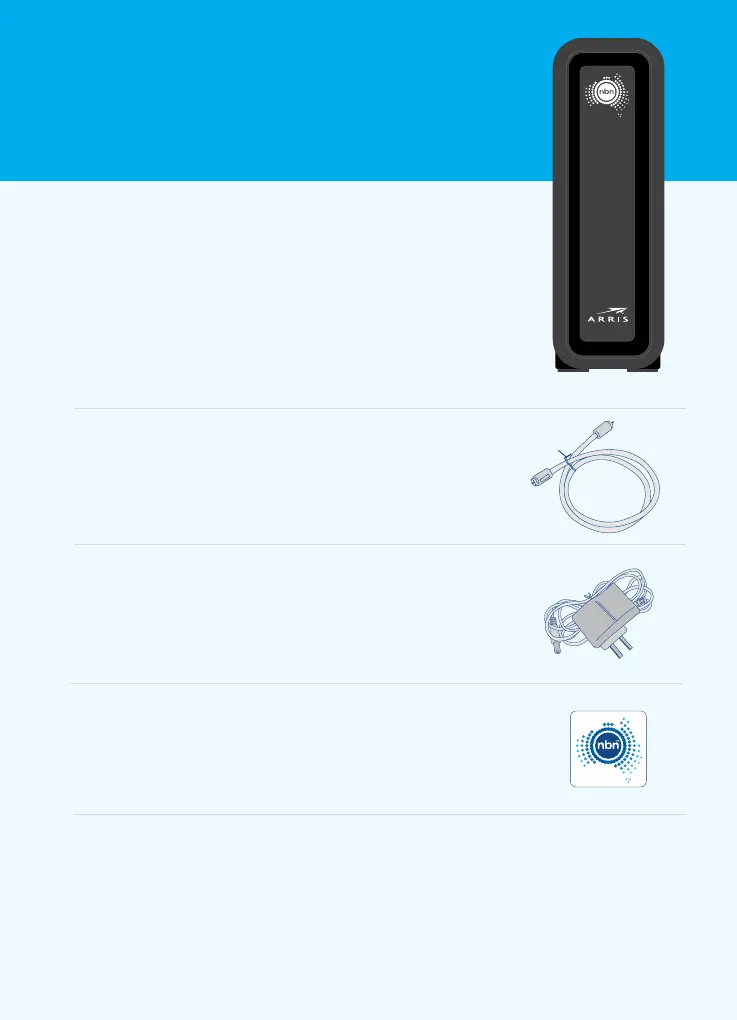
Your nbn
™
connection kit should
contain the following equipment.
Please check with your service
provider for any further instructions.
The service provided to you is the responsibility of your phone or internet service provider.
All other cables and equipment are the responsibility and property of you or your phone
or internet service provider. This includes the internal wiring required for additional internal
phone outlets within your home or business.
3. Power adaptor
This powers your nbn
™
connection box
byconnecting it to your power outlet.
4. nbn
™
coaxial wall outlet sticker
This sticker will help you identify the coaxial wall
outlet that your nbn
™
connection box is attached to.
2. Coaxial cable (RG-6)
This connects your coaxial wall outlet to your
nbn
™
connection box.
1. nbn
™
connection box (ARRISTouchstone
™
CM8200B)
Thisconnects to your own or your service provider’s
supplied gateway (router). Your service provider may
request the MAC address (see HFC MAC ID) and serial
number(see S/N) on the bottom panel.
POWER
DOWNSTREAM
UPSTREAM
ONLINE
CM8200
Connecting to the nbn
™
network 2













 To Next Page