EasyManua.ls Logo

Arris Touchstone TM602 - User Manual

Arris Touchstone TM602
79 pages
Print Icon
To Next Page IconTo Next Page
Loading...
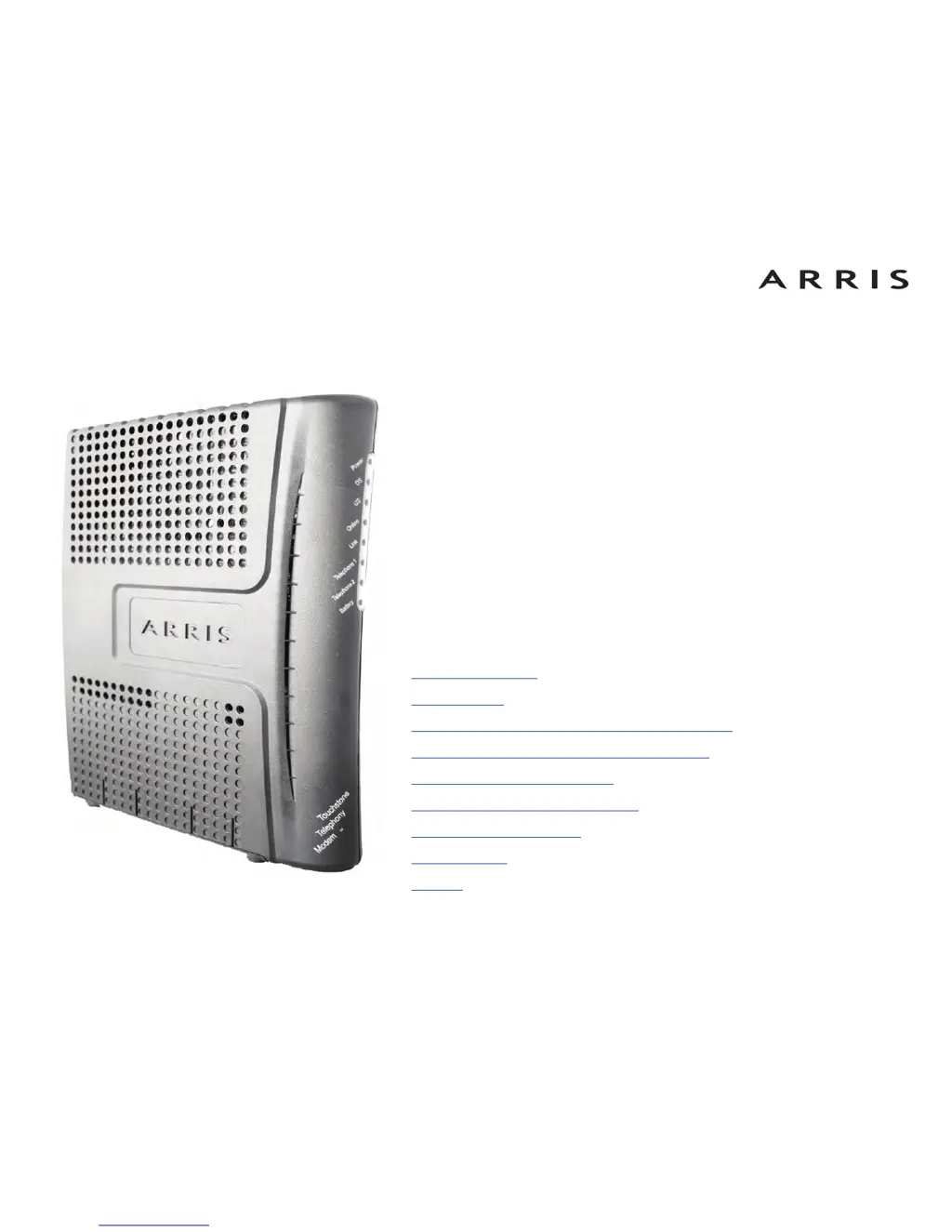
Touchstone
®
TM602 Telephony Modem
User’s Guide
Get ready to experience the Internet’s express lane! Whether you’re checking out
streaming media, downloading new software, checking your email, or talking with
friends on the phone, the Touchstone TM602 Telephony Modem brings it all to you
faster and more reliably. All while providing toll quality Voice over IP telephone serv-
ice. Some models even provide a Lithium-Ion battery backup to provide continued
telephone service during power outages.
The Touchstone Telephony Modem provides an Ethernet connection for use with
either a single computer or home/office Local Area Network (LAN). Some Telephony
Modems also provide a USB connection. You can connect two separate computers
at the same time using both of these connections. In addition, the Touchstone Tele-
phony Modem provides for up to two separate lines of telephone service.
Installation is simple and your cable company will provide assistance to you for any
special requirements. The links below provide more detailed instructions.
Safety Requirements
Getting Started
Battery Installation and Replacement (TM602G Only)
Installing and Connecting Your Telephony Modem
Installing USB Drivers on Your PC
Configuring Your Ethernet Connection
Using the Telephony Modem
Troubleshooting
Glossary

Questions and Answers

  • W
    Whitney GonzalezAug 12, 2025
    What to do if Arris Modem is not getting on the internet?
    • J
      Jessica GarciaAug 12, 2025
      If you are not getting on the Internet, it may take over 30 minutes to establish a connection the first time you power up your Arris Telephony Modem, especially when many people are online. Always leave your Telephony Modem plugged into AC power and connected to the cable system. Check your cable connections, ensuring they are finger-tight and the coax cable is not pinched or sharply bent. If you have splitters, remove them and connect the modem directly to the outlet. If the Power light blinks for more than 30 minutes, call your cable company for assistance.
  • C
    castanedascottAug 16, 2025
    What to do if Arris Modem is not getting on the internet via Ethernet?
    • O
      ortizbrendaAug 16, 2025
      If you are not getting on the internet (Ethernet), and are using a hub, make sure the hub is turned on. Ensure you're using the correct Ethernet cable: the supplied cable for direct connection to a computer, or a cross-over cable for connection to a hub or home router. You can also try pressing the Reset button on the back of the Arris Telephony Modem.
  • W
    wperezAug 19, 2025
    Why is my Arris Modem internet so slow?
    • A
      Amy PrattAug 19, 2025
      If you can get on the Internet, but everything is slow, the website you are visiting may be experiencing high traffic. If other sites download quickly, wait a few minutes and try again. Usage during peak hours may also affect connection speed. If your Arris Telephony Modem is connected to a LAN, other communications on the LAN may slow down your connection.
  • O
    Olivia HammondAug 27, 2025
    How to troubleshoot Arris Modem when the power light is off?
    • A
      Allison BartonAug 27, 2025
      If your Arris Telephony Modem is plugged in, but the Power light is off, check all power connections to ensure the power cord is firmly plugged in at both ends. For Model TM602S only: ensure the rear panel power switch is in the ON position. If plugged into a power strip, make sure the strip is switched on. Avoid using an outlet controlled by a wall switch, if possible. Test the outlet with another device like a lamp. Finally, check the fuse or circuit breaker panel.
  • K
    Kara ReeseAug 31, 2025
    What to do if Arris Touchstone TM602 Modem is not getting on the internet via USB?
    • A
      Andrew BishopAug 31, 2025
      If you are not getting on the internet via USB, ensure you have loaded the USB drivers. If using a powered USB hub, check that it is turned on. Verify the USB cable connections by disconnecting and reconnecting the cable. Try restarting the computer or pressing the Reset button on the back of the Arris Telephony Modem.
  • D
    Dominique MckinneySep 4, 2025
    What to do if computer does not auto-detect Arris Touchstone TM602 using USB?
    • J
      jimenezrichardSep 4, 2025
      If the computer does not auto-detect the Arris Telephony Modem using a USB connection, ensure the modem is properly installed and configured, and that the USB drivers are installed. Verify that your cable company has set up your account and that your computer is running a supported version of Windows (2000, XP, Vista, or 7). Ensure the modem has power, and try pushing the Reset button on the back. Disconnect and reconnect the USB cable, and restart the computer. You can also try uninstalling and reinstalling your USB drivers or replacing the USB cable.
  • G
    George BurtonSep 7, 2025
    Why only one of my computers can get on the internet with Arris Modem?
    • J
      Joseph BerrySep 7, 2025
      Check your cable company’s terms of service: they may allow only one computer to connect directly to the Arris Telephony Modem.
  • S
    Sophia Rogers MDNov 22, 2025
    Why don't I have a dial tone on my Arris Touchstone TM602?
    • D
      David RodriguezNov 22, 2025
      If you don’t have dial tone when you pick up your phone, check the following: * Is the Power and Online LEDs lit? If not, ensure the modem is plugged in and the coax connection is secure. * Is the Telephone LED lit? If blinking, a phone in the house may be off the hook. If not lit, phone service may not be provisioned; contact your service provider. * Ensure the phone is plugged into the correct port on the modem and try a different phone and cable. If problems persist, contact your service provider. If the modem is plugged into a wall outlet, unplug the RJ-11 connector and plug in a known working phone. If you now have dial tone, the problem is with the house wiring. Contact your MSO or a qualified wiring technician to correct the house wiring. If you still do not have dial tone, ...

Summary

Safety and Compliance

General Safety Precautions

Essential safety guidelines and warnings for using the Telephony Modem, including electrical and handling hazards.

Getting Started

System Requirements

Connection Options

Battery Installation and Replacement (TM602 G Only)

Installing and Connecting Your Telephony Modem

Connecting Cables and Power Supply

Step-by-step instructions for connecting coaxial, Ethernet, USB, and power cables.

Installing and Removing USB Drivers

Installing USB Drivers for PC Connection

Detailed steps for installing drivers on Windows 2000, XP, Vista, and Windows 7.

Configuring Ethernet Connection

TCP;IP Configuration for Operating Systems

Steps for configuring TCP/IP settings on Windows (98SE to 7) and MacOS X.

Using the Telephony Modem

Troubleshooting

Power and Internet Connectivity Issues

Resolving problems with no power, no internet, slow speeds, and multiple computer access.

Telephone Service and USB Connection Issues

Diagnosing dial tone problems and troubleshooting USB connection detection.

Arris Touchstone TM602 Specifications

General IconGeneral
BrandArris
ModelTouchstone TM602
CategoryModem
LanguageEnglish

Related product manuals