Installing USB Drivers on Windows XP
Follow these steps to install USB drivers on Windows XP.
1 Make sure the Wideband Cable Modem is on (the Power light should be on).
If not, connect the AC adapter as described in Connecting the Wideband
Cable Modem.
WARNING
Potential equipment damage
Do not use a mini CD in a slot-loading drive without using a mini CD
adapter. Damage to the drive may result. A mini CD can be used in most
tray-loading drives without an adapter.
2 Insert the mini CD that came with the Wideband Cable Modem package into
the CD-ROM drive.
3 Plug the appropriate end of the USB cable into the Wideband Cable Modem
and the other end into the computer’s USB port.
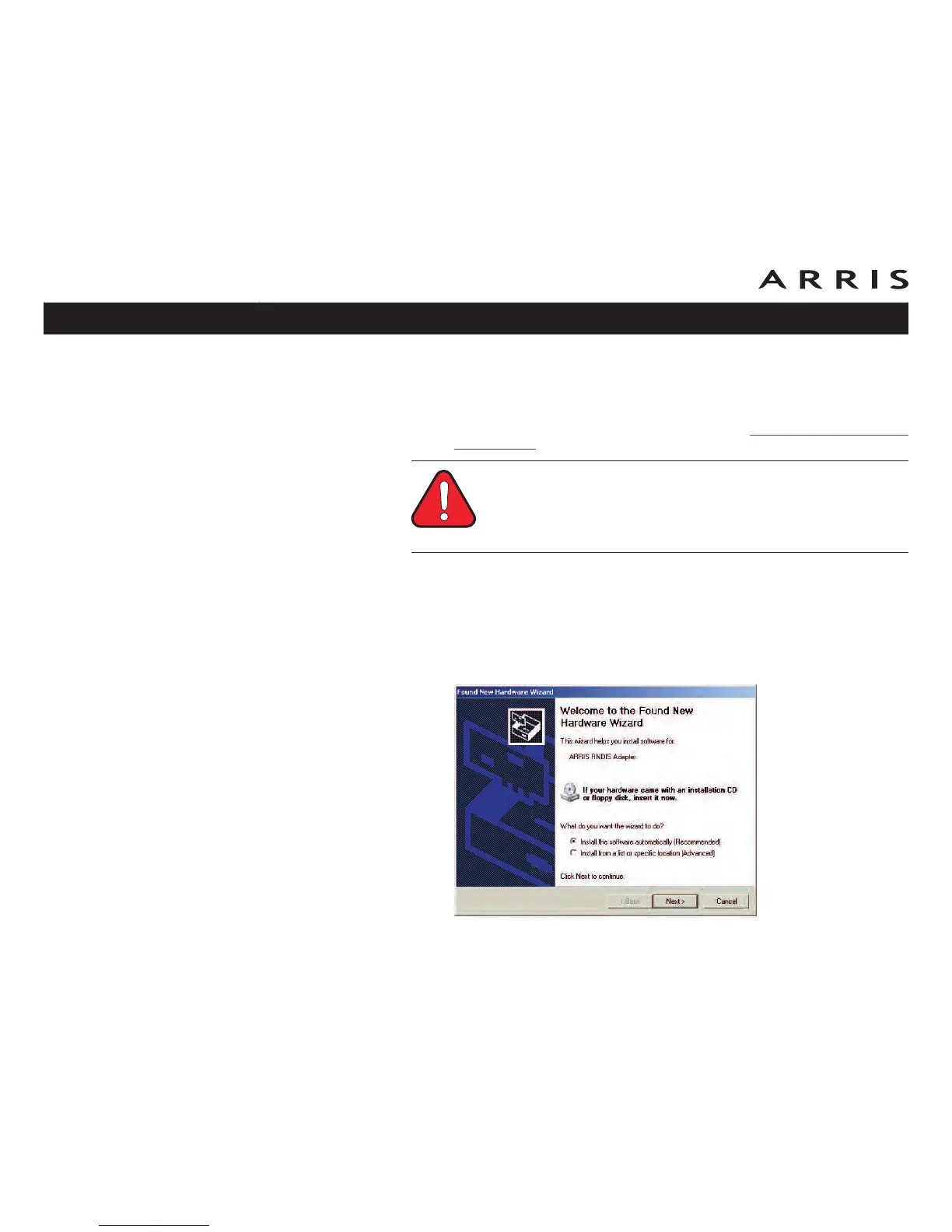
The following window appears, indicating that the PC has detected a new
USB device:
Touchstone WBM760 Wideband Cable Modem User’s Guide
Safety
Getting
Started Installation
USB
Drivers
Ethernet
Configuration Usage Troubleshooting Glossary
23













 To Next Page