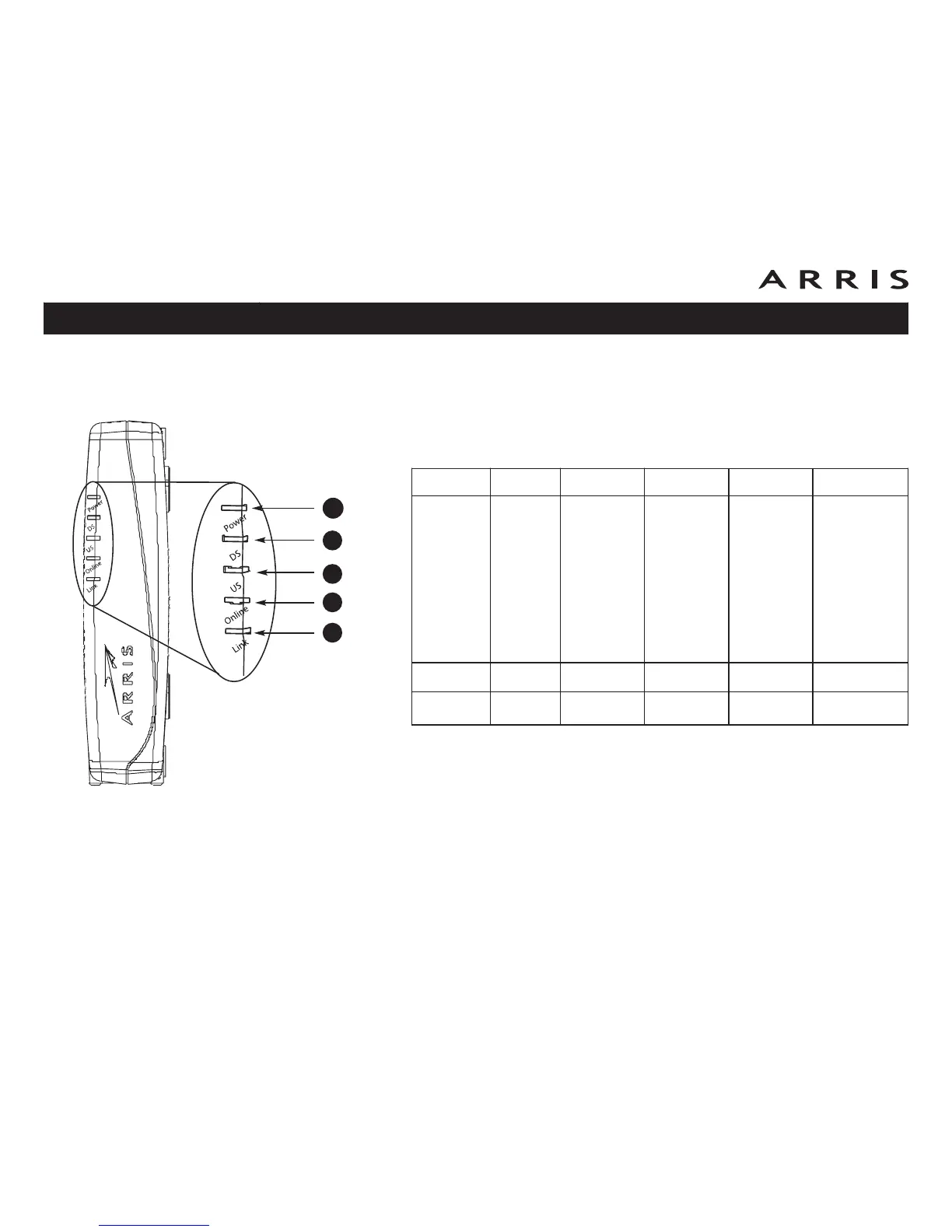
Indicator Lights for the WBM760A/B Models
The Wideband Cable Modem has five indicator lights to assist in troubleshooting.
Patterns: Normal Operation
The following table shows light patterns during normal operation.
Note 1: Your cable company may configure the Wideband Cable Modem to al-
ways display the DS, US, and Link indicators in green regardless of the
connection speed.
Note 2: If you have computers connected on both the USB and Ethernet ports,
the Link indicator is green only if both connections are high-speed
(USB 2.0 and 1000 BaseT Ethernet).
Mode Power (A) DS (B) US (C) Online (D) Link (E)
AC Power On
Yellow
1
=
Connected to
the Internet
(high speed)
Green
1
=
Connected to
the Internet
(ultra-high
speed)
Flash = Not
connected to the
Internet
Yellow
1
=
Connected to
the Internet
(high speed)
Green
1
=
Connected to
the Internet
(ultra-high
speed)
Flash = Not
connected to the
Internet
On = Internet
Available
Off = Internet
not available
Yellow
2
= USB 1.x
or 10/100 BaseT
Ethernet connected
Green
2
= USB 2.0
or 1000 BaseT
Ethernet connected
Off = Computer
not connected
Flash = Computer
Activity
No AC Power Off Off Off Off Off
Firmware
Upgrade
On Flash Flash On (normal operation)
Touchstone WBM760 Wideband Cable Modem User’s Guide
Safety
Getting
Started Installation
USB
Drivers
Ethernet
Configuration Usage Troubleshooting Glossary
46
A
B
C
D
E













 To Next Page