EasyManua.ls Logo

Arrma FURY - User Manual

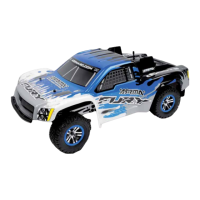
Arrma FURY
40 pages
Print Icon
To Next Page IconTo Next Page
Loading...
380037

Other manuals for Arrma FURY

Questions and Answers

  • M
    Michelle Crawford DDSAug 17, 2025
    Why Arrma FURY does not move?
    • M
      marie47Aug 17, 2025
      Your Arrma Motorized Toy Car might not move due to several reasons. It could be due to incorrectly installed batteries in the transmitter. Ensure the transmitter batteries are correctly installed. A weak or uncharged battery in the model can also cause this issue; install a fresh, charged battery. Check for frayed or broken motor or ESC wires and reconnect and insulate them if necessary. Overheating of the ESC can also cause a shutdown; allow the ESC or motor to cool down. If the MEGA electric motor or waterproof ESC is damaged, consider replacing it. Damage to the transmission/drive-line can also prevent movement; inspect and replace components if needed. Lastly, the ESC low voltage cutoff might have activated; remove the battery, let it cool, and recharge.
  • A
    Andrew MooreAug 19, 2025
    How to fix sluggish performance of Arrma FURY Motorized Toy Car?
    • R
      Rebecca OwensAug 19, 2025
      Sluggish performance in your Arrma Motorized Toy Car can stem from several factors. Begin by checking the battery; it may be damaged or not fully charged, so replace or recharge it as necessary. Ensure the ARRMA ATX transmitter throttle trim is correctly set to zero/neutral. Also, verify the neutral throttle position of the MEGA ESC is correct by setting the throttle trim to zero and switching the MEGA ESC off and then on again. A loose slipper clutch adjustment can also cause this; check if the slipper is set to the factory or your preferred setting. Adjust the MEGA waterproof ESC settings if the initial acceleration mode or reverse speed is set too low. A dirty or damaged MEGA electric motor or drivetrain can also lead to sluggishness; clean, check, and replace components as needed.
  • C
    Christina FordAug 22, 2025
    How to increase steering angle on Arrma FURY?
    • W
      William WilkinsAug 22, 2025
      A limited steering angle on your Arrma Motorized Toy Car can be caused by a few things. First, check the ARRMA ATX transmitter steering dual-rate setting; adjust the ARRMA ATX transmitter dual-rate. Also, inspect for any damaged steering components and replace them if necessary. Lastly, a damaged MEGA waterproof ESC could be the culprit, and you may need to replace it.
  • A
    Alexander JacksonAug 25, 2025
    Why does my Arrma Motorized Toy Car have a short runtime?
    • J
      Joshua AguilarAug 26, 2025
      Short runtime in your Arrma Motorized Toy Car can be caused by a damaged or not fully charged battery; check the battery's condition and replace or recharge it as needed. Another cause might be a dirty or damaged MEGA Electric motor; clean, check its condition, and replace if necessary. Finally, the ESC battery mode could be incorrect, with the voltage cutoff set too high for your battery; adjust the battery mode of the MEGA waterproof ESC.
  • C
    connie30Aug 28, 2025
    What to do if I have no control of Arrma FURY or short range?
    • J
      Joy EdwardsAug 28, 2025
      If you're experiencing a lack of control or short range with your Arrma Motorized Toy Car, first check the transmitter batteries to ensure they are not weak or incorrectly installed. Next, verify that the servo and ESC signal wires are securely and correctly connected to the ARX receiver. Lastly, ensure that the transmitter and receiver are properly 'bound'. If not, they will need to be bound correctly.
  • B
    Brandon MartinAug 30, 2025
    Why Arrma Motorized Toy Car drives without input?
    • L
      Lynn RussellAug 30, 2025
      If your Arrma Motorized Toy Car drives without any input, the issue might be related to the transmitter or ESC settings. First, check that the ARRMA ATX transmitter throttle trim is correctly set; it should be at zero/neutral. If that's not the problem, the neutral throttle position of the MEGA ESC might be incorrect. To fix this, set the throttle trim to zero, then switch the MEGA ESC off and on again to set a new neutral position.
  • K
    Kelly DuranSep 2, 2025
    Why Arrma FURY Motorized Toy Car wanders left or right without steering input?
    • J
      Justin MooreSep 2, 2025
      If your Arrma Motorized Toy Car wanders left or right without steering input, it could be due to several reasons. The ARRMA ATX steering trim setting might be off; adjust the steering trim. Damaged steering components or a dirty or damaged drivetrain can also cause wandering; inspect and replace or clean components as needed.
  • S
    Shelley CooperSep 5, 2025
    What causes intermittent steering/throttle operation in Arrma Motorized Toy Car?
    • W
      Wendy KellerSep 5, 2025
      Intermittent steering or throttle operation in your Arrma Motorized Toy Car can be due to a couple of reasons. The ESC may have shut down due to overheating; in this case, stop driving and allow the ESC or motor to cool down. Alternatively, the ARRMA transmitter and receiver may not be fully bound or are experiencing interference; check for sources of interference and re-bind the transmitter/receiver.
  • W
    William WelchSep 8, 2025
    What to do if Arrma FURY Motorized Toy Car does not reverse?
    • A
      Antonio ReynoldsSep 8, 2025
      If your Arrma Motorized Toy Car is not reversing, it could be due to the ESC reverse mode being switched off; adjust the reverse settings on the MEGA waterproof ESC. Alternatively, the MEGA Waterproof ESC might be damaged, in which case you should consider replacing it.
  • K
    kenneth11Sep 12, 2025
    How to correct reversed steering or throttle on Arrma FURY?
    • B
      Brian MillerSep 12, 2025
      If the steering or throttle function is reversed on your Arrma Motorized Toy Car, the relevant channel of the ARRMA ATX transmitter might be reversed; reverse the relevant channel on the ARRMA ATX transmitter. Also, check that the wires from the ESC to the motor are connected correctly; reconnect them in the correct orientation (orange to red and blue to black), ensuring a tight fit.

Summary

Warnings

Warranty Information

ARRMA Product Support

ARRMA Model Kit Overview

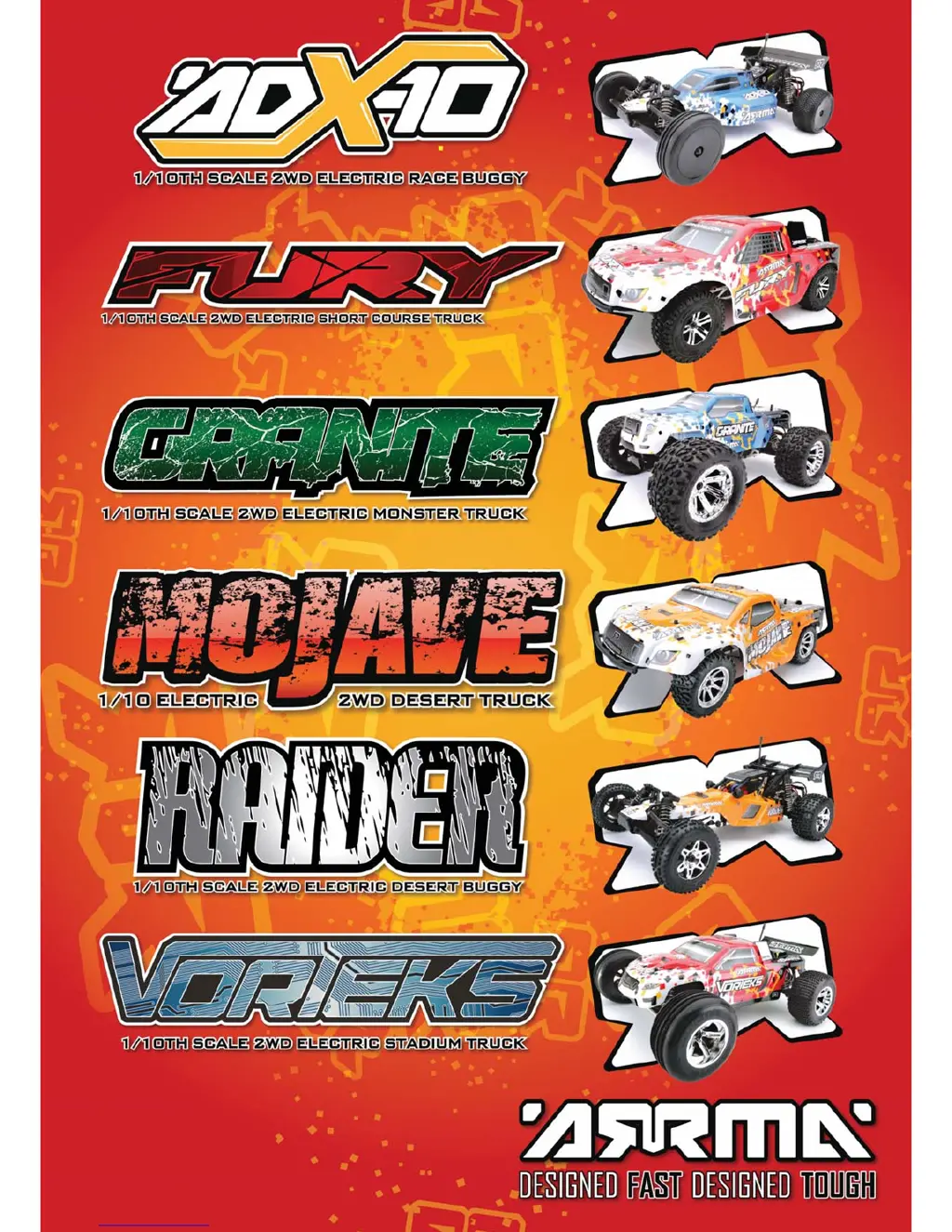
ARRMA ADX-10 Model

Overview of the ADX-10 model.

ARRMA Fury Model

Overview of the Fury model.

ARRMA Granite Model

Overview of the Granite model.

ARRMA Mojave Model

Overview of the Mojave model.

ARRMA Raider Model

Overview of the Raider model.

ARRMA Vorteks Model

Overview of the Vorteks model.

Required Items for Operation

7.2;7.4 V Battery and Charger

Required battery and charger for the RC model.

Radiogear Components

Required radio transmitter and receiver components.

Transmitter AA Batteries

Required AA batteries for the transmitter.

PC and Internet Access

Requirement for PC and internet access for updates/info.

Battery Charging Procedure

Battery Safety Instructions

Battery Handling Precautions

Safety guidelines for handling and using batteries to prevent damage or injury.

Chassis Component Overview

Front Chassis Components

Identification of key components in the front section of the chassis.

Rear Chassis Components

Identification of key components in the rear section of the chassis.

Radio Gear Operation

Transmitter Control Panel Layout

Explanation of the buttons, switches, and indicators on the ATX100 transmitter.

Trim and Binding Procedures

How to adjust trim settings and bind the transmitter to the receiver.

Electronic Speed Controller (ESC) Features

ESC Specifications and Input Voltage

Technical details including input voltage and BEC output for the ESC.

Dual Rate and Battery Status Indicators

Transmitter functions for adjusting steering sensitivity and checking battery levels.

ESC Factory Default Settings

Default configurations for ESC channels, trims, and other settings.

ESC Operation and Tuning Guide

Throttle Neutral Setup

Procedure for calibrating the ESC's throttle neutral position.

ESC Status LED and Temperature Protection

Understanding ESC status lights and how temperature protection works.

Low Voltage Cut-Off and ESC Tuning

Features for battery protection and methods for tuning ESC performance.

RC Vehicle Operation Basics

Battery Fitting and Initial Running

Steps for installing the battery and first-time operation.

Driving Fundamentals and Post-Drive Checks

Techniques for driving, cornering, and essential checks after use.

RC Vehicle Maintenance and Troubleshooting

Recommended Tools for Maintenance

List of necessary tools for performing upkeep on the RC vehicle.

Basic Trouble Shooting Matrix

A table listing common problems, their causes, and solutions.

Troubleshooting and Maintenance Schedule

Extended Trouble Shooting Matrix

Additional problem-solution pairings for vehicle issues.

Maintenance Task Schedule Overview

A chart detailing maintenance tasks and recommended service intervals.

Chassis and Wheel Maintenance Procedures

Chassis Cleaning After Running

Steps to clean and check the chassis after each use.

Wheel and Tyre Inspection and Repair

Guide to inspecting, re-gluing, and fitting wheels and tires.

Drivetrain Tuning and Adjustments

Slipper Clutch Adjustment Guide

Procedure for tuning the slipper clutch for different driving conditions.

Spur and Pinion Gear Mesh Setting

Method for correctly setting the mesh between the spur and pinion gears.

Slipper Clutch Pad Replacement Procedure

Driveshaft and Rear Axle Maintenance

Driveshaft Cleaning and Greasing

Instructions for cleaning, inspecting, and re-greasing driveshafts.

Rear Axle Wear Inspection

How to inspect the rear axle for wear and perform necessary checks.

Wheel Bearing Replacement Procedure

Front Wheel Bearing Replacement

Steps to remove and replace wheel bearings in the front of the vehicle.

Rear Wheel Bearing Replacement

Steps to remove and replace wheel bearings in the rear of the vehicle.

Raider and ADX-10 Model Factory Settings

Raider Front and Rear Settings

Specific factory settings for the Raider's front and rear suspension.

ADX-10 Front and Rear Settings

Specific factory settings for the ADX-10's front and rear suspension.

Mojave Model Factory Settings

Mojave Front and Rear Settings

Specific factory settings for the Mojave's front and rear suspension.

Vorteks and Granite Model Factory Settings

Vorteks Front and Rear Settings

Specific factory settings for the Vorteks' front and rear suspension.

Granite Front and Rear Settings

Specific factory settings for the Granite's front and rear suspension.

Chassis Tuning Adjustments Guide

Ride Height Adjustment Methods

How to modify ride height using included spacers.

Camber and Toe Adjustments

Adjusting camber link length and steering arm length for wheel alignment.

Shock Position and Camber Link Position

Adjusting shock mounting and camber link position for suspension tuning.

Shock Absorber Maintenance Procedures

Shock Absorber Removal

Steps for removing front and rear shock absorbers.

Spring Characteristics and Replacement

Understanding spring effects and how to swap them.

Shock Oil Change Procedure

Detailed guide on how to change the oil inside the shock absorbers.

Drivetrain Tuning and Gear Ratio Guide

Understanding Gear Ratios

Explanation of the gear chart and its impact on acceleration and top speed.

Spur and Pinion Gear Service

Steps for removing and replacing pinion and spur gears.

Motor Removal and Differential Tuning

Motor Removal Procedure

Guide on how to remove the motor for cleaning or upgrades.

Differential Tuning with Oil Weight

How different differential oil weights affect vehicle handling characteristics.

Differential Removal and Replacement Procedure

Differential Exploded View and Parts

Differential Component Breakdown

Visual representation of all parts within the differential assembly.

Available Differential Maintenance Kits

Listing of part numbers for differential repair and maintenance kits.

Radio Gear Maintenance and Component Access

Receiver Access Procedures

How to gain access to the receiver for binding or upgrades.

Steering Mechanism Access

How to access the steering assembly for adjustments or repairs.

Servo Removal and Steering Assembly Procedure

Servo Removal Steps

Detailed instructions for removing the steering servo from the chassis.

Front Exploded View: Raider;ADX-10

Front Exploded View: Granite;Vorteks

Front Exploded View: Fury;Mojave

Center Exploded View: Raider;ADX-10

Center Exploded View: Granite;Vorteks

Center Exploded View: Fury;Mojave

Rear Exploded View: Raider;ADX-10

Rear Exploded View: Granite;Vorteks

Rear Exploded View: Fury;Mojave

Gearbox Exploded View and Components

Optional Parts and Upgrades Catalog

Optional Shock Absorbers

Various optional shock absorber sets for different models.

Wheelie Bar Set and Accessories

Optional wheelie bar components and related parts.

Alloy Chassis and Suspension Upgrades

Upgrade parts made of alloy for chassis and suspension components.

Optional Alloy Servo Arms

Alloy servo arms in different sizes for customization.

Settings Templates: Raider;ADX-10

Raider Settings Template

Blank fields for documenting Raider suspension adjustments.

ADX-10 Settings Template

Blank fields for documenting ADX-10 suspension adjustments.

Settings Templates: Mojave;Vorteks;Granite

Mojave Settings Template

Blank fields for documenting Mojave suspension adjustments.

Vorteks Settings Template

Blank fields for documenting Vorteks suspension adjustments.

Granite Settings Template

Blank fields for documenting Granite suspension adjustments.

Mojave Suspension Settings Record

Vorteks Suspension Settings Record

Granite Suspension Settings Record

Arrma FURY Specifications

General IconGeneral
Scale1/10
Motor TypeBrushed
SuspensionIndependent
Battery7.2V NiMH
Top Speed30+mph / 48+km/h
Shock TypeOil-Filled
BodyPre-Painted, Polycarbonate
ChargerNot Included
Radio2.4GHz
Battery Details7.2V NiMH (Not Included)

Related product manuals