EasyManua.ls Logo

Arrma FURY - Radio Gear Operation; Transmitter Control Panel Layout; Trim and Binding Procedures

Arrma FURY
40 pages
Print Icon
To Next Page IconTo Next Page
To Previous Page IconTo Previous Page
Loading...
© 2013 ARRMA Durango Ltd.A subsidiary of Hobbico, Inc.
DESIGNED FAST. DESIGNED TOUGH.
6
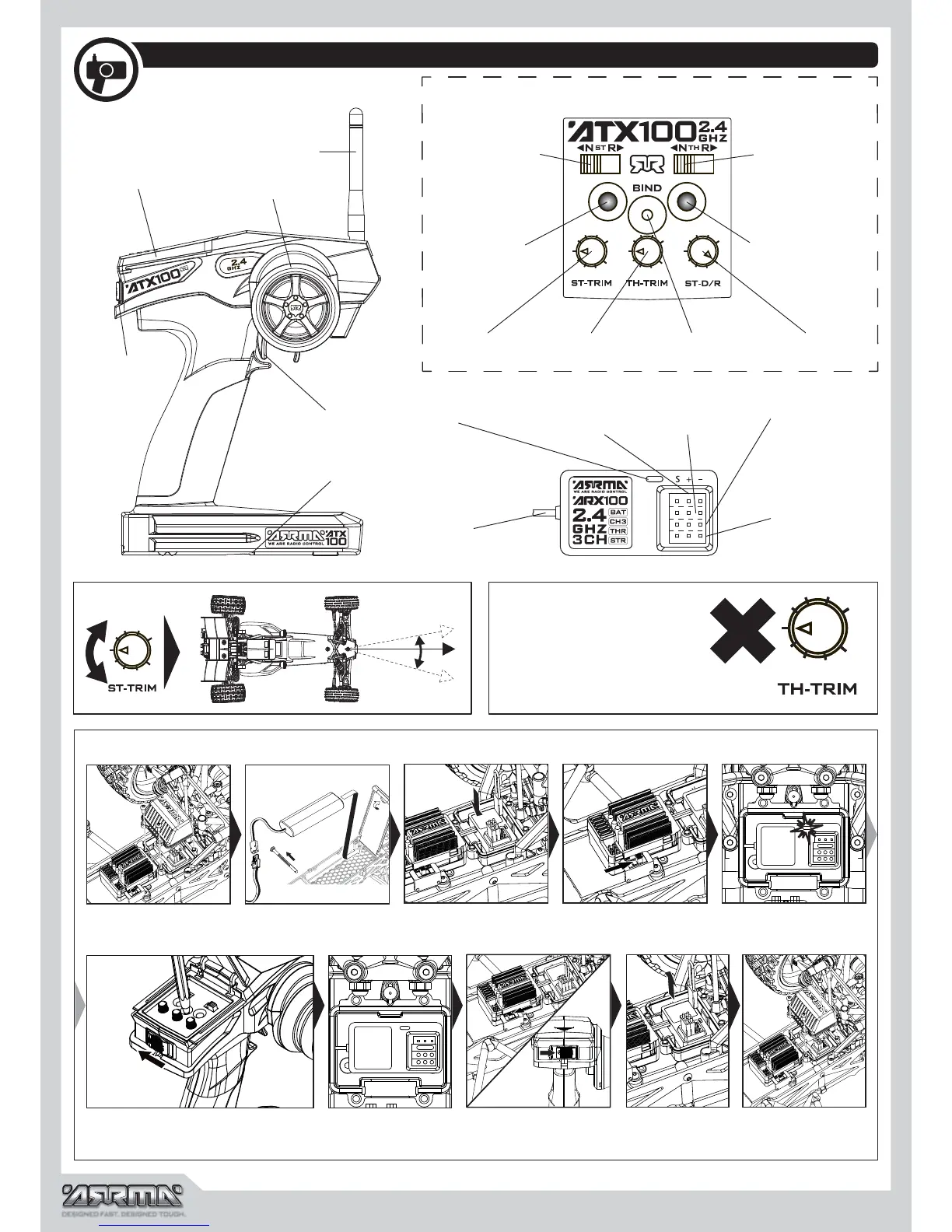
Radio Gear
Battery compartment
Status LED
BAT socket
(not used)
Throttle socket
(CH2)
Steering (CH1)
socket
Throttle trigger (CH2)
Steer wheel (CH1)
Control panel
Power switch
Aerial
Aerial
Bind/CH3
socket
Steering reverse
Power LED
Steering trim Throttle trim Bind button
Battery Status LED
Steering dual rate
Throttle reverse
Control Panel
ARRMA ATX100 2.4Ghz
Binding
Throt t l e Trim
Throttle Trim: factory default
zero, adjustment is not
necessary.
Steering Trim
Fit battery and
connect ESC
Remove receiver box
lid
Hold down bind button and turn
transmitter on
Status LED stops
blinking
Turn ESC and
Transmitter off
Remove bind
plug
Replace receiver box
lid
Switch on
ESC
Receiver status LED
will blink
Insert bind plug in CH3
Socket

Other manuals for Arrma FURY

Related product manuals