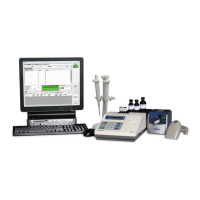
Always refer to the PCS Procedure Guide for further instruction
Mixing Sample #1
Please Wait
Reading Sample #1
Please Wait
Result #1 XXX.X
Pipette Sample #2
Rules for Adjustable Volume Pipettes:
• Calibration can be performed by starting at any volume.
• When the desired number of samples at the first volume have been dispensed, press ENTER.
• If a data point must be deleted, press YES at the reprint results prompt and follow the delete a data point instructions.
• Enter the next volume in the pipette’s range. This process can be repeated. Press END OF RUN when complete.
• In some cases, more than one Sample Solution will be required. Special attention should be paid to the screen
prompts to ensure usage of correct solution.
Reading the Sample
• Once the sample is dispensed, and the cover is closed, the
Instrument will mix the sample and display a prompt (Figure 11).
• The Instrument will then read the absorbance of the sample
and display a prompt (Figure 12).
• Finally, the result of the reading will be displayed on the screen
and the Instrument will prompt for the dispense of the next
sample (Figure 13).
• Follow the same steps listed on this page for the next sample
and every subsequent sample.
• When performing a single volume calibration and the desired
number of data points have been collected, press END OF
RUN. When performing a multi-volume calibration, press
ENTER (see shaded section below).
• The group statistics will be computed and the results printed.
Figure 11
Figure 12
Figure 13
Pipette
Calibration
PCS Quickstart-15A3179_PCS Quickstart 15A3179 Rev 4/3/13 2:02 PM Page 13


 To Next Page
 Loading...