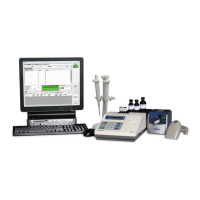
Always refer to the PCS Procedure Guide for further instruction
Important Notes:
• Use the CAL A vial from the Reagent Kit and not from the Instrument Calibrator Kit.
• Never remove the cover of the CAL A vial.
• The label for the CAL A vial should face the front of the Instrument with the vertical line facing forward.
• Each Blank vial contains a predetermined volume of solution. Any spillage will reduce accuracy.
• The lower portion of the Blank vial must be free of smudges. Touching this area should be avoided.
• Once the Blank vial has been inserted into the Instrument, it must not be turned or moved until the calibration
procedure is complete for that vial.
• The Instrument will then prompt to insert a blue Blank
vial into the vial holder (Figure 5). Remove the Blank vial
from the vial block and remove the cap.
• Insert the open vial into the vial holder pressing down
until it contacts the bottom of the vial holder.
• Close the Instrument cover. The Instrument will read the
Blank vial.
Remove Cap and
Insert Blank
Figure 5
PCS Quickstart-15A3179_PCS Quickstart 15A3179 Rev 4/3/13 2:02 PM Page 9


 To Next Page
 Loading...