EasyManua.ls Logo

Arthrex AR-3210-0004 - User Manual

Default Icon
55 pages
Print Icon
To Next Page IconTo Next Page
Loading...
950-0027-01, Rev. B English
950-0027-01B 1 of 55
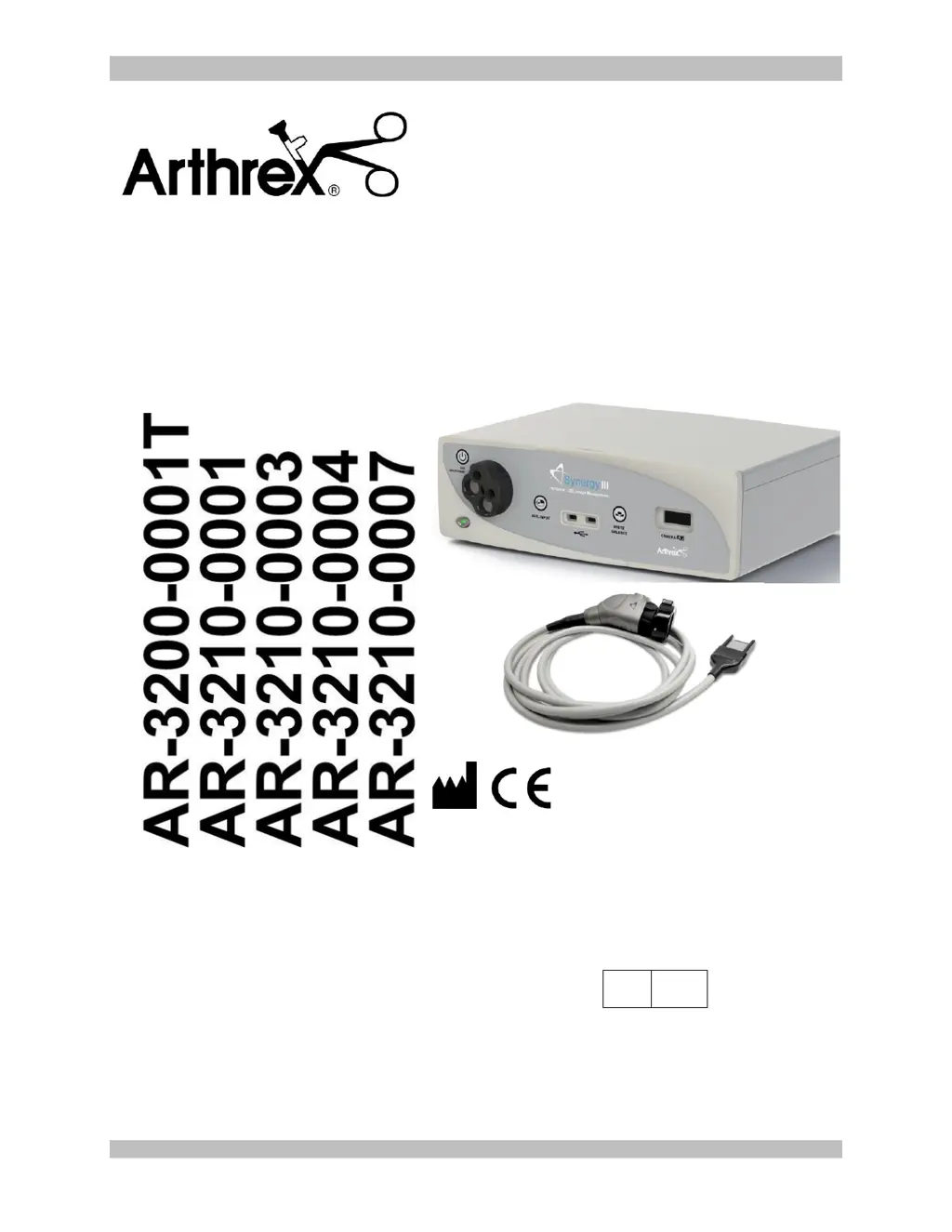
Synergy
HD3
System
Instructions for Use
The Arthrex Synergy
HD3
System Camera Controller and
Camera Head User’s Guide provides important
information for the safe operation of all components of the
Synergy
HD3
Camera System, including accessories. Read
this User’s Guide thoroughly prior to using this system
and keep it in an easily accessible place for use by all
operating personnel. Read and follow all safety warnings,
cautions and precautions.
Arthrex, Inc.
1370 Creekside Blvd.
Naples, FL 34108, USA
+1 (800) 934-4404
Technical Support
1-800 391-8599
EC
REP
Arthrex GmbH
Erwin-Hielscher-Strasse 9
81249 München, Germany
+49 89 909005-0

Questions and Answers

  • S
    Stacy JonesAug 7, 2025
    What to do if there is no video image on the Arthrex AR-3210-0004 monitor?
    • B
      Brianna SchneiderAug 7, 2025
      If you're not seeing a video image on the monitor with your Arthrex Digital Camera, first ensure that the CCU and monitor are plugged in and powered on. Next, confirm all cable connections are correct and reroute video cables if needed, checking for any damage and replacing cables as necessary. Also, make sure the camera head cable connector is fully inserted into the console's receptacle. If the issue persists, try replacing the camera head with a known working unit to see if the original camera head or cable is faulty and needs repair.
  • F
    Frank FowlerAug 12, 2025
    How to fix an Arthrex Digital Camera that does not power up?
    • C
      Carl McdonaldAug 13, 2025
      If your Arthrex Digital Camera isn't powering up, and the standby LED isn't lit, start by ensuring the power cord is securely plugged into both the CCU and a properly grounded receptacle. If it's still not working, try replacing the power cord to rule out a faulty cord.
  • K
    Kathy SnyderAug 17, 2025
    What to do if Arthrex AR-3210-0004 Digital Camera has an intermittent picture?
    • S
      Stacy WheelerAug 17, 2025
      If you are experiencing an intermittent picture with your Arthrex Digital Camera, first, reinsert the camera head connector card edge to ensure it's fully seated in the CCU camera receptacle. Then, flex the video and power cables to see if the picture is affected; if it is, inspect the cables and replace them if necessary. If flexing the camera cable affects the picture, it may need to be returned for repair or replacement.
  • J
    Joseph BenjaminAug 23, 2025
    Why won't my Arthrex AR-3210-0004 Digital Camera white balance?
    • A
      Ashley HarrisonAug 23, 2025
      If your Arthrex Digital Camera won't white balance, and the monitor indicates “White Balance Fail”, it could be due to several reasons: * Too much light: Move the scope further from the white gauze or reduce the light source brightness. * Too little light: Move the scope closer to the white gauze or increase the light source brightness. * Wrong color temperature light: Adjust the light source to the correct color temperature.
  • A
    Aimee NewtonAug 27, 2025
    How to improve color reproduction on Arthrex Digital Camera?
    • B
      Beverly HudsonAug 28, 2025
      If you're experiencing poor color reproduction with your Arthrex Digital Camera, the issue is likely due to white balance problems. Try white balancing the camera head to resolve this.
  • B
    Brooke BrownSep 1, 2025
    What to do if Arthrex Digital Camera head buttons do not function?
    • A
      Andrew PerezSep 1, 2025
      If the camera head buttons on your Arthrex Digital Camera aren't functioning as programmed, it's likely due to incorrect programming. Reprogram the camera head buttons to resolve this issue. Note that this solution is only applicable if you are using the Tablet Data Input device option.

Summary

Introduction and System Overview

System Components and Handling

Details system components, intended use, contraindications, and device handling procedures.

Safety Guidelines and Symbol Definitions

Explains device symbols, environmental directives, and critical safety warnings and precautions for operation.

System Interfaces and Components

Describes front panel indicators, rear panel ports, and various camera head types.

System Installation, Setup, and Operation

Installation and Initial System Setup

Guides the physical installation and initial configuration of the SynergyHD3 system.

System Configuration and Management

Details setting up system preferences, network, print fields, and surgeon management.

Case Scheduling and Workflow

Covers scheduling, starting, operating, and ending patient cases.

Advanced Operation Modes

Instructions for operating without a tablet, white balance, and Picture-in-Picture functionality.

Maintenance, Sterilization, and Troubleshooting

Cleaning and Sterilization Procedures

Detailed steps for cleaning and sterilizing the camera control unit and camera head.

Troubleshooting Common Issues

Offers solutions for common problems encountered with the SynergyHD3 system.

Scheduled Maintenance and Battery Replacement

Recommended annual maintenance tests and procedures for battery replacement.

Technical Information and Appendices

Technical Specifications and Compliance

Provides technical data, safety, EMC, and regulatory compliance details.

Electromagnetic Compatibility (EMC) Details

Detailed information regarding Electromagnetic Compatibility (EMC) for the system.

Software Version Access

Instructions on how to access the software version information for the Synergy HD3 system.

Arthrex AR-3210-0004 Specifications

General IconGeneral
BrandArthrex
ModelAR-3210-0004
CategoryDigital Camera
LanguageEnglish

Related product manuals