Need help?
Do you have a question about the ARTISUL A1201 and is the answer not in the manual?
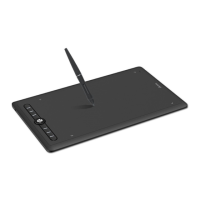
Introduces the Artisul pen tablet A1201, its technology, and benefits for users.
Details the graphics tablet components and lists included accessories like pen, nibs, and cables.
Lists the functions of the multimedia bar for both Windows and Mac operating systems.
Details all items included in the product package for user reference.
Provides instructions on how to connect the pen tablet to a computer using a USB cable.
Guides users through downloading and installing the necessary drivers for the tablet.
Explains the process for connecting and using the tablet with Android devices.
Offers illustrated steps for safely replacing the pen nib when it wears out.
Explains how to hold and use the digital pen, including button operation and resting position.
Describes how pen tip movement above the tablet controls the cursor on the screen.
Details the actions of tapping to select and moving items with the pen on the tablet.
Explains the programmable pen buttons and tablet press keys, plus LED indicators.
Explains the visual indicators for device connection status on the driver interface.
Configures the tablet's active area mapping to screen displays, including multi-monitor setups.
Details how to customize the functions assigned to the tablet's express keys.
Explains how to customize the functions of the pen's buttons.
Describes how to adjust the pen's pressure sensitivity curve for desired output.
Guides users on how to test the pen's pressure input levels.
Explains how to enable Windows Ink for enhanced pen input features in compatible applications.
Describes how to enable and use the mouse mode for pen input, allowing cursor control without reaching screen edges.
Details customizing press keys and pressure curve settings on a per-application basis.
Covers exporting and importing custom driver configuration data for easy backup and restoration.

 To Next Page
 General