Need help?
Do you have a question about the ARTISUL A801 and is the answer not in the manual?
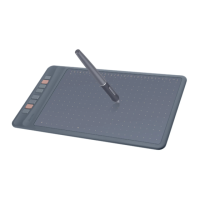
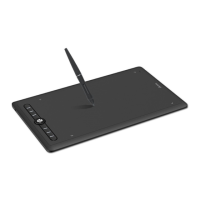
Introduction to the Artisul pen tablet A801 and its capabilities.
Details about the product components and included accessories.
Instructions on how to connect the tablet to a computer using a USB cable.
Steps for downloading and installing the necessary driver for the tablet.
Guide for connecting the pen tablet to Android devices.
Instructions on how to replace the worn-out pen nib.
Explains how to hold and use the digital pen, including gesture and cursor positioning.
Details about the pen tablet's features like press keys and LED indicator.
Information on how the computer indicates the tablet's connection status.
How to configure the tablet's active area for different monitors and orientations.
Guide to customizing the functions of the tablet's shortcut keys.
Instructions for customizing the functions of the pen's buttons.
How to adjust the pen's pressure sensitivity by modifying the pressure curve.
Method to test the pen's pressure responsiveness.
How to activate Windows Ink for enhanced pen input support.
Explanation of how to use the tablet in mouse mode for cursor control.
Customizing shortcut keys and pressure curves for specific applications.
How to export and import custom configuration settings for the tablet.

 To Next Page
 General