Need help?
Do you have a question about the ARTISUL D16 and is the answer not in the manual?
Introduction to the ARTISUL Pen Display and its use as a computer input device.
Details the functions of the ARTISUL Pen Display after driver installation.
Lists the necessary hardware and software for the ARTISUL Pen Display.
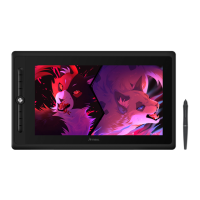
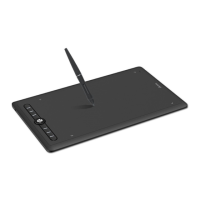
Illustrates and lists the packaged contents of the ARTISUL Pen Display.
Step-by-step guide for connecting the ARTISUL Pen Display to a computer.
Instructions for connecting the AC adapter for the ARTISUL D16.
Procedure for downloading and installing the ARTISUL driver on Windows.
Provides tips on double tapping, scrolling, and using the pen display with a mouse.
Guide on extending the display across multiple monitors and configuring mapping.
Overview of ARTISUL Control Panel tabs: Dashboard and Devices.
Customizing the FastAccess buttons and QuickDial functions.
Configure pen tip functions, double-click speed, and pressure sensitivity.
Guide for calibrating the pen tip and screen for optimal accuracy.
Accessing support resources and managing preferences.
Instructions on how to replace the pen tip using the provided tools.
Recommendations for cleaning and maintaining the ARTISUL Pen Display and cables.
Configuring ARTISUL for SAI, SAI 2, and Corel Painter 2015.
Configuring ARTISUL for Clip Studio Paint.
Answers to common questions regarding driver download, screen issues, and pen functionality.
Guidance on resolving common issues with the ARTISUL display and pen.
Step-by-step instructions for removing the ARTISUL driver from your system.
Reference tables for hotkeys in Photoshop, Illustrator, and Clip Studio Paint.
 General
| Display Size | 15.6 inches |
|---|---|
| Active Area | 344.16 x 193.59 mm |
| Resolution (LPI) | 5080 LPI |
| Pressure Levels | 8192 levels |
| Report Rate | 266 RPS |
| Accuracy | ±0.5 mm |
| Response Time | 25 ms |
| Contrast Ratio | 1000:1 |
| Gamut | 72% NTSC |
| Resolution | 1920 x 1080 |
| Viewing Angle | 178° |
| Connectivity | HDMI, USB |
| OS Support | Windows, macOS |
| Pen Technology | Battery-free electromagnetic resonance |
| Compatibility | Adobe Photoshop, Clip Studio Paint |


 To Next Page