D16 AC ADAPTER SETUP
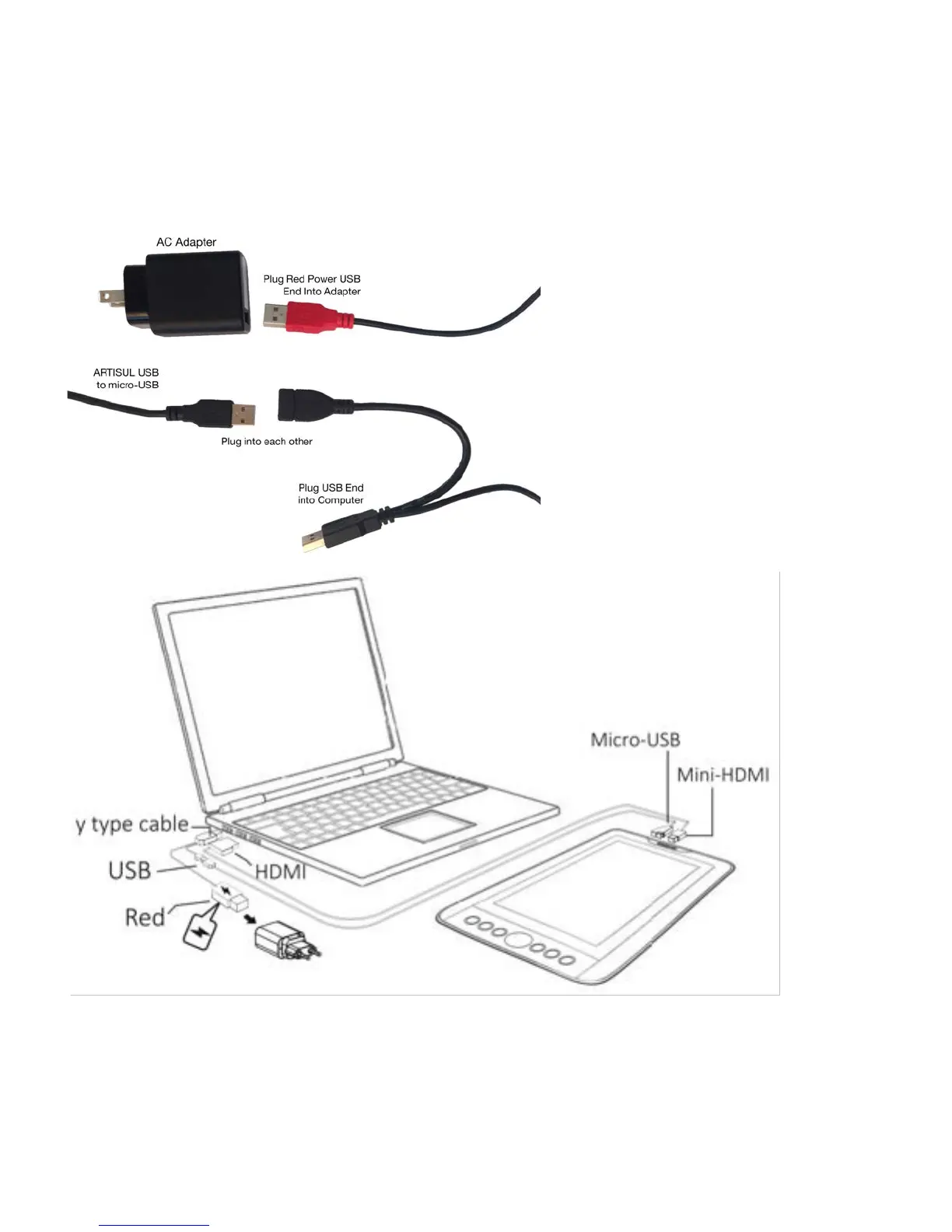
1. Find AC Adapter Accessories.
2. Plug in red power USB end into adapter.
3. Plug black male USB end into computer.
4. Plug male USB end of ARTISUL display cable into female end of Y cable.
Note: Please remove power adapter first when removing your ARTISUL D13 from your computer.
Note: Use only power adapters and cables approved by UC-LOGIC for use with ARTISUL.



 To Next Page