SETUP
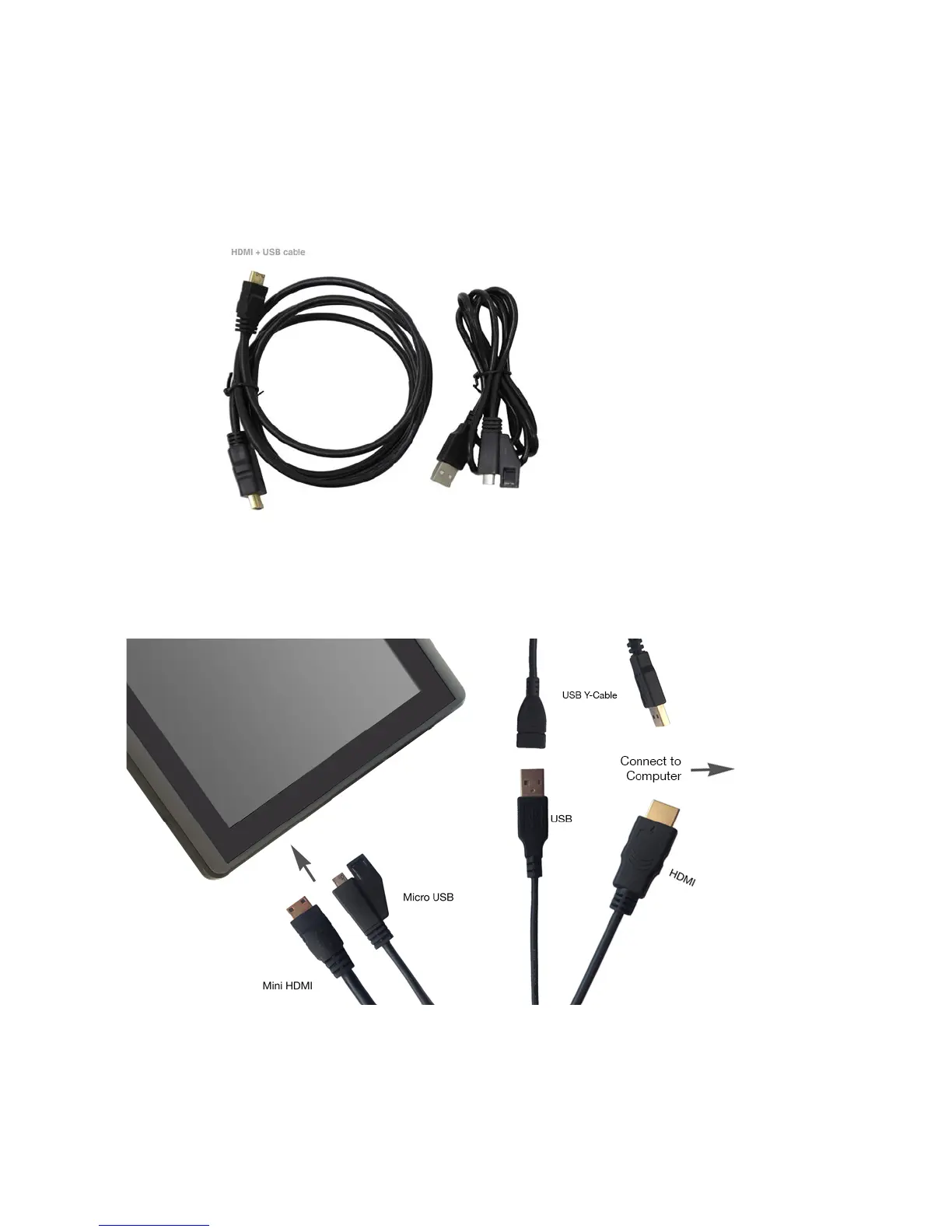
1. Find 2 cables packaged with your ARTISUL Pen Display:
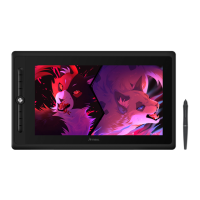
a. Micro-USB (with safety lock) to USB
b. Mini-HDMI to HDMI
c. AC
2. Insert micro-USB end of cable with safety lock into pen display. Insert USB end into computer.
3. Insert mini-HDMI end of cable into pen display. Insert HDMI end into computer.
4. If pen display does not turn on right away, press the power button on the side of your pen display.



 To Next Page