o Left Hand/Right Hand: If you’re left-handed, choose Left Hand. If you’re right handed, choose
Right Hand.
o Reset to Default: Return all Pen Settings to default by tapping Reset to Default.
o Support Digital Ink: Select to support the pressure of digital ink settings.
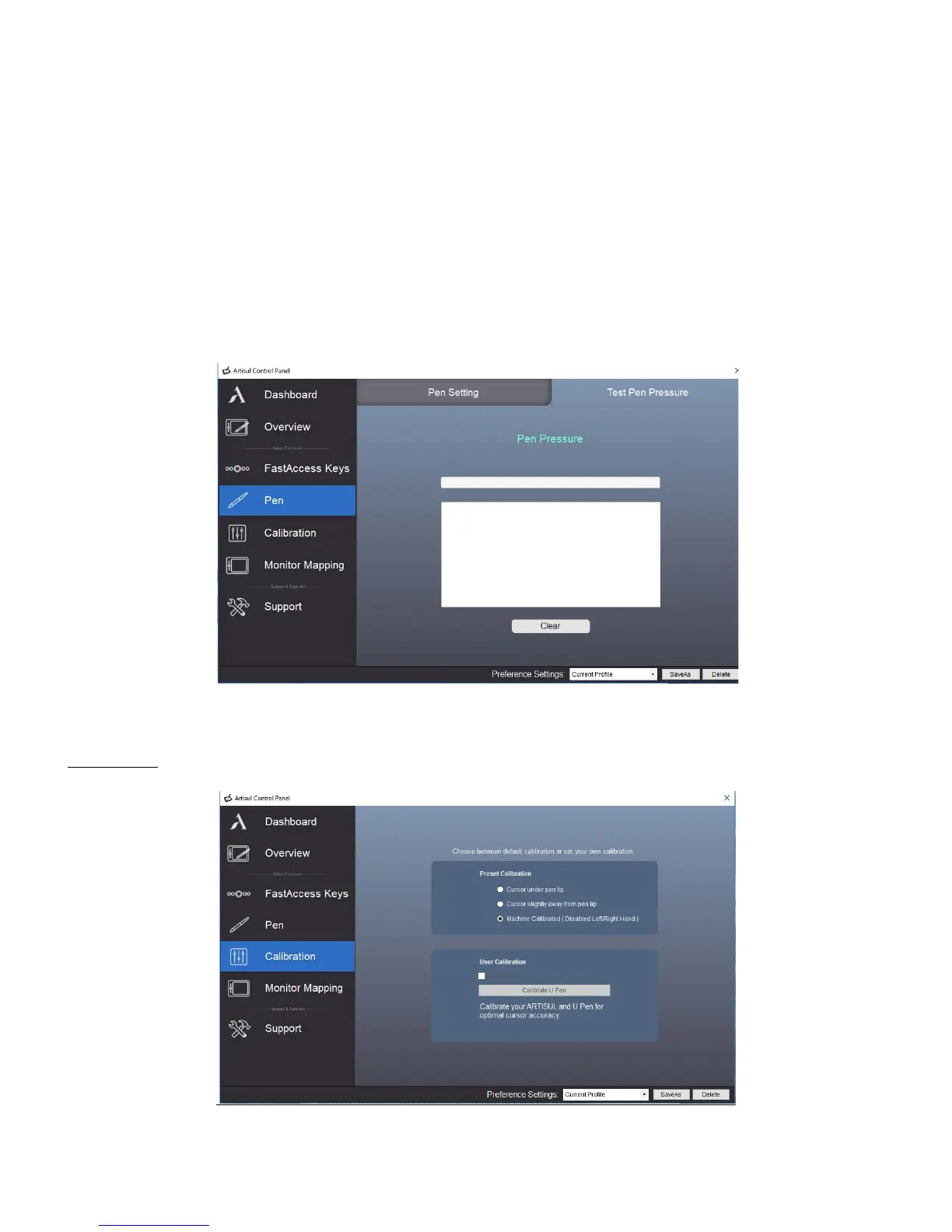
o Pen Pressure: Using the U-Pen, press down in the white rectangle. Use different levels of pressure
to test if pen pressure sensitivity is working on your computer.
• Note: Please close the ARTISUL Control Panel when finished with the Pressure test.
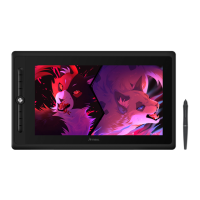
Calibration



 To Next Page