October 2023
User Guide
The Noki electronic locking system is a superior security option to conventional key locks.
conventional key locks. Its simple functions enable eicient, cost-eective security management
for both user and management.
Noki Electronic Lock - Multi-User
A
B
C
Dial a 4-digit code.
Validate the code and memorize it.
Turn the lock knob to lock or unlock .
A
B
C
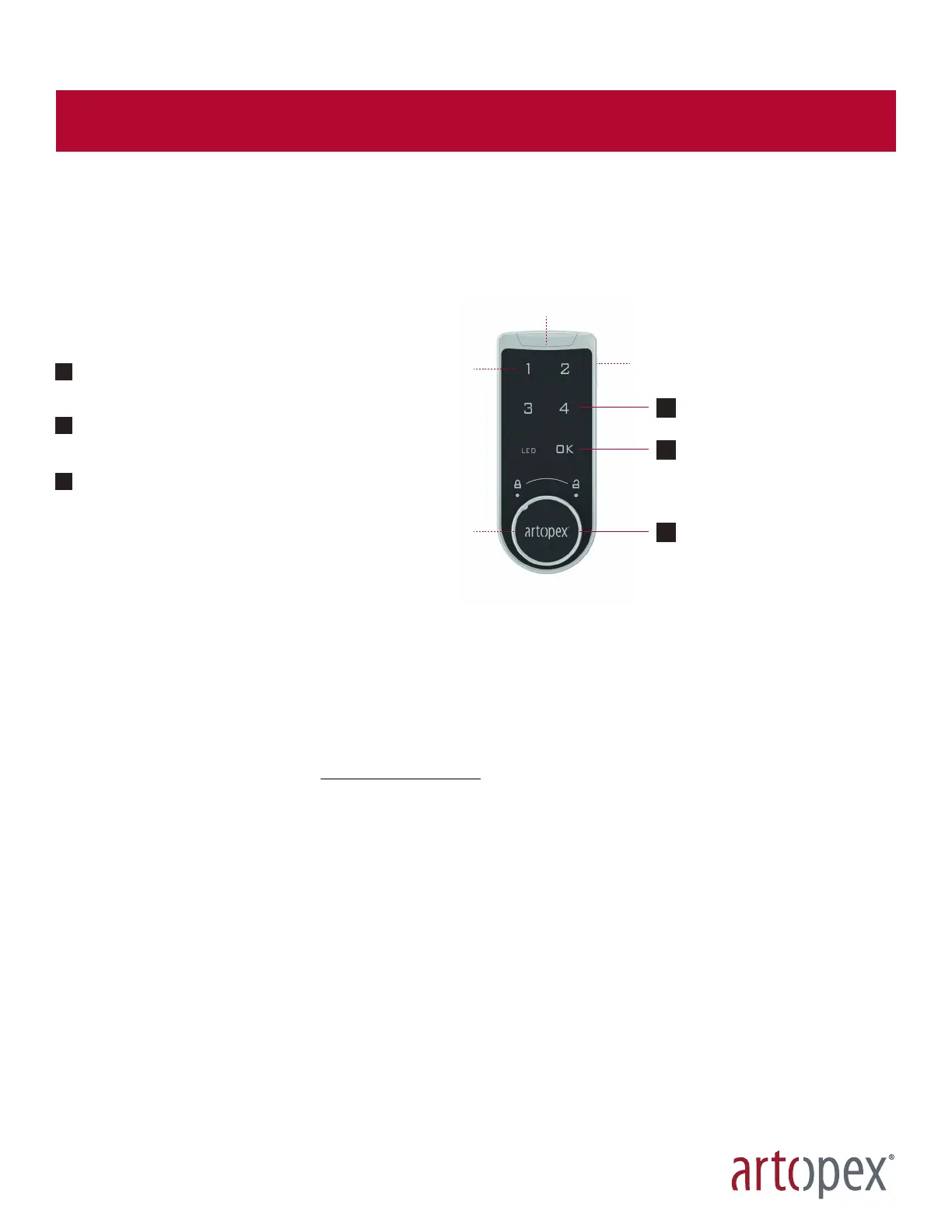
Master key outlet
and serial number
Battery case
Touch screen
Lock knob
Modify default code:
- Enter default code 1-2-3-4 and click OK twice (2).
- Enter a new four (4)-digit code, then click OK once (1).
- Wait for the long "BEEP". The chosen code is now active. Remember the code.
Forgotten code - master code:
- Note the last eight digits of the serial number on the side of the lock.
- Visit the Noki troubleshooting portal www.noki.artopex.com to obtain the master code specific to your lock.
- Enter the 8-digit master code sent by Artopex and press OK. Turn lock to unlock.
- The electrical circuit is easily removed and can be sent to an electrical recycling center.
Forgotten code - Master key:
- Contact the person responsible for the master key.
- Insert key and press OK.
- Turn the lock to unlock.
Battery change:
If the lock emits 3 sounds after unlocking, you'll need to change the battery soon. The battery will remain active for approxi-
mately 200 uses.
- Slide the battery cover open.
- Place the battery in the holder, positive side up. Use a CR2032 button cell battery.
- Press the numbers on the touchscreen.
- If the battery is correctly installed, you should hear a "BEEP" and see the LED light up.


 To Next Page