October 2023
User Guide
Operation of the Lock
Combinations
Generalities
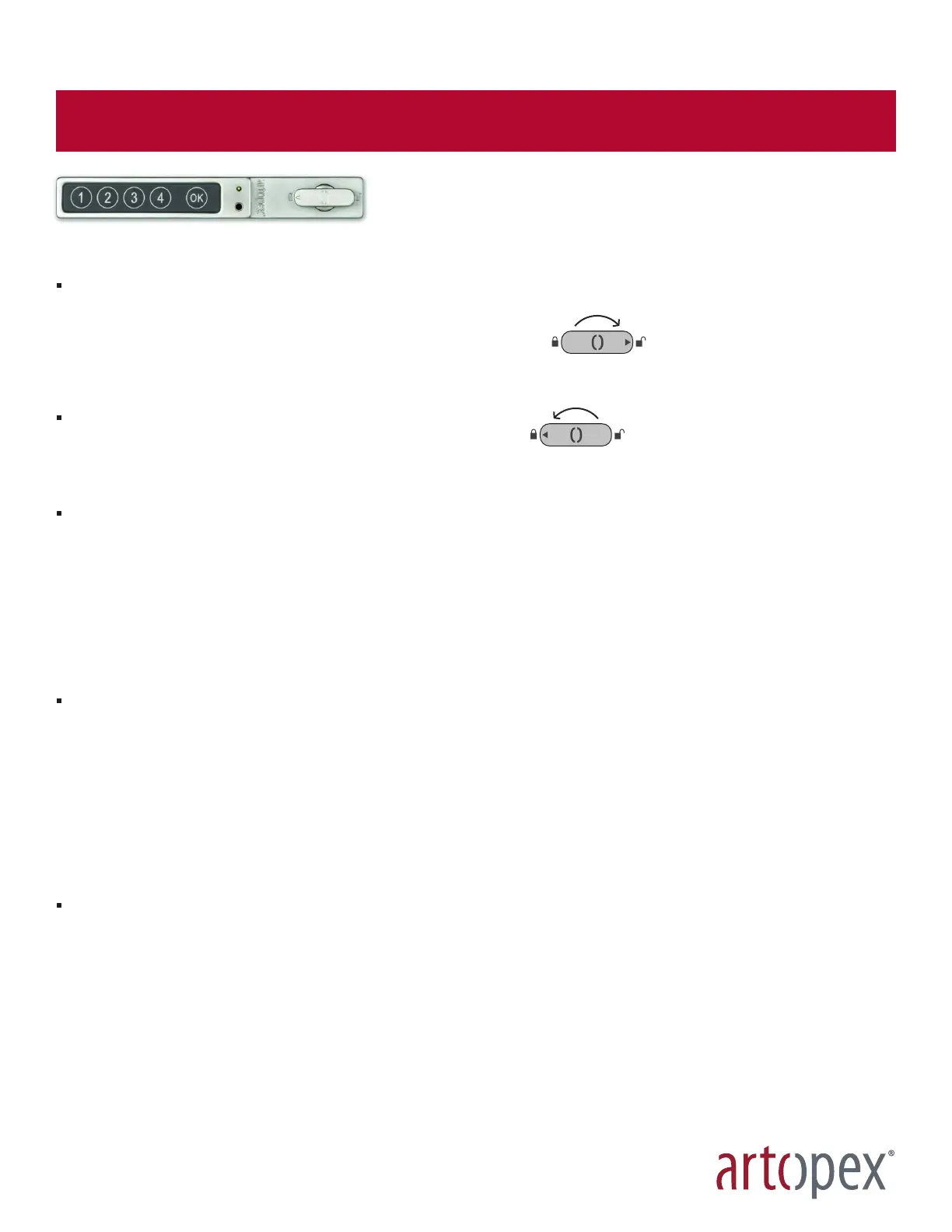
Noki Electronic Lock - Single User (3 digits)
Assigning a Combination Upon Delivery
All storage products with a NOKI lock have a default combination of 1-2-3-4.
Follow these steps in order to assign a new combination to the lock:
Step A: Enter the default combination (1-2-3-4).
Step B: Press the OK button twice.
Step C: When the confirmation light comes on, enter a new combination (from 1 to 8 numbers).
Step D: Press the OK button once to confirm the new combination.
The new combination is now in place and the default combination is no longer functional.
Modifying a Combination
It is possible to change the combination using the current combination (if you do not have the current combination, please
refer
to paragraph “Lost or Forgotten Combination”). Follow these steps in order to change the current combination:
Step A: Enter the current combination to be modified.
Step B: Press the OK button twice.
Step C: Enter a new combination (from 1 to 8 numbers).
Step D: Press the OK button once to confirm the new combination.
The new combination is now in place and the previous combination is no longer functional.
Lost or Forgotten Combination
Visit the Noki troubleshooting portal at www.noki.artopex.com with the last 8 digits of your lock's serial number (located
on top of the lock). The portal oers multiple troubleshooting solutions for Noki locks. With this master code combination
you will then be able to reconfigure the combination as explained above (paragraph “Modifying a Combination”).
Unlocking (for the first use, please refer to paragraph “Combinations” below)
Step A: Enter the combination on the digital keypad.
Step B: Press the OK button.
Step C: Turn the latch to the “unlocked” position (180º clockwise).
The lock remains in the “unlocked” position as long as the latch is not returned to the “locked” position.
Locking
Turn the latch to the “locked” position (180º counter clockwise).
A 60 second alarm is activated after 4 attempts to open with an incorrect code. In the case of a power outage or exhausted
batteries, plug in the back-up power supply (BPS) into the outlet located under the confirmation light on the lock.
ATTENTION: do not leave the BPS inside the filing cabinet. Compliant with ANSI/BIFMA standards. Mechanism guaranteed
10 years. Patent and industrial drawings pending.


 To Previous Page