October 2023
User Guide
Noki Electronic Lock - Single User (3 digits)
First Use:
Remove protective film before use.
• Step 1: Enter code 1-2-3, and press OK.
• Step 2: Unlock by turning the lock knob clockwise
Code Programing:
• Step 1: Enter the default code 1-2-3, and press twice on OK.
• Step 2: Enter your code of 1 to 8 digits, and press OK.
The code must be entered when the indicator light is on
Combination Modification:
• Step 1: Enter the current combination to be modified, and press twice on OK.
• Step 2: Enter your code of 1 to 8 digits, and press OK.
The code must be entered when the indicator light is on.
Forgotten Code:
Visit the Noki troubleshooting portal at www.noki.artopex.com with the last 8 digits of your lock's serial number (located
on top of the lock). The portal oers multiple troubleshooting solutions for Noki locks.
Battery Replacement:
Insert a thin object such as a paper clip or thumbtack into the cavity on the right-hand side of the battery case. Once the
case is open, replace the CR2032 battery. The Noki troubleshooting portal (www.noki.artopex.com) also explains this
procedure.
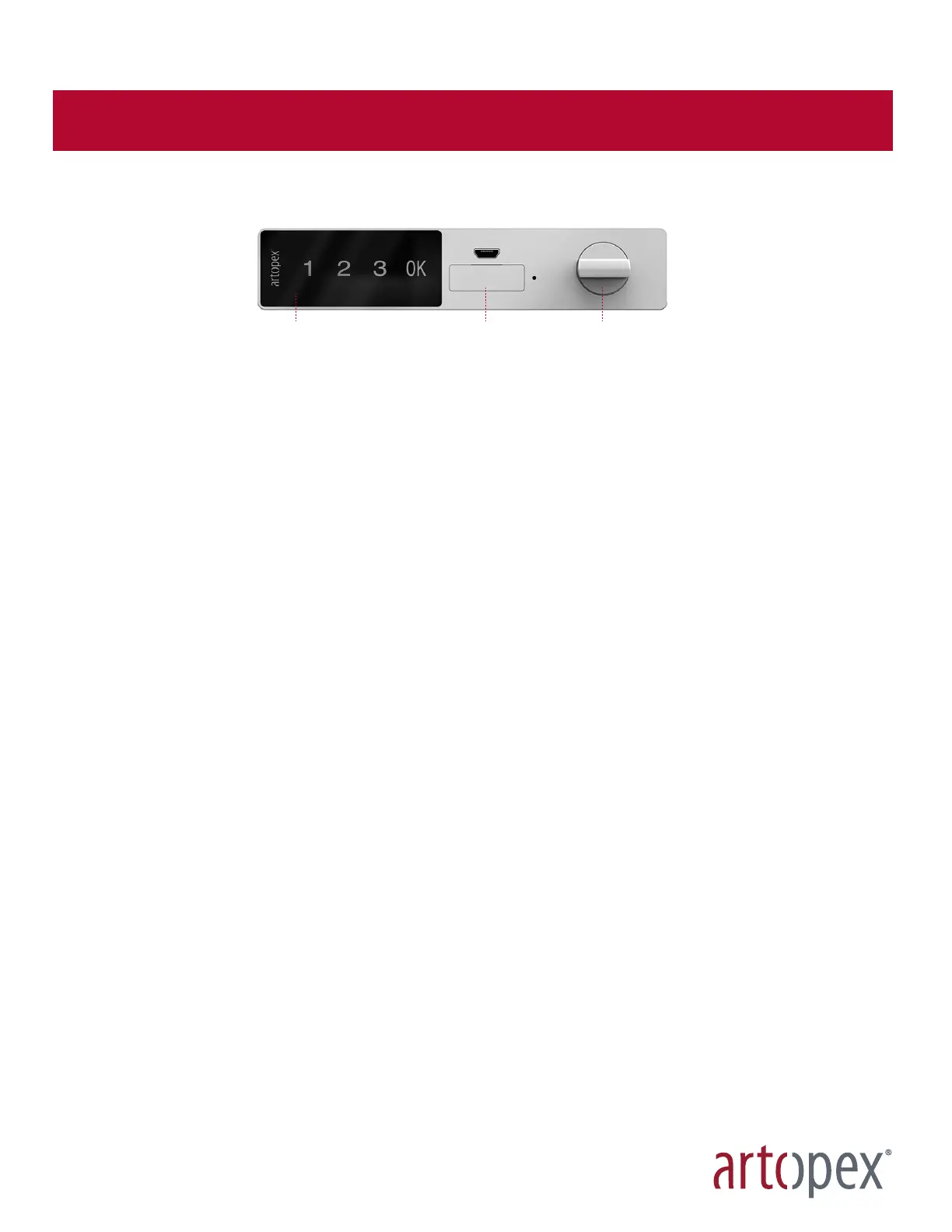
Boîtier pour pile
Battery case
Écran tactile
Touch screen
Verrou
Lock knob


 To Next Page