4
SMART STREAM
9.1 DEVICE SETTINGS
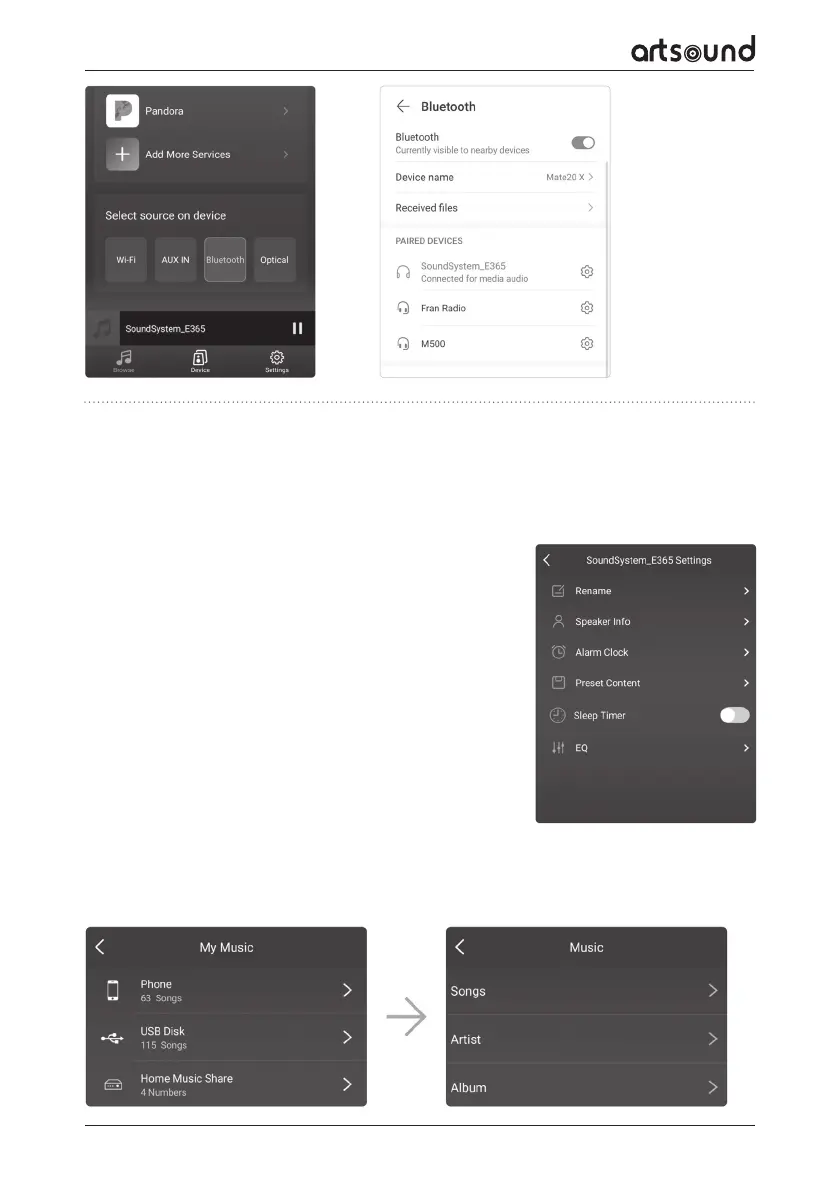
Clicking on the settings icon, you can change various settings of the
Smart Stream:
*VISUAL OF SETTINGS SCREEN*
RENAME: You can rename the device.
SPEAKER INFO: This is where the device’s information is shown, such as
the IP-address, the name and the firmware version. You can also reset
the factory settings here.
ALARM CLOCK: You can set up to 4 dierent alarms, with the music of
your choice.
PRESET CONTENT: It is possible to store up to 10 dierent playlists.
SLEEP TIMER: Set a timer to stop music playing at a chosen time.
9.2 PLAYING LOCAL MUSIC
The Smart Stream is able to play local music stored on your telephone or tablet, a USB-storage device, NAS, using
the DLNA protocol or a third party’s UPnP/DLNA software.
Click on “My Music” to select the music you wish to play.
9. FUNCTIONS OF THE APP
As soon as you have connected the Smart Stream to the network, and installed the 4Stream app on your device,
you can start playing music. You can listen to dierent music in dierent rooms, or apply synchronised music in
all rooms (if dierent Smart-devices are being used).
You can control the device by clicking on its name in the app.


 To Next Page