Arturia Microbrute User’s Manual 32
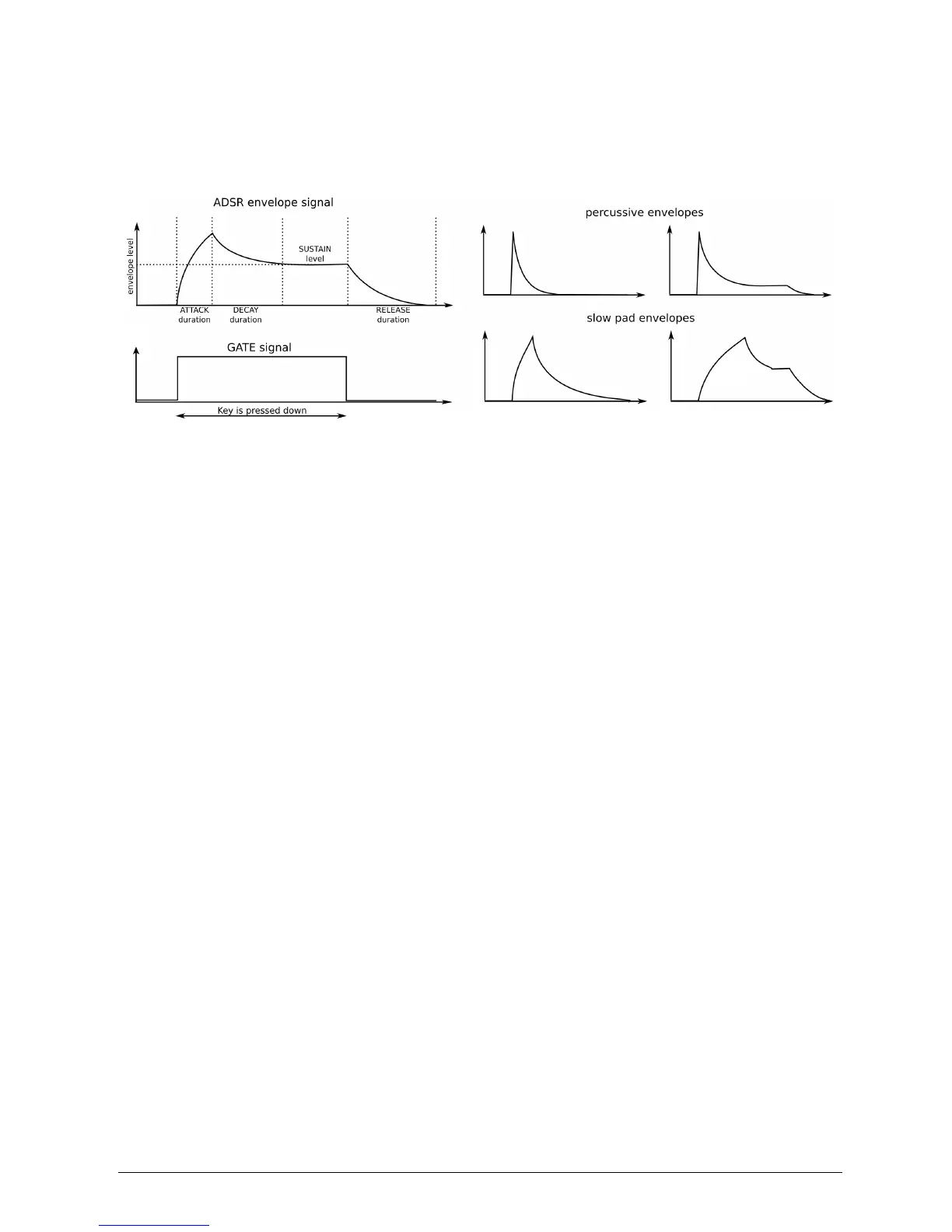
Finally, the release stage starts upon releasing the key, and sets the amount of
time for the level to decrease from the sustain level down to zero.
Figure 28
Human Interface
To play a tune with your synthesizer, as a player you need a player interface. The
MicroBrute provides you with a two-octave, piano-type keyboard. Besides offering a
way to play notes, this keyboard provides additional controls for adding expressiveness:
• Velocity corresponds to the dynamics of your playing and can modulate multiple
parameters. The MicroBrute will send velocity as a USB controller. It does not have
internal velocity routing and does not respond to velocity however.
• Transposition allows shifting the keyboard’s note range over six octaves.
• Pitch bender allows adding real-time pitch changes, like bending strings on a
guitar.
• Modulation wheel allows applying real-time modulation changes to various
parameters. For example, it could add vibrato or change the filter cutoff as you move it.
• Sequencer automates the creation of repeating sequences of notes.
Alternative ways of playing the synthesizer are available through MIDI control and
external CV/GATE signals.














 To Next Page