Arturia Microbrute User’s Manual 45
Tap / Rest
The Tap /Rest button has two functions:
1. Tap Tempo
2. Inputting Rests when recording sequences.
Tap Tempo – the Tap Tempo button will allow the user to manually set the rate of
the sequencer by tapping the button in real time. The number of taps that get
averaged to calculate the tempo can be set using the MicroBrute Editor
software.
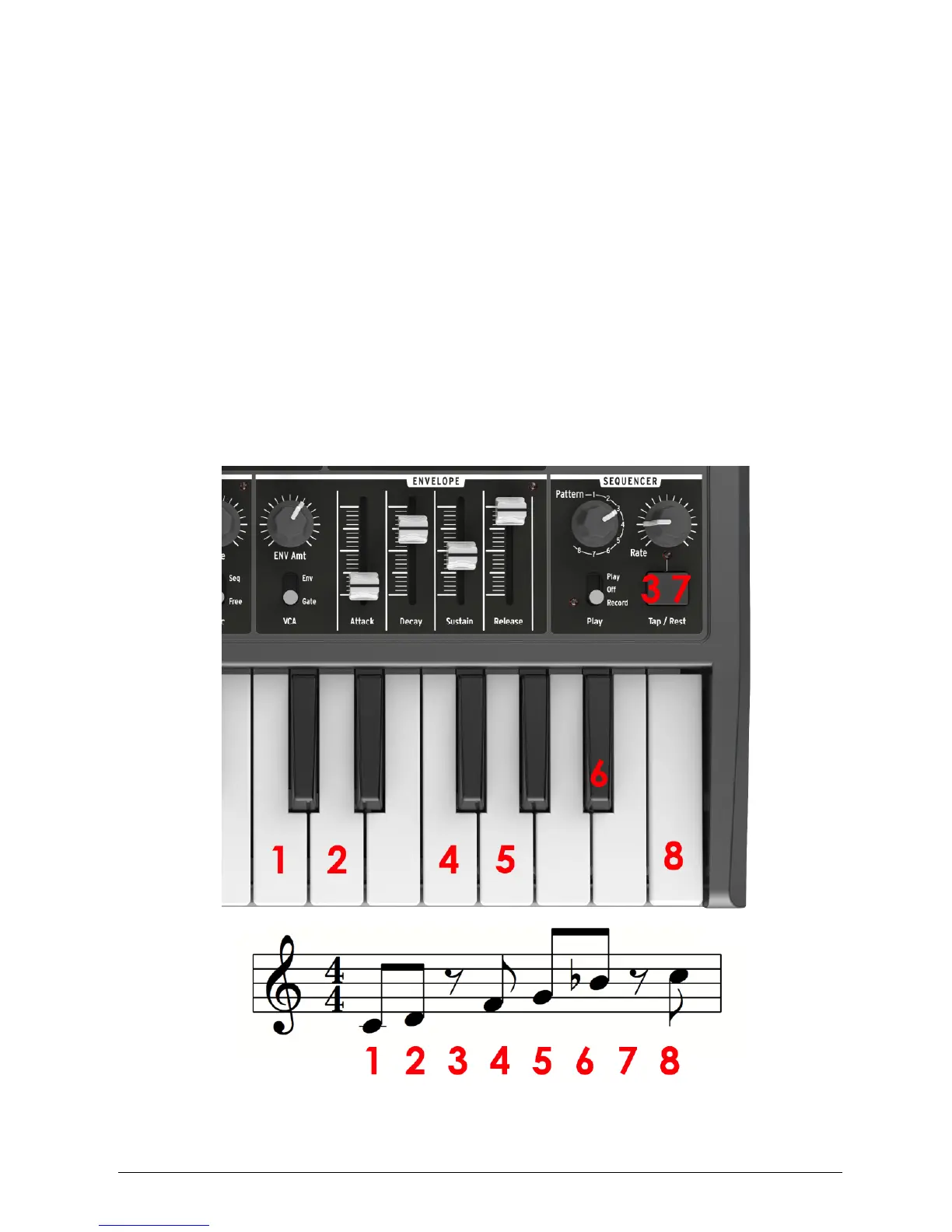
Rest – The Tap Tempo button will act as a rest input when you are recording a
sequence. When you are in record, pressing the Tap button between notes will
allow you to skip a note. Figure 29 shows and example of the Rest being used to
edit the rhythm in steps 3 and 7 of a pattern.
Figure 29














 To Next Page