10 | S2500 Mobility Access Switch Aruba S2500 Series Mobility Access Switch | Installation Guide
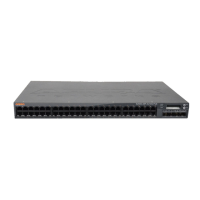
Port LEDs
Each 10/100/1000 Ethernet port is equipped two LEDs that allow you to monitor the status of and activity on
the port. These LEDs provide basic monitoring of the status, activity, and basic configuration of each port.
The information displayed by these LEDs can be changed via the LCD.
LINK/ACT: on the left side of the port, displays the link status of the port.
Status: on the right side of the port, displays the status of the port. The information displayed by this
LED changes based on LCD’s mode. The LED behavior for each mode is describe in Table 7.
Management/Status LED Indicators
In addition to the LEDs on each individual port, there are three additional LEDs on the front panel that
provide overall status of the device. These LEDs provide basic monitoring of the overall status of the S2500.
Table 7 10/100/1000 Ethernet Port LEDs
LED Function LCD Mode Indicator Status
LINK/ACT Link status N/A Green (Solid) Link has been established
Green (Blinking) Activity on link
Off No link
Status Port status Administrative Green (Solid) Port Enabled
Off Port Administratively
Disabled
Duplex Green (Solid) Full-duplex
Off Half-duplex
PoE Green (Solid) PoE Enabled
Green (Blinking) Power enabled, but power
denied due to availability
Off PoE not enabled
Speed Green (Solid) 1000 Mbps
Off 10/100 Mbps
Table 8 Management/Status LEDs
LED Function Indicator Status
Power Input power status/
system status
Green (Solid) Power On
Off Power Off


 To Next Page
 Loading...