30 |Installation Aruba S2500 Series Mobility Access Switch | Installation Guide
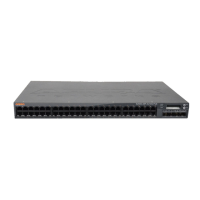
Table or Shelf Installation
Required Tools and Equipment
Rubber Feet (included)
Installation Steps
1. Attach the included rubber feet to the bottom of the mobility access switch.
2. Place your mobility access switch in the location you have chosen.
3. Connect the AC power cord to the rear of the unit.
4. Plug the opposite end of the power cord into an electrical outlet to power the mobility access switch.
Connecting the AC Power Cord
Once you have installed the S2500, you are ready to power on the device. The S2500 is not equipped with an
On/Off switch. The device will turn on when the AC power cord has been connected to the power supply
module and an AC power outlet.
To connect the AC power cord:
1. Ensure that the power supply module is correctly installed in the S2500.
2. Lift the power cord retaining clip so it is not blocking the AC power connector.
3. Insert the coupler end of the AC power cord into the AC power connector on the power supply module.
4. Lower the power cord retaining clip over the AC power cord.
The S2500 should now be receiving power. Since the S2500 does not have an On/Off switch, you must use
the power cord to turn the device on an off. To turn the device off:
1. Lift the power cord retaining clip off the AC power cord.
2. Pull the AC power cord from the power supply module.


 To Next Page
 Loading...