Aruba S2500 Series Mobility Access Switch | Installation Guide | 3
Contents
Preface...................................................................................................................................5
Guide Overview .....................................................................................................5
Related Documentation.........................................................................................5
Contacting Support ..............................................................................................6
Chapter 1 S2500 Mobility Access Switch................................................................ 7
Package Checklist.................................................................................................7
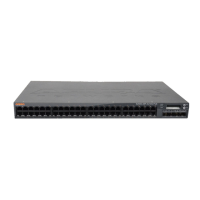
Front Panel ............................................................................................................8
10/100/1000 Ethernet Ports............................................................................9
Port LEDs................................................................................................10
Management/Status LED Indicators .............................................................10
LCD Panel .....................................................................................................12
Disabling the LCD Screen ......................................................................14
10GBASE-X Port...........................................................................................14
10GBASE-X Port LEDs .................................................................................15
Rear Panel ...........................................................................................................16
Management Port .........................................................................................16
Mini USB Console Connector.......................................................................17
Console Port .................................................................................................17
USB Interface................................................................................................18
SHUTDOWN LED..........................................................................................19
Power Supply................................................................................................19
Monitoring...............................................................................................19
PoE .........................................................................................................20
PoE Priority.............................................................................................20
SFP and SFP+ Modules ......................................................................................20
Direct Attach Cables............................................................................................21
Chapter 2 Installation.............................................................................................. 23
Precautions..........................................................................................................23
Selecting a Location ............................................................................................24
Two-Point Rack Mounting...................................................................................25
Required Tools and Equipment ....................................................................25
Installation Steps...........................................................................................25
Mid-Mount Rack Mounting..................................................................................27
Required Tools and Equipment ....................................................................27
Installation Steps...........................................................................................27
Wall Mounting......................................................................................................28
Required Tools and Equipment ....................................................................28
Installation Steps...........................................................................................28
Table or Shelf Installation ....................................................................................30
Required Tools and Equipment ....................................................................30
Installation Steps...........................................................................................30
Connecting the AC Power Cord..........................................................................30
Installing an SFP..................................................................................................31
Removing an SFP .........................................................................................31


 To Next Page
 Loading...