12 | S2500 Mobility Access Switch Aruba S2500 Series Mobility Access Switch | Installation Guide
LCD Panel
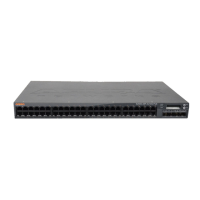
The S2500 is equipped with an LCD panel that displays a variety of information about the mobility access
switch’s status and provides a menu that allows for basic operations such as initial setup and reboot. The
LCD panel displays two lines of text with a maximum of 16 characters on each line. When using the LCD
panel, the active line is indicated by an arrow next to the first letter.
Figure 4 LCD Panel
The LCD panel is operated using the two navigation buttons to the left of the screen.
Menu: Allows you to navigate through the menus of the LCD panel.
Enter: Confirms and executes the action currently displayed on the LCD panel.
The LCD has four modes:
Boot: Displays the boot up status.
LED Mode: Displays the mode that the STATUS LED is in.
Status: Displays the status of different components of the S2500, including Stacking Ports, Power
Supplies, and ArubaOS version.
Maintenance: Allows you to execute some basic operations of the S2500 such as uploading an image or
rebooting the system.
Table 9 LCD Panel Components
Callout Component Description
1 LCD Screen Used to configure LCD behavior and other basic operations
2 Menu Button Used to select the LCD screen menu
3 Enter Button Used to execute actions on the LCD Screen
Table 10 LCD Panel Mode: Boot
Function/Menu Options Displays
Displays boot status “Booting ArubaOS...
POWER
MENU
ENTER
STATUS
STACK


 To Next Page
 Loading...