Aruba 555 Access Point | Installation Guide 5
remaining PoE source. When power is combined from both PoE sources, an approximately equivalent amount of
power is drawn from each port, unless either source is hitting maximum capacity.
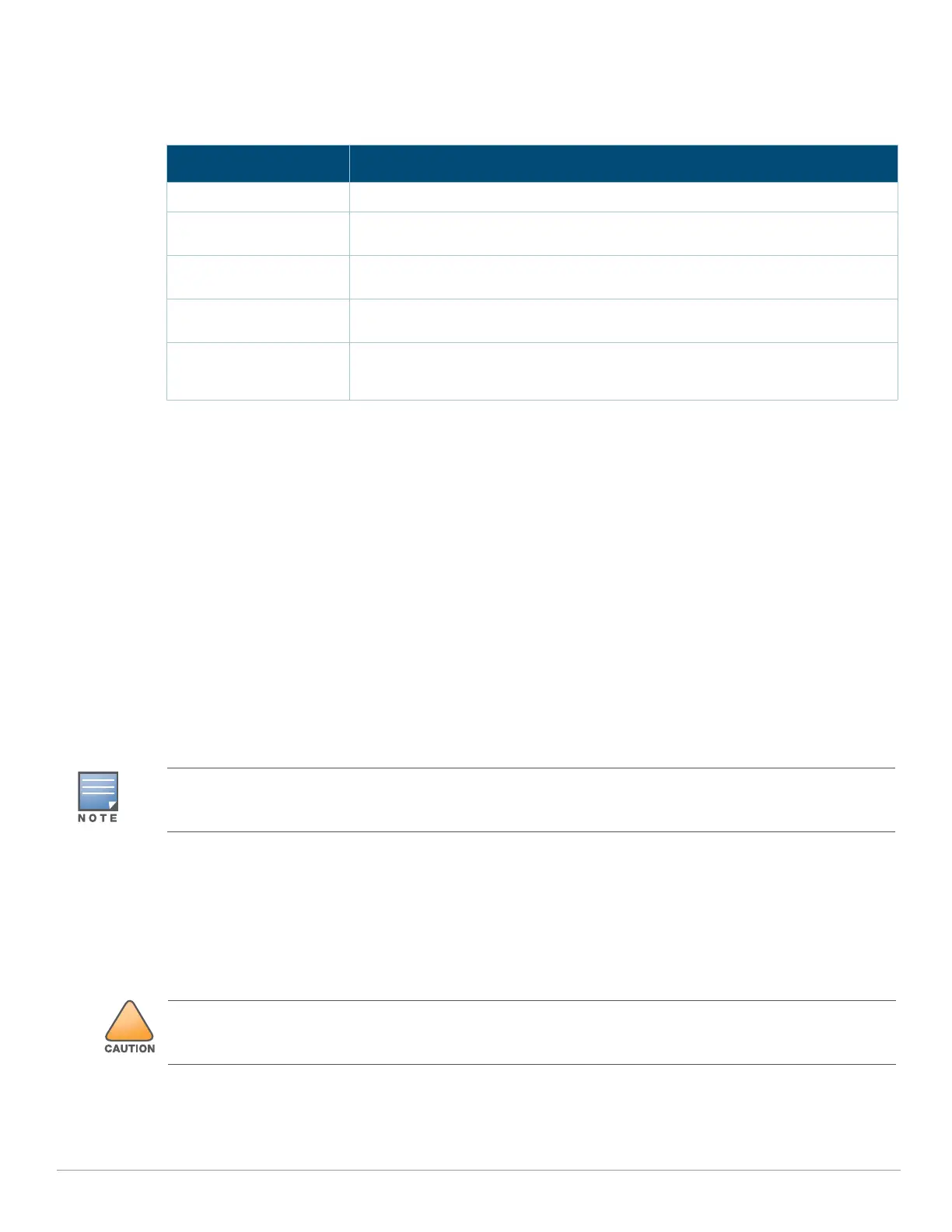
Table 3 Power Restrictions
Before You Begin
Refer to the sections below before beginning the installation process.
Pre-Installation Checklist
Before installing your Aruba 555 access point, be sure that you have the following (not included with the AP):
A mount kit compatible with the AP and mount surface
A Cat5E or better UTP cable with network access
Optional items:
A compatible 48V AC-to-DC power adapter with cord
A compatible POE midspan injector with power cord
A compatible snap-on front cover (for easy aesthetic customization)
An AP-CBL-SERU console cable
Also, make sure at least one of the following network services is supported:
Aruba Discovery Protocol (ADP)
DNS server with an “A” record
DHCP Server with vendor-specific options
Identifying Specific Installation Locations
Use the access point placement map generated by Aruba RF Plan software application to determine the proper
installation location(s). Each location should be as close as possible to the center of the intended coverage area
and should be free from obstructions or obvious sources of interference. These RF absorbers/reflectors/
interference sources will impact RF propagation and should be accounted for during the planning phase and
adjusted for in RF plan.
Identifying Known RF Absorbers/Reflectors/Interference Sources
Identifying known RF absorbers, reflectors, and interference sources while in the field during the installation
Power Restrictions
DC Power No restrictions
Two POE power sources,
combined
No restrictions
802.3bt POE power
source, any mode
No restrictions
802.3at POE source,
single or prioritized
USB port disable, second (other) Ethernet port disabled. IPM feature may be used
to avoid or minimize impact
802.3af POE source,
single, prioritized, or
shared
AP does not start up, red system LED
Aruba Networks, in compliance with governmental requirements, has designed the 555 access points so that
only authorized network administrators can change the settings. For more information about access point
configuration, refer to the ArubaOS Quick Start Guide and ArubaOS User Guide.
Use of this equipment adjacent to or stacked with other equipment should be avoided because it could result in
improper operation. If such use is necessary, this equipment and the other equipment should be observed to
verify that they are operating normally.



 To Next Page