Aruba 555 Access Point | Installation Guide 3
Default mode: Refer to Table 1 and Table 2
Off mode: LEDs are off
Blink mode: LEDs blink green
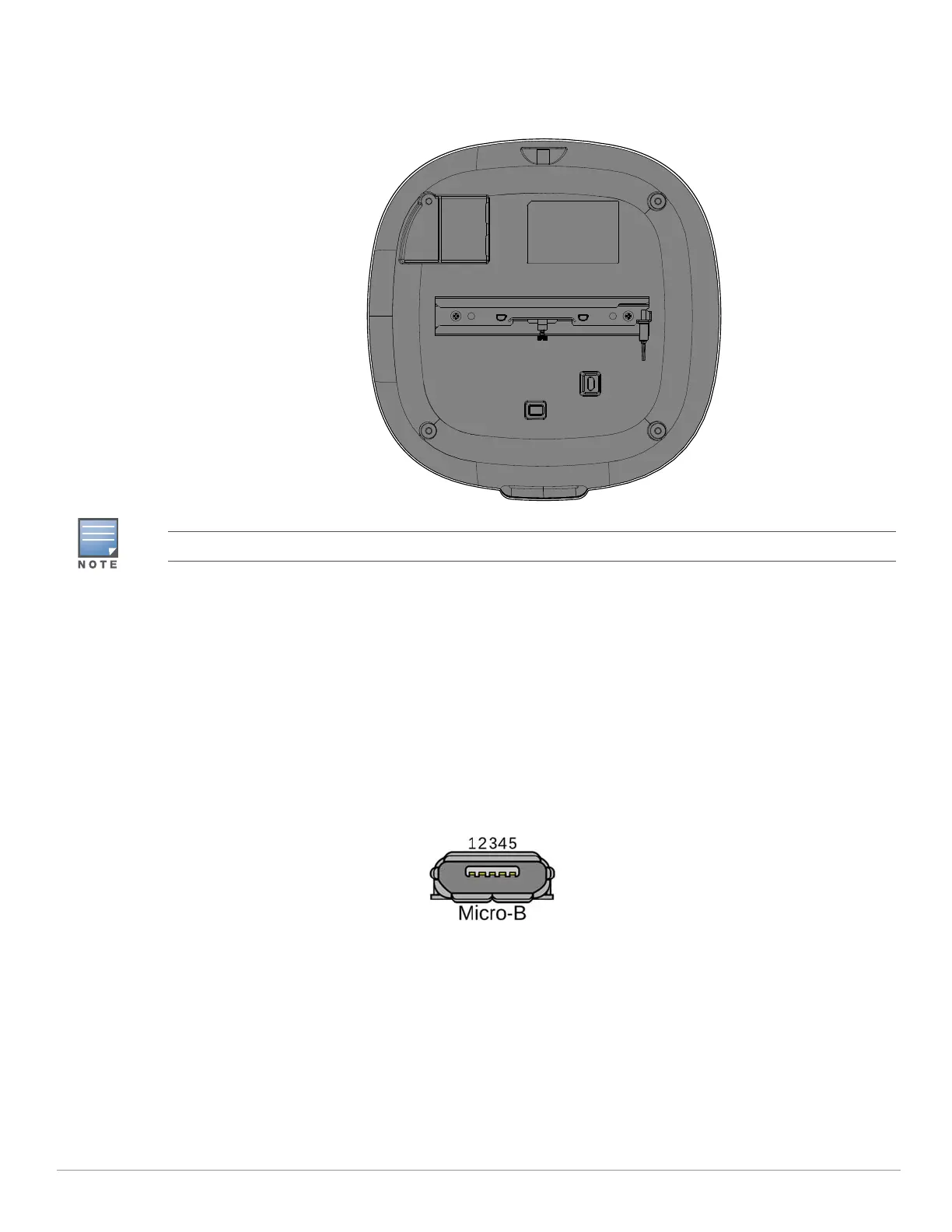
Figure 3 AP-555 access point (rear view)
Bluetooth Low Energy Radios
AP-555 is equipped with an integrated BLE radio that provides the following capabilities:
location beacon applications
wireless console access
IoT gateway applications
Console Port
The 5-pin Micro-B connector is located on the back of this device. Use the proprietary AP-CBL-SERU cable for
direct management of this device when connected to a laptop or serial console (a standard USB cable cannot be
used for this interface). For pin-out details, refer to Figure 4.
Figure 4 Micro-B Port Pin-out
Ethernet Ports
The Aruba 555 access point is equipped with two active Ethernet ports (Eth0 and Eth1), shown in Figure 3. Both
ports are 100/1000/2500/5000 Base-T, auto-sensing MDI/MDX, which supports uplink connectivity when linked
by an Ethernet cable. Refer to Figure 5 for a detailed port pin-out.
This device is intended for indoor use in professional healthcare facilities.
1: NC
2: RXD
3: TXD
4: GND
5: GND



 To Next Page