6 Aruba 530 Series Campus Access Points | Installation Guide
During the normal operation of the access point, shortly press and release the reset button using a small,
narrow object, such as a paperclip.
Power
Both ethernet ports support PoE-in (AP is a PoE-PD device), allowing the device to draw power from compliant
PoE power sources. If PoE is not available, the access point has a single 48V DC power input to support the AP-
AC-48V36C AC-to-DC power adapter kit (sold separately). When both PoE and DC power sources are available,
the DC power source takes precedence. In that case, the access point simultaneously draws a minimal current
from the PoE source(s). In the event that the DC source fails, the access point switches to the PoE source(s).
If the 530 Series access point is powered by both PoE ports simultaneously, it can combine power from both
sources in either shared or prioritized mode. When Eth0 is prioritized, the access point simultaneously draws a
minimal current from the Eth1 source. In the event that the prioritized port fails, the access point switches to the
remaining PoE source. When power is combined from both PoE sources, an approximately equivalent amount of
power is drawn from each port, unless either source is hitting maximum capacity.
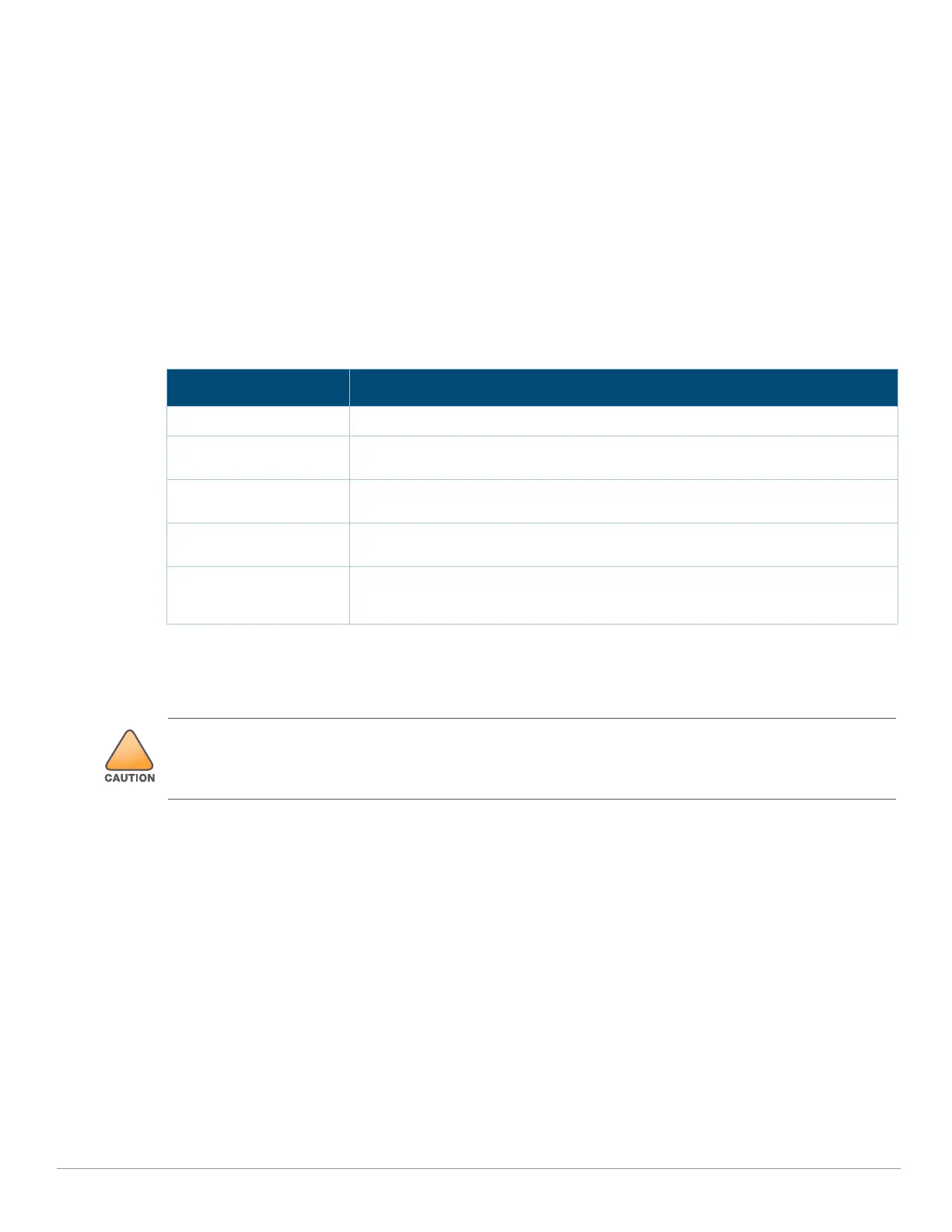
Table 3 Power Restrictions
Before You Begin
Refer to the sections below before beginning the installation process.
Pre-Installation Checklist
Before installing your Aruba 530 Series access point, be sure that you have the following (not included with the
AP):
A mount kit compatible with the AP and mount surface
A Cat5E or better UTP cable with network access
Optional items:
A compatible 48V AC-to-DC power adapter with cord
A compatible POE midspan injector with power cord
A compatible snap-on front cover (for easy aesthetic customization)
An AP-CBL-SERU console cable
Also, make sure at least one of the following network services is supported:
Aruba Discovery Protocol (ADP)
DNS server with an “A” record
Power Restrictions
DC Power No restrictions
Two POE power sources,
shared
No restrictions
802.3bt POE power
source, any mode
No restrictions
802.3at POE source,
single or prioritized
USB port disable, second (other) Ethernet port disabled. IPM feature to optimize
performance and functionality when the available power budget is limited
802.3af POE source,
single, prioritized, or
shared
AP does not start up, red system LED
FCC Statement: Improper termination of access points installed in the United States configured to non-US
model controllers will be in violation of the FCC grant of equipment authorization. Any such wilful or intentional
violation may result in a requirement by the FCC for immediate termination of operation and may be subject to
forfeiture (47 CFR 1.80).



 To Next Page