9.Internal Parameters
▶ Long press <M> for 15 seconds, handset display shows "S-x", and "x" flashes
( "x" is the parameter group). At this time, press <M> to enter the parameter group
to set the corresponding parameters, and press <↑> or <↓> to switch the
parameter group. After setting successfully, press <M> to return to the running
interface.
The parameters that can be set are as follows:
a、“S-1” CM or INCH
Use <↑> or <↓> to select 1 or 0; ( 0 = CM & 1 = INCH )
To save, press <S/M> again.
b、“S-2” Adjust anti-collision sensor sensitivity
0: means off, 1: is the least sensitive and 8: is the most sensitive.
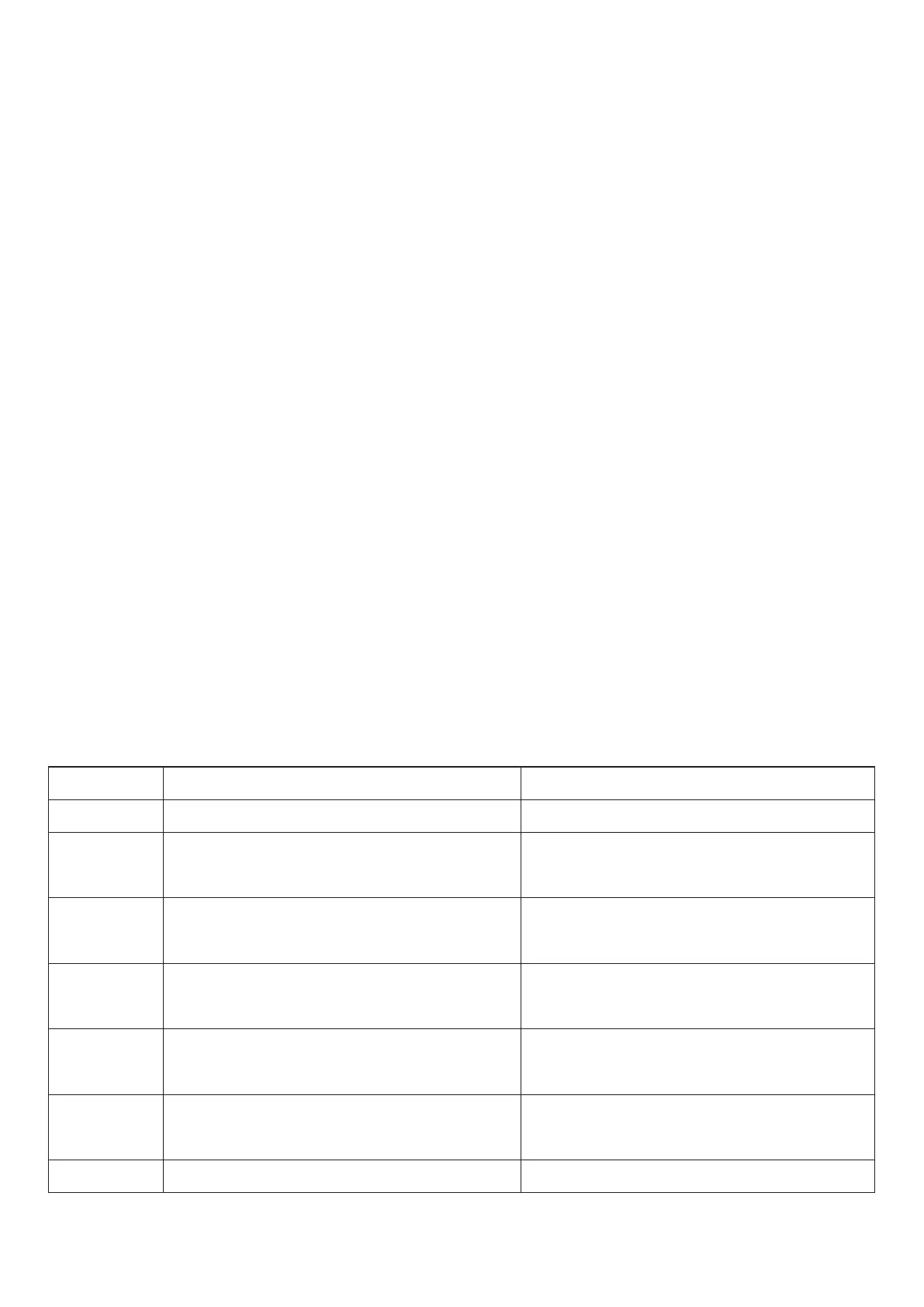
Error Code
E01
E02
E04
E05
E06
E07
E08
The main supply voltage over 45V.
Rod height difference between
the two legs is more than 1 cm.
Handset connection or
communication error occurred.
The sensor encounters an obstacle
and stops functioning.
The main power supply failed to start,
below 20V.
Protection when the main power supply
is running,below 20V.
Frame tilts when running.
Check the main power.
Initialize the frame.
Reset the operation.
Check the power cable of handset.
Release the button and restart.
Change the main power supply,
or check the main power supply cable.
Reconnect power.
Power on reset.
Initialize the frame. Reset the operation.
Possible Cause
Action
10.Error Code



 To Next Page