– 10 –
To use RECAL option:
Step 1: Press the MENU key on the keypad
Step 2: Press the
(up arrow key) or
(down arrow
key) on the keypad until the word CONFIG appears.
Step 3: Press ENTER.
Step 4: Enter user password if it has been programmed.
Step 5: Press
(up arrow key) or
(down arrow key)
until the word RECAL appears.
Step 6: Press ENTER.
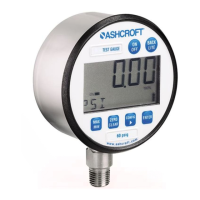
Step 7: The gauge will now flash between INPUT and unit
of measure on the lower line and .00 on the top line. Apply
zero pressure to the gauge.
Step 8: Press ENTER. Zero pressure is now set.
Step 9: The gauge will display full-scale pressure. Apply
full-scale pressure to the gauge.
Step 10: Press ENTER. Full-scale pressure is now set.
Step 11: The gauge will now display mid-scale pressure.
Apply mid-scale pressure to the gauge.
Step 12: Press ENTER. Mid-scale pressure is now set.
Step 13: After zero, full-scale and/or mid-scale or factory
default calibration have been set, the word SAVE appears
on the gauge display.
Step 14: Press ENTER to finalize calibration.
(Note: For compound ranges this recalibration is zero,
full-scale, mid-scale and full-vac.)
FOR FACTORY CALIBRATED SETTINGS:
To reinstate factory settings for zero, full-scale and mid-
scale follow RECAL steps 1-6
Step 7: When the word INPUT appears press
(up arrow
key) until the word FACT appears.
Step 8: Press ENTER to finalize calibration.
MENU FUNCTIONS
*Indicates default.
I&M008-10109-DIG Rev F 07-12_layout 10/14/13 9:45 AM Page 10


 To Next Page