– 8–
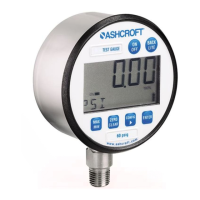
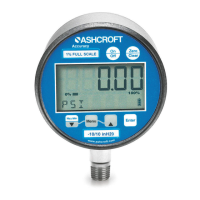
KEYPAD FUNCTIONS
MENU OPTIONS
UNITS: 12 units of measurement are available: psi, mmHG,
inH
2
O with three temperature options: 20°C, 60°F, 4°C*,
mBar, inHg, ftH
2
O, mPa, kPa, kg/cm
2
and bar.
Step 1: Press the MENU key until the word UNITS appears.
Step 2: Press ENTER.
Step 3: Press the
(up arrow key) or
(down arrow
key) to select the required unit of measure.
Step 4: Press ENTER to finalize the UNIT selection.
Note: For inH
2
0 range with three temperature options,
press the
(up arrow key) and
(down arrow key) to
select the desired temperature, then press ENTER to final-
ize the UNIT selection.
CONFIG: This option allows access to additional Menu
options. Options include:
• ENTPW or enter password (this appears as a sub-menu
in the CONFIG mode if a user password has been set).
• RECAL (allows for zero, span and mid-scale calibra-
tion of the gauge).
• 0bUTN or zero key (allows for adjustment of % of
range that can be zeroed),
• dISAb, allows for disabling MENU options.
• SETPW: This feature allows for a user defined numer-
ic password. If a user password is not set, all features
in the CONFIG mode will be accessible without a
password. If a user password is set, all items in the
CONFIG menu options are accessible with or without
a user password. If a user password is programmed,
it will be required to access the CONFIG menu options.
Default user password is 12045 or 12*45.
*Indicates default.
ENTER
This key allows for selecting gauge features in the
menu finalizing selection. Use of the enter key is
described throughout operating instructions.
I&M008-10109-DIG Rev F 07-12_layout 10/14/13 9:45 AM Page 8


 To Next Page