EasyManua.ls Logo

Ashly PE-Series - User Manual

Ashly PE-Series
12 pages
Print Icon
To Next Page IconTo Next Page
Loading...
All Rights Reserved
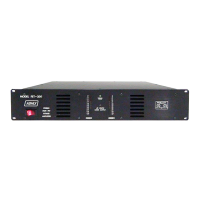
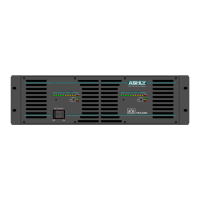
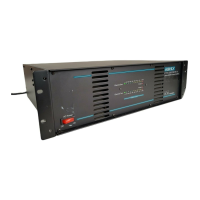
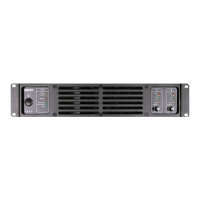
PE-Series Amplifier
Operating Manual
Ashly Audio Inc.
847 Holt Road, Webster, NY 14580-9103
Toll Free (800) 828-6308, Telephone (585) 872-0010, FAX (585) 872-0739
www.ashly.com
All Trademarks referred to herein, are the property of their respective owners.

Questions and Answers

  • M
    Mary GilbertJul 31, 2025
    What to do if Ashly PE Amplifier has no sound?
    • M
      Mary McdanielJul 31, 2025
      If your Ashly Amplifier has no sound, verify the AC plug is correctly inserted and test the AC outlet with another device to ensure it functions. Inspect speaker cables for shorts and examine the speaker wiring for any breaks. You can also test with another speaker and cable. In case of overheating, ensure proper ventilation; if the fan isn’t running, the amplifier requires servicing.
  • S
    Sarah HammondAug 4, 2025
    Why does my Ashly PE Amplifier sound distorted?
    • G
      Gary KellyAug 5, 2025
      Distorted sound from your Ashly Amplifier can stem from a few causes. It could be a faulty speaker or a loose connection, so check the wiring and try another speaker. The signal source might be clipping; in that case, keep the volume pots at least halfway up to prevent overdriving the source. As an additional step, adjust the input sensitivity from 1,4 V to 32 dB or 26 dB using the gain selector on the rear panel, while keeping the volume pots at least halfway up.
  • S
    stephenwilliamsAug 9, 2025
    What causes squeals and feedback in Ashly PE Amplifier?
    • S
      Sydney MayAug 9, 2025
      Squeals and feedback in your Ashly Amplifier can often be addressed with mixer controls to eliminate microphone feedback. If the noise continues to build up even without microphone gain, it indicates a significant fault in the signal processors or cables. To diagnose, systematically check each device in the signal path, starting from the signal source towards the amplifier, by either reducing its gain or unplugging it.
  • J
    Jordan BoyerAug 15, 2025
    How to fix Protea communication failure on Ashly PE?
    • A
      Alexis HenryAug 15, 2025
      To fix a Protea communication failure on your Ashly Amplifier, first check the connection between your computer and any routers or switches in the network, then reboot your computer. Also, check the connection between the amplifier and the network, and reboot the computer. If the issue persists, consider replacing the CAT-5 cables.
  • R
    Robin WalkerAug 19, 2025
    What to do if Ashly PE Amplifier has hiss?
    • A
      April CobbAug 20, 2025
      If your Ashly Amplifier is producing a hiss, unplug the amplifier input to determine if the hiss originates from the source or a device upstream. Erratic or popping noises typically indicate an electronic fault in the unit causing the noise. To minimize the noise floor, operate the primary signal source at full level without clipping, and avoid further boosting the signal between the source and the amplifier.
  • C
    Curtis McculloughAug 25, 2025
    What to do if my Ashly PE has no channel separation?
    • M
      mark40Aug 26, 2025
      If your Ashly Amplifier has no channel separation, check the mode indicators on the front panel and ensure the mode selector on the rear panel is set to the stereo position. Also, verify that other equipment in the signal path, such as mixers and preamps, are configured for stereo and not mono.

Summary

Introduction

About Ashly

Company history and founding principles.

Safety

Critical safety warnings and precautions for amplifier operation.

The PE Series

Protection

Details various protection circuits built into the PE-Series amplifiers.

Physical Description

Amplifier Front Panel

Description of controls and indicators on the front of the amplifier.

Amplifier Rear Panel

Description of rear panel connectors and switches for connectivity.

Installation

Input Module

Details the modular input section and its connectors.

Requirements

Outlines physical, electrical, and signal requirements for operation.

Typical Applications

Connectors & Polarity

Operation

Operating Modes

Explains Stereo, Parallel-Mono, and Bridged Mono operation modes.

Troubleshooting

Spec Table

Measurements

Dimensions

Warranty

Ashly PE-Series Specifications

General IconGeneral
BrandAshly
ModelPE-Series
CategoryAmplifier
LanguageEnglish

Related product manuals