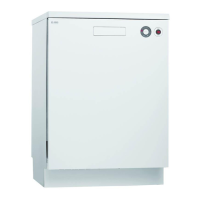
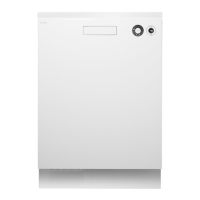
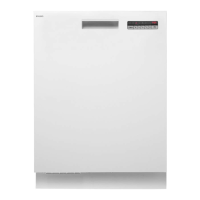
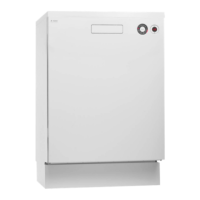
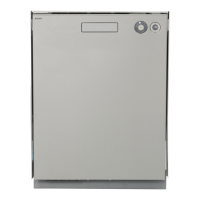
This document describes the ASKO D5424 dishwasher, a household appliance designed for washing dishes. It emphasizes Scandinavian design principles, combining clean lines with everyday functionality and high quality.
Function Description
The ASKO D5424 dishwasher offers a range of programs and options to suit various dishwashing needs, from lightly soiled items to heavily encrusted pots. The machine operates by spraying water and detergent onto dishes, followed by rinsing and drying cycles. It features a main power switch to initiate operation, and a display that shows program status and remaining time.
Programs:
- Daily wash: Suitable for day-to-day dishwashing, including dried leftovers, but not burnt food.
- Heavy wash: Designed for very dirty dishes, such as pans, casserole dishes, and oven dishes.
- Normal program: For normally soiled mixed loads, offering optimal energy and water performance. It runs at a low temperature with short drying by default.
- Eco wash: A water-saving program for normally dirty dishes.
- Quick wash: For lightly soiled items like glasses and porcelain, such as coffee cups.
- Rinse & Hold: Used to rinse dishes while waiting for a full load, preventing unpleasant odors.
Options:
- High temperature: Activates a higher temperature for the main wash, improving dishwashing results.
- Long dry: Increases the final rinse temperature and extends drying time for better drying results, with a slight increase in energy consumption.
- Short dry: An energy-saving option that can be selected with certain programs.
Rinse Aid System:
The dishwasher includes a rinse aid compartment. Rinse aid is crucial for improving drying results and achieving better dishwashing performance, especially with glassware. The dosage can be adjusted from off to a high dose, depending on water hardness and desired results. An indicator on the display signals when rinse aid needs refilling.
Detergent Dispenser:
The detergent compartment has two sections: one for prewash and one for the main wash. Detergent dosage should be based on water hardness and the instructions on the detergent packaging. The manual advises against using too much detergent, as it can reduce effectiveness and increase environmental impact. For dishwasher tablets, it suggests halving them if the dispenser lid is tight, and notes that tablets are not recommended for short programs (under 75 minutes).
Overflow Guard Function:
The dishwasher is equipped with an overflow protection system. If the water level exceeds normal, the system automatically pumps out water and shuts off the water supply. If triggered, the user should turn off the water supply and contact service.
Usage Features
Starting the Dishwasher:
To start, press and hold the main power switch until the display lights up. Then, select a program and any desired options. Press and hold the Start button until the display flashes three times with the remaining time, then close the door. If the door is open, the display will indicate this.
Adding Dishes Mid-Cycle:
The dishwasher can be paused to add more dishes by simply opening the door. It will stop automatically, and resume the program once the door is closed again.
Stopping or Changing a Program:
To stop or change a program after it has started, press and hold the Stop button for five seconds. This prevents accidental cancellations. If detergent has already been dispensed, more should be added before selecting a new program.
Child Safety Lock (Kid Lock™):
Certain models feature a child safety lock to prevent the door from being opened by children. It involves turning a screw slot to a vertical position. To open the door, a white plastic catch must be pressed while lifting the door latch.
Child Lock (Button Lock - Kid Safe™):
This feature prevents children from starting the dishwasher. It can be activated in the settings menu. To temporarily deactivate it, press the High temperature and Long dry buttons simultaneously. It reactivates automatically after two minutes.
Economic Dishwashing:
The manual encourages economic dishwashing practices:
- Run programs only with a full load to save energy. The Rinse & Hold program can be used to rinse dishes and prevent odors while waiting for a full load.
- Select lower temperatures for lightly soiled dishes.
- Use the Short dry option to save energy, and open the door slightly after the program finishes for better drying.
- Scrape off large food particles instead of rinsing dishes under running water.
- Choose environmentally friendly detergents.
- Connect to a hot water supply (max. 70 °C) if available (e.g., with district heating, solar, or geothermal power) to reduce program times and electricity consumption.
Loading Baskets:
- Upper basket: For glasses, cups, bowls, side plates, and saucers. Dirty surfaces should face inwards and downwards. Wine glasses are placed on the wine glass shelf, and knives in the knife stand (if fitted). The cutlery basket lid can also be used as an extra cutlery basket in the upper basket.
- Lower basket: For plates, side plates, serving dishes, pots, and the main cutlery basket.
- Cutlery basket: Place cutlery with handles down (except knives), spread out, and ensure spoons do not stack. Knives and other pointed items should be placed points down or horizontally in other baskets. Some cutlery baskets have a fold-down section for small items or shafts.
- Always ensure spray arms can rotate freely after loading.
Maintenance Features
Care and Cleaning:
- Coarse filter: Traps large food particles and should be emptied as needed. It's crucial to ensure the filter is correctly fitted and locked after cleaning.
- Fine filter: Debris is automatically rinsed away, but the fine filter and its pipe section should be cleaned a couple of times a year. This involves turning a handle anticlockwise, lifting the pipe section, cleaning the filter, and replacing in reverse order, ensuring proper sealing.
- Drainage pump: Can be accessed from inside the dishwasher for cleaning. This involves cutting power, removing filters, and then removing a small yellow fitted piece to access the pump blade and clear any blockages.
- Spray arms: Holes and bearings can become blocked. Debris can be removed with a pin. Spray arms can be removed for cleaning and should be screwed firmly back into place.
- Door: Clean the edge around the door with a slightly damp cloth. Avoid spraying water near the door lock to prevent moisture from reaching electrical components.
- Limescale deposits: If hard water causes limescale, run the Normal program with high temperature and two tablespoons of citric acid (without dishes).
- Front panel: Keep touch buttons clean and free from grease. Wipe with a dry or slightly damp cloth. Turn off the dishwasher before cleaning touch buttons to avoid unintentional activation.
Troubleshooting:
The manual provides a comprehensive troubleshooting guide for common issues, including:
- Display error codes: F:10 (Overfilling), F:11 (Water outlet fault), F:12 (Water inlet fault), F:40 (Inlet valve leakage). Actions typically involve calling service or checking water supply/drainage.
- Dishes not clean: Possible causes include non-rotating spray arms, old detergent, incorrect detergent dosage, weak program, or incorrect loading. Solutions involve cleaning spray arms, checking loading, or adjusting detergent/program.
- Spots or films on dishes: Can be due to incorrect rinse aid dosage or too high temperature/detergent. Solutions include adjusting rinse aid, using lower temperatures, or contacting detergent manufacturer.
- Sticky white/blue film: Usually caused by too high rinse aid dosage.
- Spots on stainless steel/silver: Can result from certain foodstuffs or contact between silver and stainless steel.
- Spots after washing: Lipstick and tea can be difficult to remove; a bleaching agent detergent may help.
- Rattling sound: Dishes incorrectly placed or spray arms not rotating.
- Dishwasher not starting: Start button not pressed long enough, door not closed, tripped fuse, unplugged, water tap off, or overflow protection triggered.
- Water remains in dishwasher: Blocked or kinked drainage hose, blocked filters, or debris in drainage pump.
- Bad odor: Dirt around seals/corners or prolonged use of low-temperature programs.
- Dishes not dry enough: Low drying power, not fully loaded, or insufficient rinse aid.
- Door not closing: Baskets incorrectly positioned or blocking movement.
- Touch buttons not reacting: Pressed too soon after opening door, dirt on buttons, or child lock activated.
Winter Storage/Transport:
Store the dishwasher above freezing temperatures. Avoid long transport distances in very cold weather. Transport upright or laying on its back.
Disposal:
When disposing of the dishwasher, it should be made unusable by pulling and cutting the power cable. The appliance is manufactured for recycling, and local authorities should be contacted for proper recycling information.


 To Next Page
 General