EasyManua.ls Logo

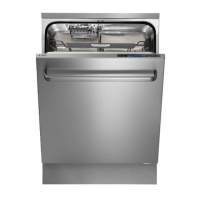
Asko D5896 XXL - User Manual

Asko D5896 XXL
28 pages
Print Icon
To Next Page IconTo Next Page
Loading...
Dear Customer,
Thank you for choosing this quality product from ASKO.
We hope it will meet your expectations and fulfil your needs for many years to
come. Scandinavian design combines clean lines, everyday functionality and
high quality. These are key characteristics of all our products and the reason
they are greatly appreciated throughout the world.
To get the most from your new dishwasher, we recommend that you read the
operating instructions before using the dishwasher. The operating instructions
also include information on how you can help protect the environment.
Operating Instructions
Dishwasher
ASKO D5896 XXL

Questions and Answers

Summary

Safety Instructions

General Safety Precautions

Read instructions, use only dishwasher detergent, keep door closed, and handle mains cables with care.

Safety During Installation

Follow regulations for water, drainage, and electricity; installation by a qualified professional.

Child Safety Measures

Close door immediately, keep children away, do not let them play with the dishwasher.

Loading the Dishwasher

Upper Basket Loading

Loading the Upper Basket

Place glasses, cups, bowls face inwards/downwards. Wine glasses on shelf, knives in stand.

Lower Basket Loading

Cutlery Basket Loading

Handles down (except knives), spread out. Spoons not stacked. Best in middle, front for Power Zone.

Using the Dishwasher

Adding Detergent

Add detergent to prewash and main wash compartments based on water hardness and packaging instructions.

Program Selection

Selecting Program Options

Starting the Dishwasher

Press and hold Start/Stop until 'Program started' appears. Close door properly.

Stopping or Changing a Program

Hold Start/Stop for 3 seconds to change program. Add detergent if needed.

Power Interruption Handling

Interrupted program continues when power is restored.

Settings Menu

Accessing the Function Menu

Specific button press sequence to turn off, open door, and activate the Function Menu.

Navigating the Function Menu

Use navigation buttons to select settings and Option/Set to save and continue.

Adjustable Settings

Care and Cleaning

Troubleshooting

Troubleshooting Error Codes

List of error codes (F10-F60) with their faults and actions.

Dishes Not Clean

Check spray arms, loading, detergent, program, and filter fitment.

Spots or Films on Dishes

Check rinse aid dosage, temperature, and detergent amount for crystal etching.

Sticky White;Blue Film on Dishes

Reduce rinse aid dosage if it's too high, especially with soft water.

Dishwasher Does Not Start

Check Start/Stop button, door closure, fuses, plug, water tap, and delayed start option.

Water Remains in Dishwasher

Check drainage hose, kinks, filters, lock, and debris in pump.

Dishes Not Drying Properly

Use higher temperature, Drying: Long option, or ensure full load and correct rinse aid.

Installation

Installation Safety Instructions

Qualified professional, follow regulations, wear gloves, test before final placement.

Machine Installation Types

Built-in Installation

Install under a worktop. Ensure recess dimensions and hole sizes are correct.

Freestanding Installation

Requires anti-tip brackets. Ensure side panels and worktop are fitted if standalone.

Drainage Connection

Water Supply Connection

Electrical Connection

Service and Support

Contacting Service Department

Consult troubleshooting first. Note item and serial numbers from the rating plate.

Quick Guide

Quick Start Steps

Step-by-step instructions for loading, detergent, starting, and basic operation.

Summary

Safety Instructions

General Safety Precautions

Read instructions, use only dishwasher detergent, keep door closed, and handle mains cables with care.

Safety During Installation

Follow regulations for water, drainage, and electricity; installation by a qualified professional.

Child Safety Measures

Close door immediately, keep children away, do not let them play with the dishwasher.

Loading the Dishwasher

Upper Basket Loading

Loading the Upper Basket

Place glasses, cups, bowls face inwards/downwards. Wine glasses on shelf, knives in stand.

Lower Basket Loading

Cutlery Basket Loading

Handles down (except knives), spread out. Spoons not stacked. Best in middle, front for Power Zone.

Using the Dishwasher

Adding Detergent

Add detergent to prewash and main wash compartments based on water hardness and packaging instructions.

Program Selection

Selecting Program Options

Starting the Dishwasher

Press and hold Start/Stop until 'Program started' appears. Close door properly.

Stopping or Changing a Program

Hold Start/Stop for 3 seconds to change program. Add detergent if needed.

Power Interruption Handling

Interrupted program continues when power is restored.

Settings Menu

Accessing the Function Menu

Specific button press sequence to turn off, open door, and activate the Function Menu.

Navigating the Function Menu

Use navigation buttons to select settings and Option/Set to save and continue.

Adjustable Settings

Care and Cleaning

Troubleshooting

Troubleshooting Error Codes

List of error codes (F10-F60) with their faults and actions.

Dishes Not Clean

Check spray arms, loading, detergent, program, and filter fitment.

Spots or Films on Dishes

Check rinse aid dosage, temperature, and detergent amount for crystal etching.

Sticky White;Blue Film on Dishes

Reduce rinse aid dosage if it's too high, especially with soft water.

Dishwasher Does Not Start

Check Start/Stop button, door closure, fuses, plug, water tap, and delayed start option.

Water Remains in Dishwasher

Check drainage hose, kinks, filters, lock, and debris in pump.

Dishes Not Drying Properly

Use higher temperature, Drying: Long option, or ensure full load and correct rinse aid.

Installation

Installation Safety Instructions

Qualified professional, follow regulations, wear gloves, test before final placement.

Machine Installation Types

Built-in Installation

Install under a worktop. Ensure recess dimensions and hole sizes are correct.

Freestanding Installation

Requires anti-tip brackets. Ensure side panels and worktop are fitted if standalone.

Drainage Connection

Water Supply Connection

Electrical Connection

Service and Support

Contacting Service Department

Consult troubleshooting first. Note item and serial numbers from the rating plate.

Quick Guide

Quick Start Steps

Step-by-step instructions for loading, detergent, starting, and basic operation.

Asko D5896 XXL Specifications

General IconGeneral
BrandAsko
ModelD5896 XXL
CategoryDishwasher
LanguageEnglish

Related product manuals