12
1
2
START TUMBLE DRYING
Close the door and press the
Start
but-
ton.
Stopping to put in more washing
Open the door and the drum will stop automa-
tically. To restart, close the door and press the
Start
button.
ON COMPLETION
Open the door and take out the wash-
ing.
AFTER TUMBLE DRYING
•Turn OFF the main power switch, .
•Clean the lint filter after each opera-
tion. If the lint filter becomes clogged the over-
heat protection device may trigger. The filter
must then be cleaned and the device must be
reset to enable the machine to be started, see
Chapter 9, Trouble shooting.
• Empty the condensation water tank after each
tumle drying.
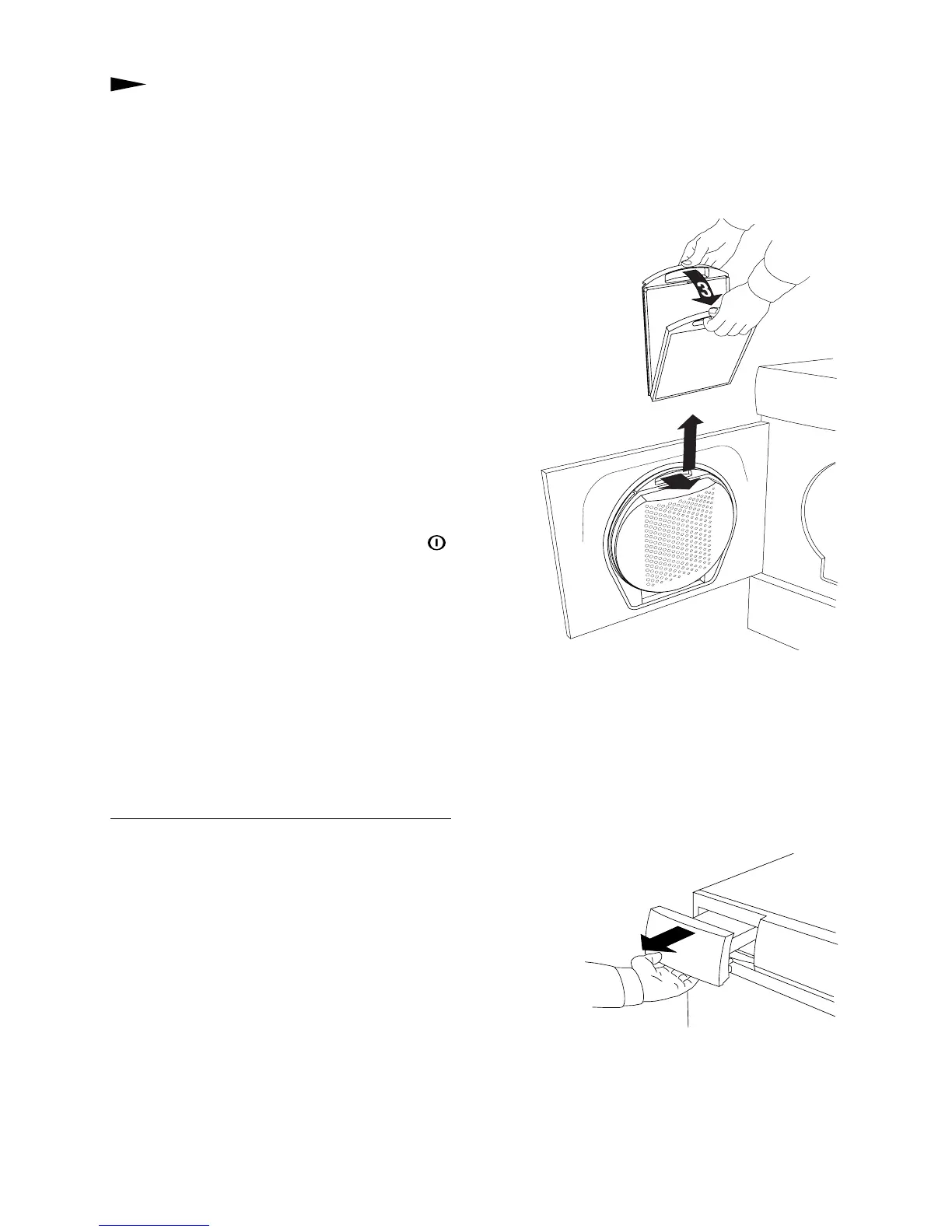
CLEANING THE LINT FILTER
1.Grasp the filter handle and pull towards you.
2.Pull the lint filter out
of the holder.
3.Open the filter
and brush away the
lint with your hand.
4.Fold the lint filter together and put it back
in the filter holder.
EMPTYING THE CONDENSATION WATER TANK
Empty the condensation water tank after each
tumble drying.
Pull out the condensation water tank, empty
the water and put the tank
back.
If the tank becomes too full the program will
be interrupted. Empty the tank and press the
Start
button and the program will continue
7
5
6
NOTE
Regularly clean the lint filter.



 To Next Page