26
12 TROUBLE SHOOTING
THE MACHINE WILL NOT START
Check that:
• The door is properly closed.
• The main switch is pressed in.
• You have correctly set the required program
or the required time in the timed dry program.
• You have not choosen Delayed start.
• The electric plug, if any, is firmly inserted in
its socket.
• All fuses are intact. Switch two fuses over. It is
not always possible to see directly if a fuse has
blown.
• The overheating device has not triggered, see
below.
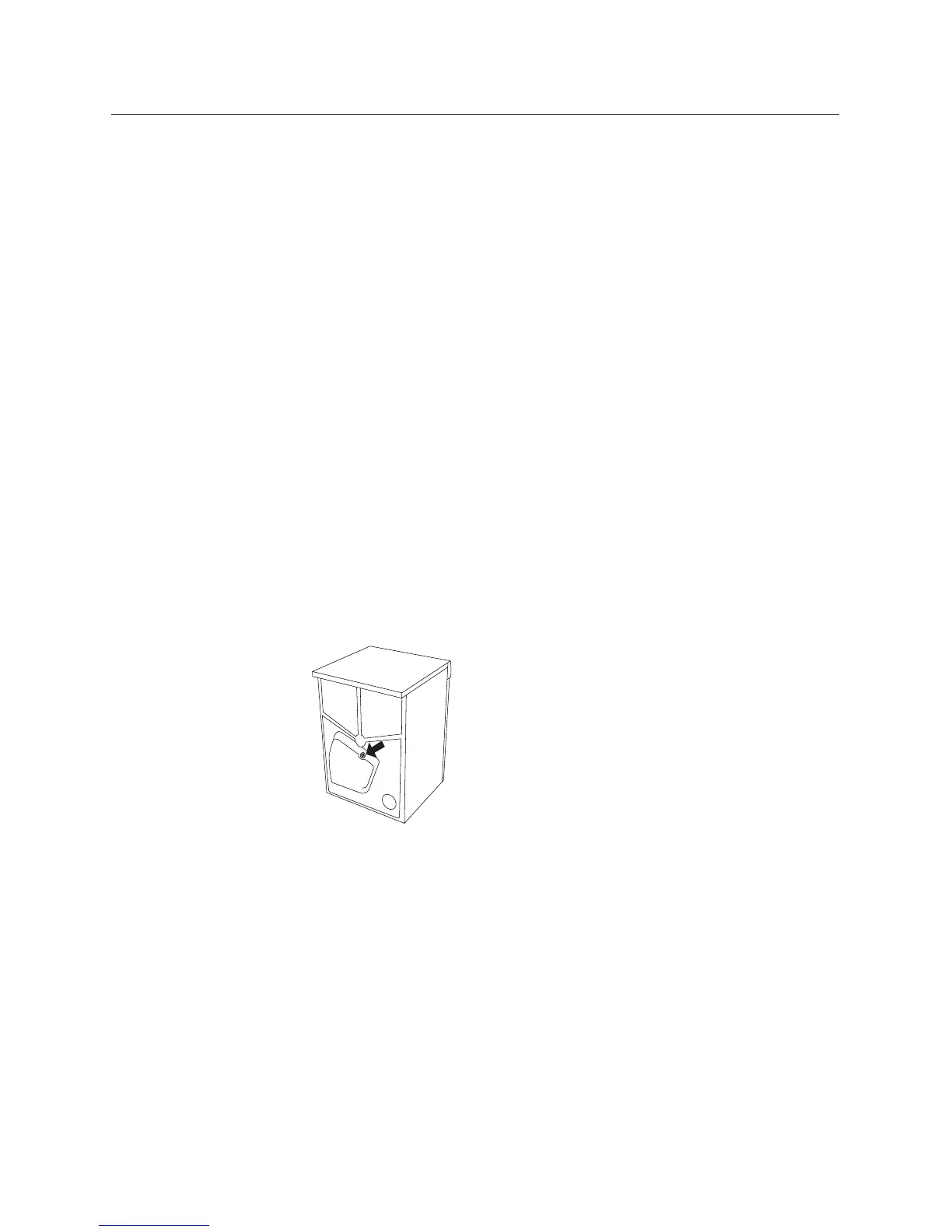
OVERHEATING PROTECTION
The overheating protection device switches off
the tumble dryer if the temperature becomes
too high, eg, because the lint
filter is clogged. If this hap-
pens, clean the filter. Then
reset the overheating devi-
ce by pressing the rubber
button on the back of the
machine.
NO INTERIOR LIGHTING
Check that:
• The main switch is pressed in.
• The electric plug, if any, is firmly inserted in
its socket.
• All fuses are intact. Switch two fuses over. It is
not always possible to see directly if a fuse has
blown.
• The bulb is not burnt out. The lamp is located
at the top of the dryer just inside the door.
Screw off the plastic cover protecting the bulb
and screw out the bulb and replace it if it is
faulty.
EXCESSIVE DRYING TIME
Check that the lint filter is not clogged, see
Chapter 11, Care and Cleaning.
FAULT INDICATIONS
Error messages appear in the display text field if
faults occur while a program is in progress. To
exit the error messages after correcting the fault
as described below, switch the machine off or
change the program.
The error messages that can be displayed are:
Maximum program time. When the machine
has run for its maximum time (three hours) it
will stop. Ensure first that all fuses for the mach-
ine are intact. To exit the error message, switch
the machine off or open the outer door. If this
does not help, phone for service.
Sensor fault. Fault in the moisture sensor. This
error message can also appear if you should start
the dryer when it contains dry items or when it
is empty. To cancel the message, simply open
the dryer door. If this does not work, phone for
service.
Thermistor fault. Phone for service.



 To Next Page