V400 – Installation Guide
U-0398-0607.doc – Issue: 03 complete, approved
Page 16 of 24
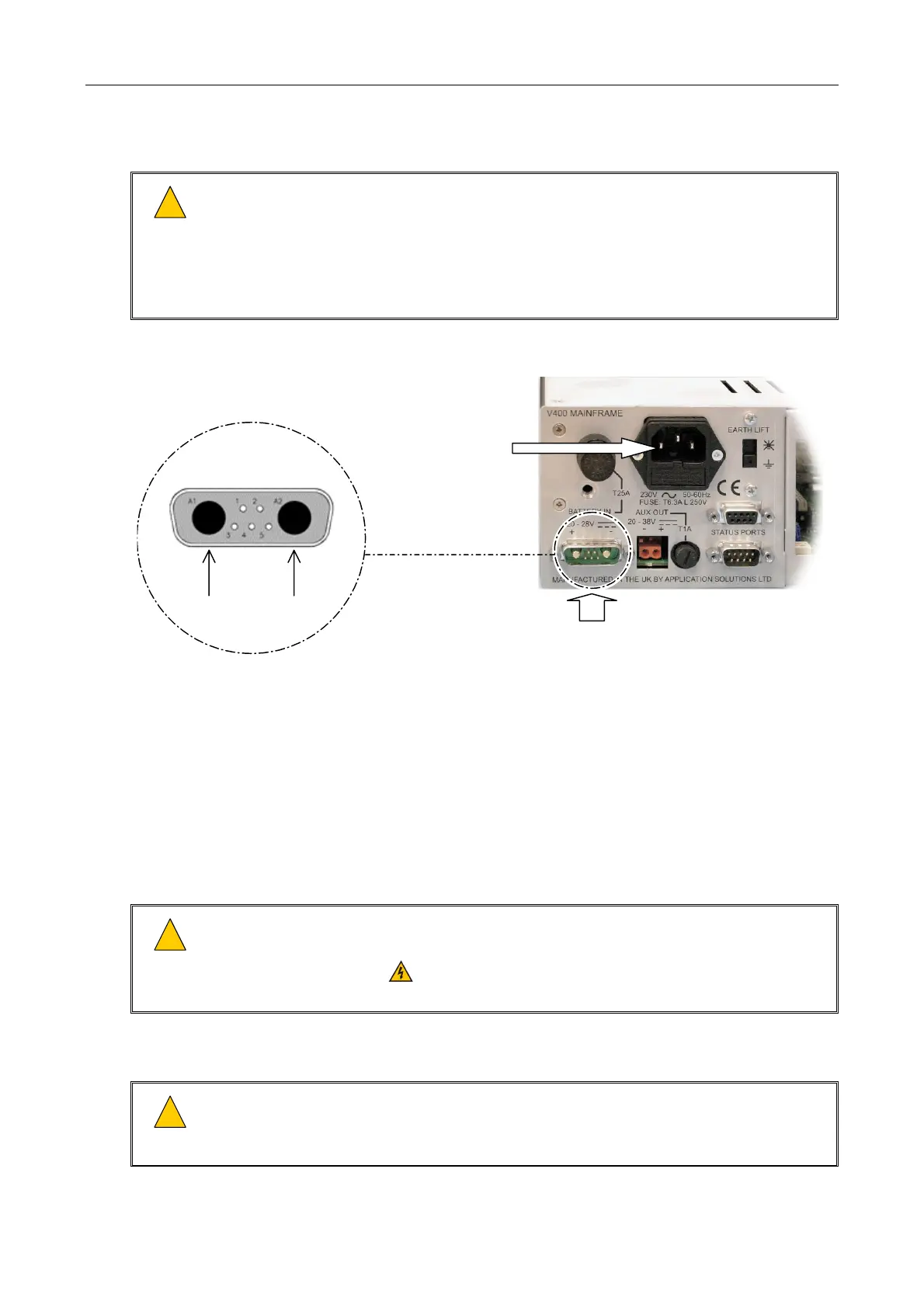
15. If DC power supply is used, then connect the DC supply cable; see Figure 11.
!
!
1) External 24 V DC batteries unit can deliver very high currents that could cause fire or burns.
Take care to avoid short circuits of the battery supply by tools or jewellery.
2) Ensure power supply cabling is adequately rated for the unit’s operating current and is
protected against short circuit by a correctly rated fuse or circuit breaker.
3) Using too thin a cable can cause a safety hazard and will give excessive voltage drop and
operational failure.
Figure 11 Connecting the AC mains power and DC supply cabling
BATTERY
+
+
BATTERY
-
DC SUPPLY INPUT
(21-27.6 V - NORMALLY FROM NOMINAL 24 V BATTERY PACK)
STANDARD IEC 60320
AC MAINS INLET
A PRE-ASSEMBLED CABLE (1.5 M LENGTH) FOR BATTERY SUPPLY CONNECTION
CAN BE ORDERED SEPARATELY FROM ASL QUOTING A0477012.
16. Connect power to the mainframe.
a. Connect the AC mains power supply to the mainframe.
b. Connect the DC power supply to the mainframe, if used.
c. Power the mainframe on by turning the mains isolation switch on, and then turning the battery
isolation switch on.
!
!
This product contains wiring that is energised to 230 V RMS AC mains and 100 V RMS audio
signals at up to 20 kHz.
Terminals marked with the
symbol are hazardous, and the external wiring connected to these
terminals requires installation by qualified personnel only.
17. Commission the mainframe.
!
!
Do not fit the mainframe front panel until connections to the mainframe and peripherals have
been made and the system tested.
Once the front panel is fitted, the power ON/OFF switches will not be accessible.


 To Next Page
 Loading...

