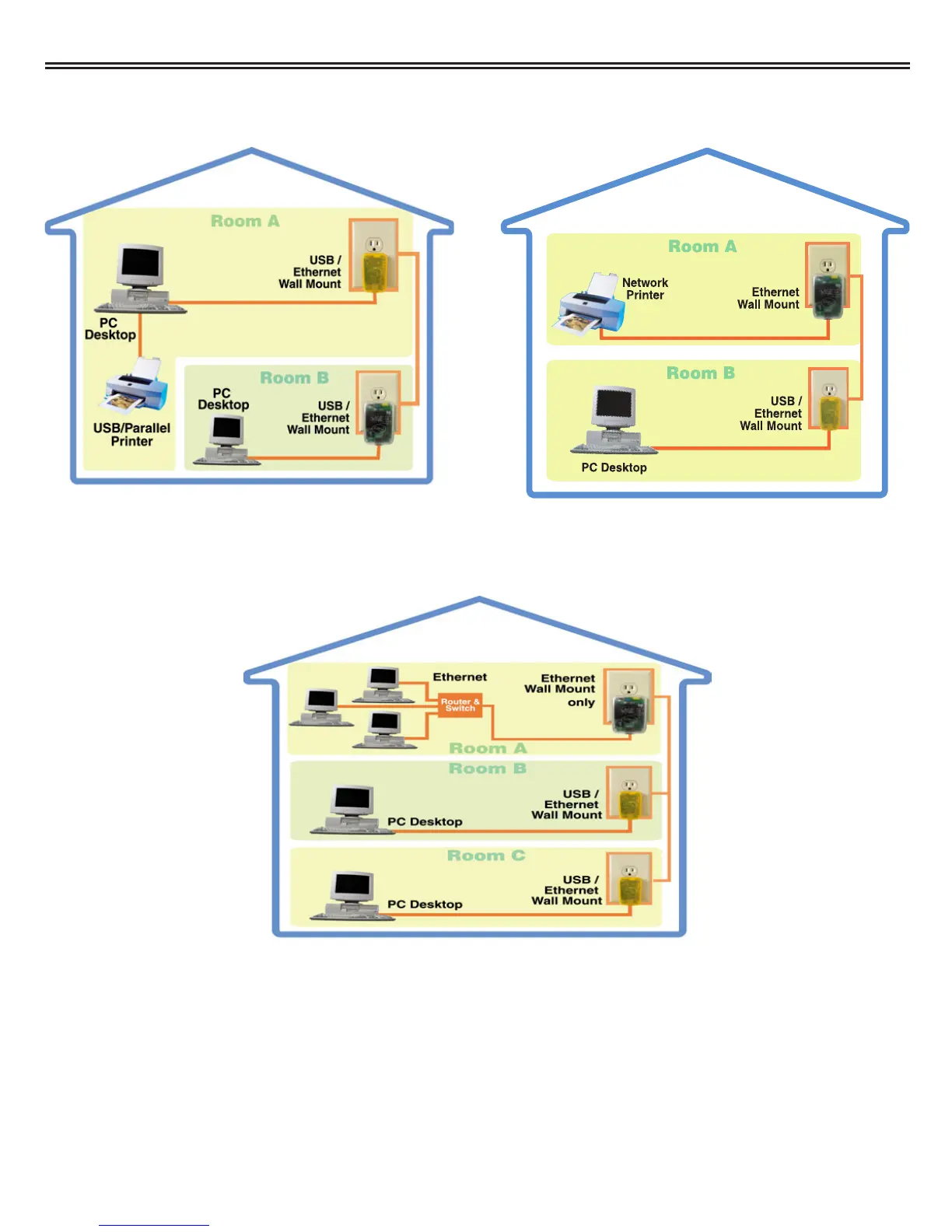
3. "I want to share a home printer or a network printer between multiple computers/ laptops."
When you have installed your Powerline Network, it will look like this:
4. "I want to add or extend my existing Ethernet (Cat5) network."
When you have installed your Powerline Network, it will look like this:
Asoka™ PlugLink™ Wall Mount Users Manual
7
OR



 To Next Page