Getting Started
To begin, we suggest that you quickly sketch a layout of your LAN (Local Area Network) on a
piece of paper. This will help you visualize on how to set up your very own LAN.
Depending on what you want to do with your network, the layout of your LAN can vary. To help
you better understand, follow the appropriate statement below that best describes the type of
network you want to build.
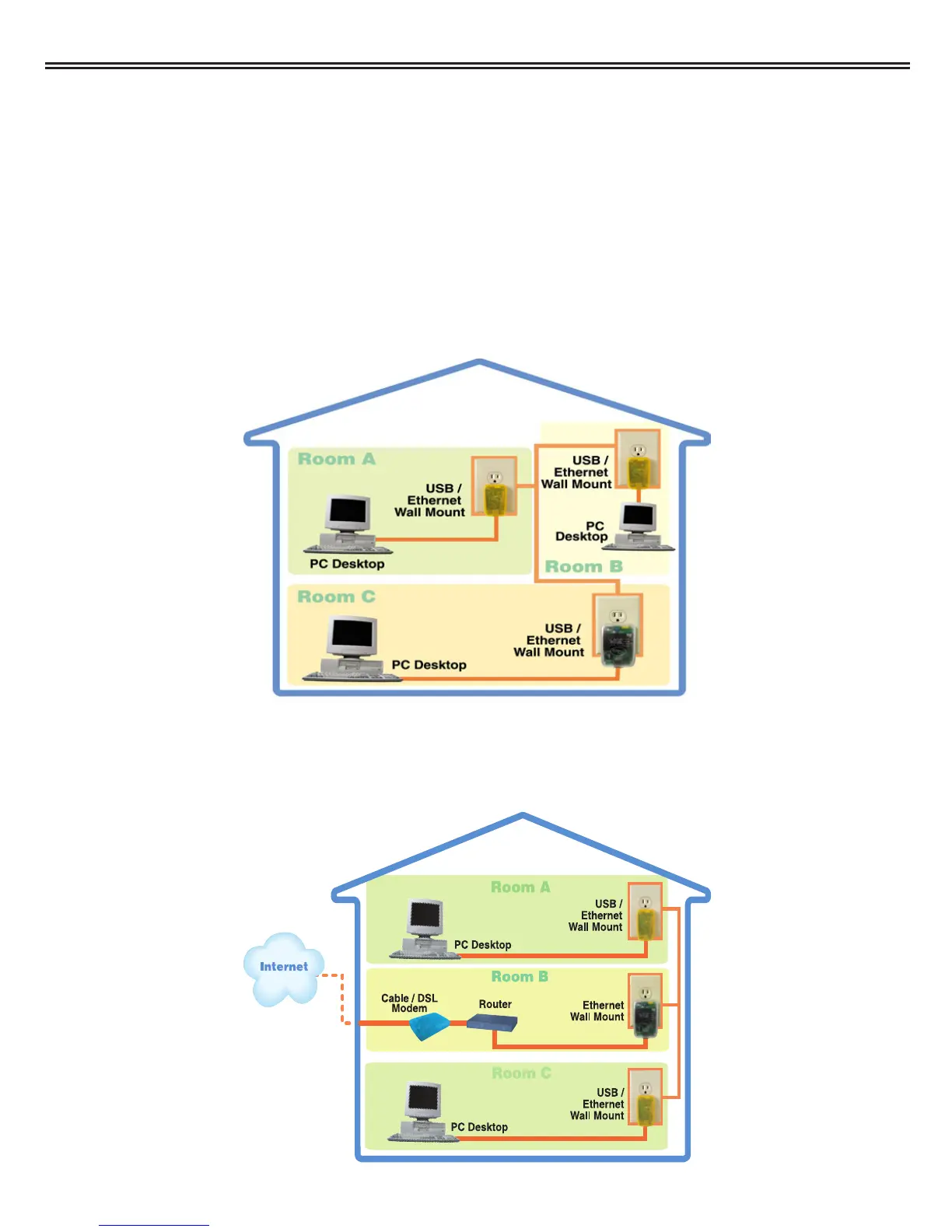
1. "I want to connect 2 or more computers/ laptops to share documents."
When you have installed your Powerline Network, it will look like this:
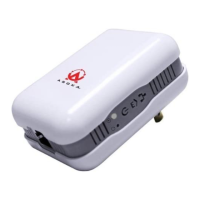
2. "I want to share an Internet connection between multiple computers/laptops."
When you have installed your Powerline Network, it will look like this:
Asoka™ PlugLink™ Wall Mount Users Manual
6



 To Next Page