EasyManua.ls Logo

ASP Sterrad 100NX - User Manual

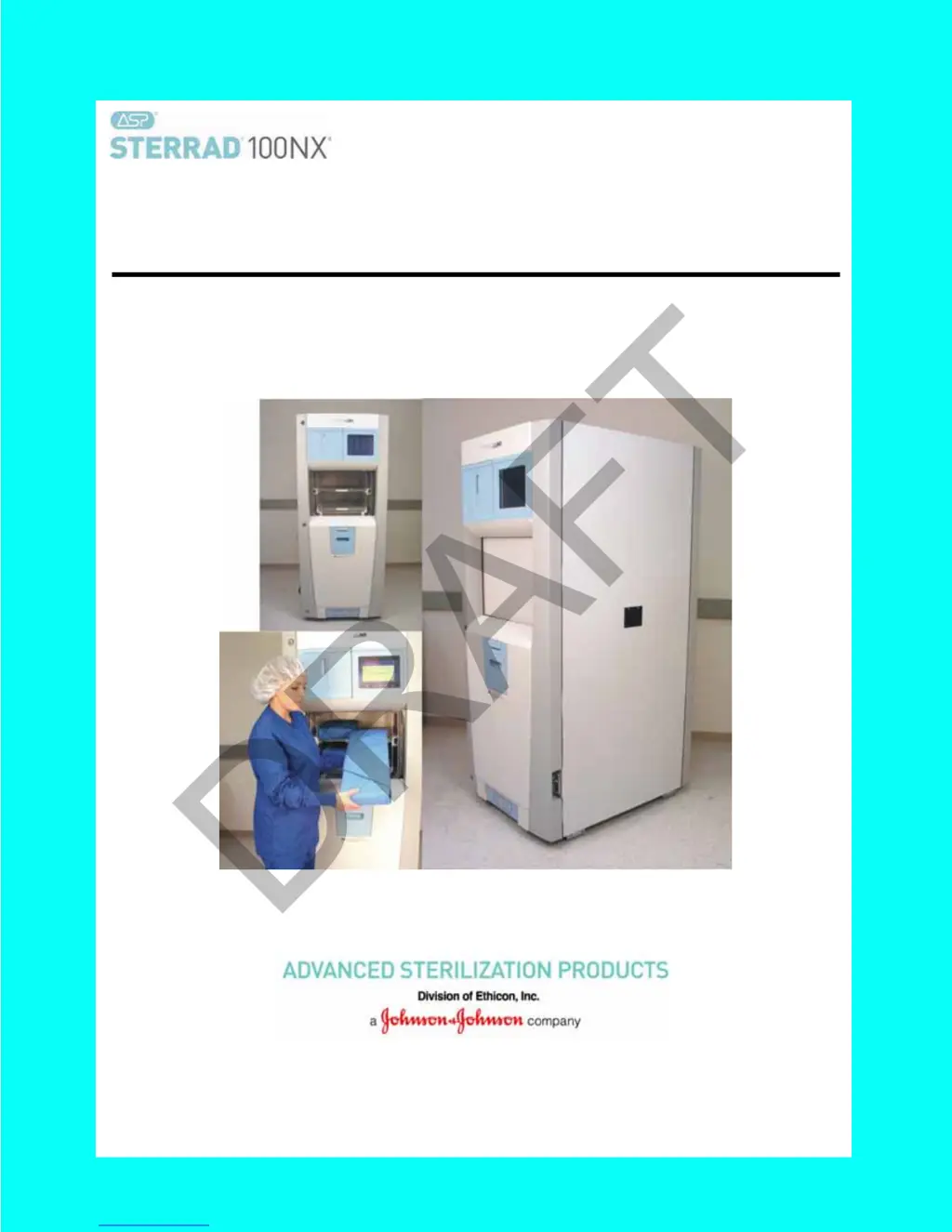
ASP Sterrad 100NX
110 pages
Print Icon
To Next Page IconTo Next Page
Loading...
STERRAD
®
100NX
®
Sterilization System
User’s Guide
Ref 99994
M-99994_03
May 2014
DRAFT

Table of Contents

Questions and Answers

  • S
    Sarah SimmonsSep 23, 2025
    What should I do if my ASP Laboratory Equipment is 'Unable to Evacuate Chamber'?
    • U
      uvincentSep 23, 2025
      To address the issue of being unable to evacuate the chamber in your ASP Laboratory Equipment, ensure the load is dry before starting the cycle. Remove the load and run diagnostics. Reboot the system. If the problem continues, further assistance is needed.
  • M
    Michael MartinezAug 23, 2025
    What to do if my ASP Sterrad 100NX says 'Cassette Used, Disposing'?
    • K
      kimberly46Aug 23, 2025
      If the inserted cassette in your ASP Laboratory Equipment does not have any unused cells remaining, it means the cassette is used and needs to be disposed of. You should insert a new cassette.
  • J
    Jessica DuncanAug 25, 2025
    What to do if the cycle is canceled by operator on ASP Sterrad 100NX Laboratory Equipment?
    • T
      Teresa LynnAug 26, 2025
      If the ASP Laboratory Equipment cycle was canceled by an operator, repackage the load and restart the cycle after the cancellation is complete.
  • N
    Nicholas PowellAug 27, 2025
    How to fix 'H O Curve Area Too Low' error on ASP Sterrad 100NX Laboratory Equipment?
    • W
      wmillsAug 27, 2025
      If your ASP Laboratory Equipment displays the message 'H O Curve Area Too Low' it means that the load is absorbing too much peroxide. Remove any absorbing materials from the load, repackage it, and restart the cycle. If the problem continues, further assistance is needed.
  • C
    Christine HallAug 27, 2025
    What causes 'H O Peak Too Low' on ASP Sterrad 100NX Laboratory Equipment?
    • D
      Dean CamposAug 28, 2025
      If your ASP Laboratory Equipment displays 'H O Peak Too Low', it indicates that the load is absorbing too much peroxide. Remove any absorbent materials from the load, repackage it, and restart the cycle. If the problem persists, further assistance is needed.
  • V
    Victor MoralesSep 18, 2025
    What to do for 'Stage Timeout' on ASP Laboratory Equipment?
    • M
      Michele JeffersonSep 18, 2025
      Remove the load and run diagnostics on your ASP Laboratory Equipment.
  • J
    Jennifer FisherSep 15, 2025
    What causes 'Pressure Out Of Range (Low)' on ASP Laboratory Equipment?
    • C
      Cheryl OrrSep 15, 2025
      If your ASP Laboratory Equipment displays 'Pressure Out Of Range (Low)', it indicates a vacuum system malfunction. Remove the load and run diagnostics.
  • Q
    qnunezSep 16, 2025
    Would you like to troubleshoot my ASP Laboratory Equipment?
    • D
      Daniel NelsonSep 16, 2025
      To troubleshoot your ASP Laboratory Equipment, remove the load and run diagnostics. If the problem persists, further assistance is needed.
  • E
    Edward StrongSep 6, 2025
    What to do if the ASP Sterrad 100NX 'Cannot Dispose Cassette, Run Diagnostics'?
    • M
      Michael MooreSep 6, 2025
      If the ASP Laboratory Equipment shows that the cassette did not drop into the disposal box, remove the load and run diagnostics.
  • R
    Richard HaysSep 4, 2025
    How do I fix the 'UV Path Is Blocked' error on my ASP Sterrad 100NX?
    • C
      Cheyenne MunozSep 4, 2025
      If your ASP Laboratory Equipment displays 'UV Path Is Blocked', it means that an object is blocking the UV path. Check that the shelves or the load are not obstructing the path. If the problem continues, further assistance is needed.

Summary

Chapter 1. Introduction

How to Use This Guide

Instructions on how to navigate and use the user guide for optimal understanding.

Intended Use

Specifies the purpose and application of the STERRAD® 100NX® Sterilization System.

The STERRAD Sterilization Process

Details the multiphase sterilization process using hydrogen peroxide vapor and plasma.

Chapter 2. Safety Information

Personal Safety and First Aid

Guidelines for operator safety, including handling hazardous chemicals and first aid procedures.

Personal Protective Equipment

Recommendations for protective gear to ensure operator safety during use.

Device Safety

Precautions for safe loading and handling of devices to prevent damage or injury.

Warnings, Cautions, and Notes

Explains the meaning of symbols and text elements used to convey important information.

Chapter 3. Load Preparation

Load Weight Requirements

Specifies the maximum allowable weight for loads based on the selected sterilization cycle.

Recommended Materials

Lists materials and devices that are commonly sterilized and their compatibility.

Items Not To Be Processed

Lists items and materials that should not be processed in the sterilizer.

Guidelines for Preparing Items to Be Sterilized

Outlines essential steps for preparing items, including cleaning, rinsing, and drying.

Packaging and Loading

Provides instructions on proper packaging and arrangement of items for effective sterilization.

Chapter 4. Operation

Before You Start

Initial steps and prerequisites before operating the sterilizer.

Start and Warm-up

Procedures for powering on the sterilizer and initiating the warm-up sequence.

Biological Indicators

Information on the use and placement of biological indicators for cycle efficacy verification.

Login

Steps for logging into the sterilizer system using operator credentials.

Loading the Chamber

Instructions for correctly placing items onto the sterilizer shelves.

Selecting and Starting a Cycle

Guide to choosing and initiating a sterilization cycle.

Canceling a Cycle

Procedure for safely aborting an ongoing sterilization cycle.

Chapter 5. Troubleshooting

Running Diagnostics

How to initiate diagnostic tests to identify and resolve system issues.

System Message Table

Reference for interpreting system messages and their corresponding actions.

Call Your ASP Representative

Information on when and how to contact technical support for unresolved issues.

Chapter 6. Sterilizer Overview

Sterilizer Cycles

Overview of the different sterilization cycle options available on the system.

Sterilizer Features

Description of the physical components and operational features of the sterilizer.

Cassette

Information about the hydrogen peroxide cassette and its role in the sterilization process.

Chapter 7. Maintenance

Manual Maintenance

List of user-performed maintenance tasks for the sterilizer.

Disposing of Cassettes

Procedures for safely disposing of used hydrogen peroxide cassettes.

Replacing the Printer Paper

Instructions for loading new paper rolls into the printer.

Cleaning the Sterilizer Exterior

Guidelines for cleaning the external surfaces of the sterilizer.

Rebooting the System

Steps to restart or reboot the sterilizer system.

Chapter 8. Reports and Files

Displayed Reports

Overview of different types of reports and files accessible on the sterilizer.

Cycle History

Accessing and reviewing records of past sterilization cycles.

Printed Reports

Details on the types of reports generated after each sterilization cycle.

Short Report

Description of the brief report format for cycle completion.

Parametric Report

Description of the parametric report format, detailing cycle parameters.

Long Report

Description of the comprehensive long-format report for detailed analysis.

Chapter 9. Access Levels and Supervisor Tasks

Overview

Introduction to user access levels and supervisor privileges for system management.

Access Levels

Explanation of the different user access levels and their associated permissions.

Additional Utilities Menu

Navigation to advanced system configuration and management functions.

System Configuration

Settings for alarm volume, language, and various system features.

User Administration

Managing user accounts, including adding, modifying, and deleting users.

Diagnostics

Running system diagnostic tests to identify and resolve issues.

File Management

Accessing and managing calibration and diagnostic files.

Product Options

Configuration of optional features and cycles.

Appendix A. Sterilizer Specifications

Power

Electrical power requirements for system operation.

Dimensions

Physical dimensions of the sterilizer unit.

Service clearances

Required space around the sterilizer for operation and maintenance.

Temperature

Operating and storage temperature ranges for the sterilizer.

Cycle time

Duration of each available sterilization cycle.

Appendix B. Consumables, Accessories, and Additional Parts

Consumable Products

List of consumables, product codes, and descriptions.

Additional Parts

List of additional parts and their corresponding part numbers.

ASP Sterrad 100NX Specifications

General IconGeneral
Cycle Time (Standard)47 minutes
Weight295 kg (650 lbs)
SterilantHydrogen Peroxide (59%)
TypeLow Temperature Sterilization System
TechnologyHydrogen Peroxide Plasma
Electrical Requirements100-240 VAC, 50/60 Hz

Related product manuals