EasyManua.ls Logo

ASP Sterrad Velocity Reader - User Manual

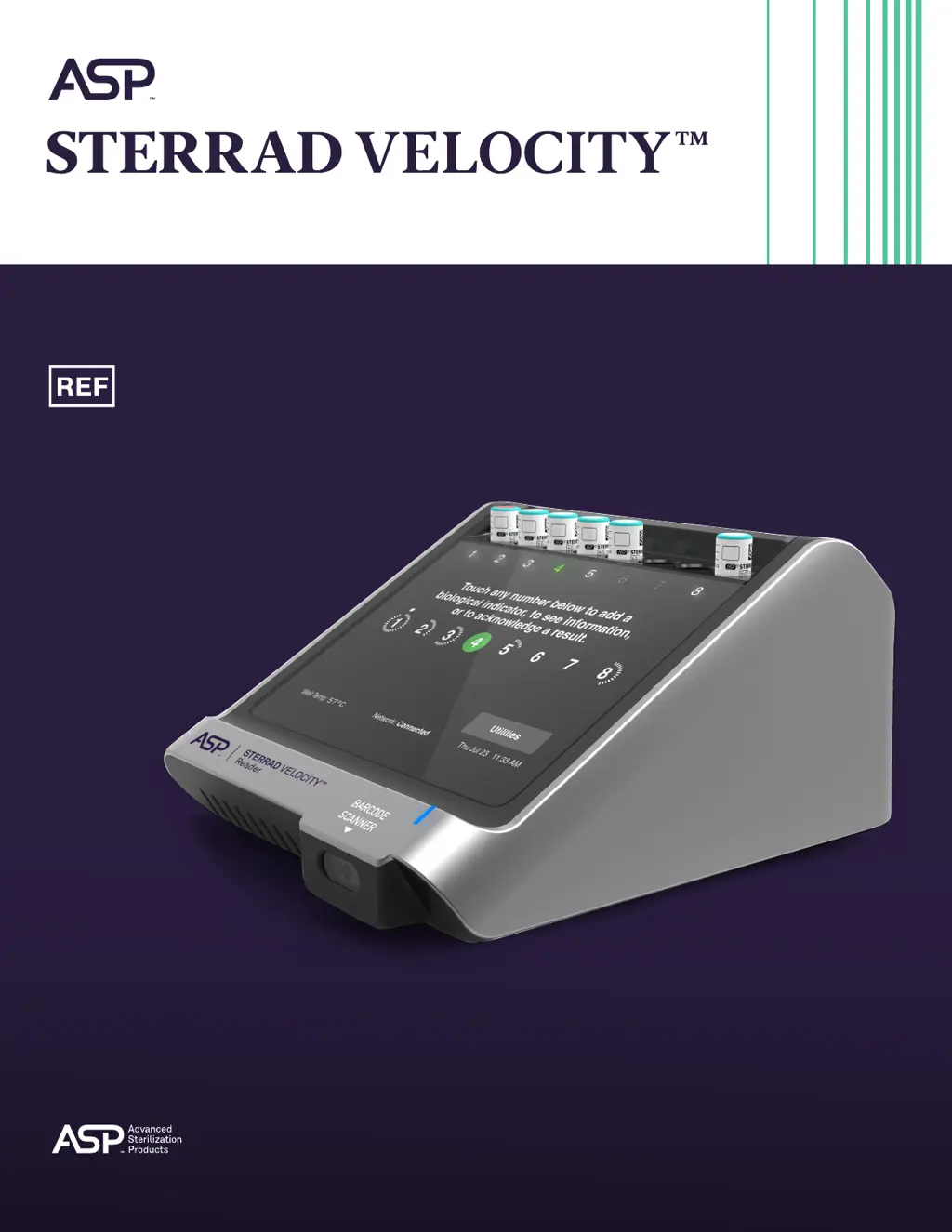
ASP Sterrad Velocity Reader
82 pages
Print Icon
To Next Page IconTo Next Page
Loading...
Users Guide
AB11321031
AB11321031-50 January 2021.
© ASP 2021. All rights reserved.
Reader

Table of Contents

Questions and Answers

Summary

Introduction to the STERRAD VELOCITY Reader

How to Use This Guide

Instructions on how to navigate and use the user guide effectively.

Intended Use of the Reader

Defines the specific purpose and application of the STERRAD VELOCITY Reader.

STERRAD VELOCITY Reader Product Description

Provides an overview of the reader's main features, components, and design.

Indications for Use

Lists the STERRAD sterilization systems for which the reader is intended.

Safety Information for STERRAD VELOCITY Reader

Safety Symbols Explained

Explains the various safety symbols used throughout the user manual.

Warnings, Cautions, and Notes

Details critical safety information, potential hazards, and important operating notes.

Overview of the STERRAD VELOCITY Reader

STERRAD VELOCITY Reader Features

Describes the reader's main features, including touch screen and barcode scanner.

System Status Indicator

Explains the function and meaning of the reader's system status indicator light.

Biological Indicator Wells

Describes the eight incubation wells and their associated status indicators.

Barcode Scanner Operation

Explains how to use the built-in and external barcode scanners for data entry.

Operation of the STERRAD VELOCITY Reader

Instructions for Use

Provides step-by-step guidance on operating the reader for sterilization testing.

Adding a Positive Control BI

Step-by-step instructions for processing a positive control biological indicator.

Adding a Test BI

Step-by-step instructions for processing a test biological indicator.

Interpretation of Results

Explains how to interpret various test results and their implications.

Files and Data Management

System Information Files

Details the types of system information files generated by the reader.

History Files

Explains the structure and content of history files for BI reference.

Maintenance and Care

Care and Cleaning Procedures

Provides instructions for cleaning and maintaining the reader to ensure longevity.

Reader Disposal Guidelines

Provides guidelines for the proper disposal of the STERRAD VELOCITY Reader.

Access Levels and Administrator Tasks

Access Levels Explained

Outlines the different user access levels available for the reader's functionality.

Utilities Menu Functions

Describes the various functions and options available within the Utilities Menu.

System Configuration Settings

Covers settings like language, display brightness, and audio alerts.

ASP ACCESS Configuration

Details how to configure the network connection to ASP ACCESS.

Troubleshooting the STERRAD VELOCITY Reader

User Error Messages and Solutions

Lists common user error messages and provides suggested solutions for resolution.

System Error Messages

Explains system-generated errors and how to address them through ASP support.

Accessories and Additional Parts

STERRAD VELOCITY Reader Specifications

Users Network Connection Information

Compliance and Regulatory Standards

First Time Setup Guide

Network Setup

Guides through the initial network configuration process for the reader.

ASP ACCESS Setup

Details the steps for setting up the ASP ACCESS connection.

Date and Time Setup

Instructions for setting the reader's date, time, and time zone.

Administrator Setup

Covers the process of creating and managing administrator accounts.

Software License Agreement

Summary

Introduction to the STERRAD VELOCITY Reader

How to Use This Guide

Instructions on how to navigate and use the user guide effectively.

Intended Use of the Reader

Defines the specific purpose and application of the STERRAD VELOCITY Reader.

STERRAD VELOCITY Reader Product Description

Provides an overview of the reader's main features, components, and design.

Indications for Use

Lists the STERRAD sterilization systems for which the reader is intended.

Safety Information for STERRAD VELOCITY Reader

Safety Symbols Explained

Explains the various safety symbols used throughout the user manual.

Warnings, Cautions, and Notes

Details critical safety information, potential hazards, and important operating notes.

Overview of the STERRAD VELOCITY Reader

STERRAD VELOCITY Reader Features

Describes the reader's main features, including touch screen and barcode scanner.

System Status Indicator

Explains the function and meaning of the reader's system status indicator light.

Biological Indicator Wells

Describes the eight incubation wells and their associated status indicators.

Barcode Scanner Operation

Explains how to use the built-in and external barcode scanners for data entry.

Operation of the STERRAD VELOCITY Reader

Instructions for Use

Provides step-by-step guidance on operating the reader for sterilization testing.

Adding a Positive Control BI

Step-by-step instructions for processing a positive control biological indicator.

Adding a Test BI

Step-by-step instructions for processing a test biological indicator.

Interpretation of Results

Explains how to interpret various test results and their implications.

Files and Data Management

System Information Files

Details the types of system information files generated by the reader.

History Files

Explains the structure and content of history files for BI reference.

Maintenance and Care

Care and Cleaning Procedures

Provides instructions for cleaning and maintaining the reader to ensure longevity.

Reader Disposal Guidelines

Provides guidelines for the proper disposal of the STERRAD VELOCITY Reader.

Access Levels and Administrator Tasks

Access Levels Explained

Outlines the different user access levels available for the reader's functionality.

Utilities Menu Functions

Describes the various functions and options available within the Utilities Menu.

System Configuration Settings

Covers settings like language, display brightness, and audio alerts.

ASP ACCESS Configuration

Details how to configure the network connection to ASP ACCESS.

Troubleshooting the STERRAD VELOCITY Reader

User Error Messages and Solutions

Lists common user error messages and provides suggested solutions for resolution.

System Error Messages

Explains system-generated errors and how to address them through ASP support.

Accessories and Additional Parts

STERRAD VELOCITY Reader Specifications

Users Network Connection Information

Compliance and Regulatory Standards

First Time Setup Guide

Network Setup

Guides through the initial network configuration process for the reader.

ASP ACCESS Setup

Details the steps for setting up the ASP ACCESS connection.

Date and Time Setup

Instructions for setting the reader's date, time, and time zone.

Administrator Setup

Covers the process of creating and managing administrator accounts.

Software License Agreement

ASP Sterrad Velocity Reader Specifications

General IconGeneral
TypeBiological Indicator Reader
Power Requirements100-240V, 50-60Hz
FunctionAutomated reading and interpretation of biological indicators used in sterilization processes
DisplayLCD
Power SourceAC Power

Related product manuals