4 Operation
24 STERRAD VELOCITY Reader User’s Guide
Negative Test Result
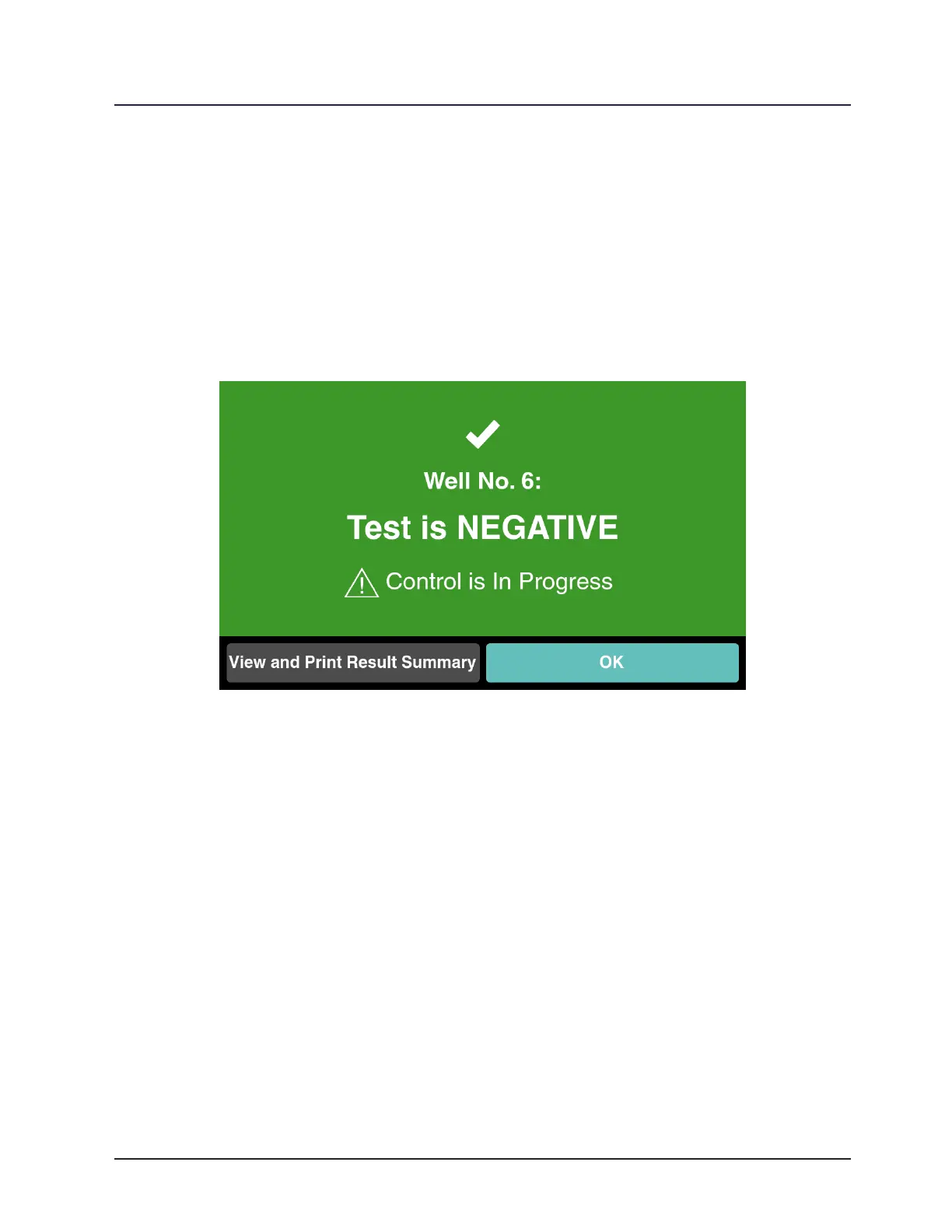
A green well number indicates a negative result for a test BI. Touch the green well
indicator number or remove the BI to go to Result Conrmation. In Result Conrmation,
view the result summary by touching View and Print Result Summary. Touch OK or
remove the test BI from the well to return to the Status Screen. Touching View and Print
Result Summary opens the Result Summary page. If a printer is connected to the reader,
touch Print on the lower left to print the Result Summary. Touch Add Note to leave notes
about this specic result. Touch Done or remove the BI to return to Result Conrmation.
Figure 18. Negative Test Result
Positive Test Result
A positive result for a test BI will be accompanied by an audible alarm and a red
warning screen which indicates the well where the positive result occurred. Touch Continue
or remove the BI to silence the alarm and go to the next steps. Enter the operator’s
name and follow the directions for handling a positive result. Touch Done when nished.
9 Note: If a positive result is observed:
1. Follow the current hospital or healthcare facility policies and procedures
regarding quarantine, or retrieval, and reprocessing of potentially non-sterile
instruments and notication of the clinician(s).
2. Repeat the test with a second BI.



 To Next Page