7 Access Levels and Administrator Tasks
38 STERRAD VELOCITY Reader User’s Guide
• Congure the network connection and upload data to the network.
Service-level access is only for use by ASP Service Representatives.
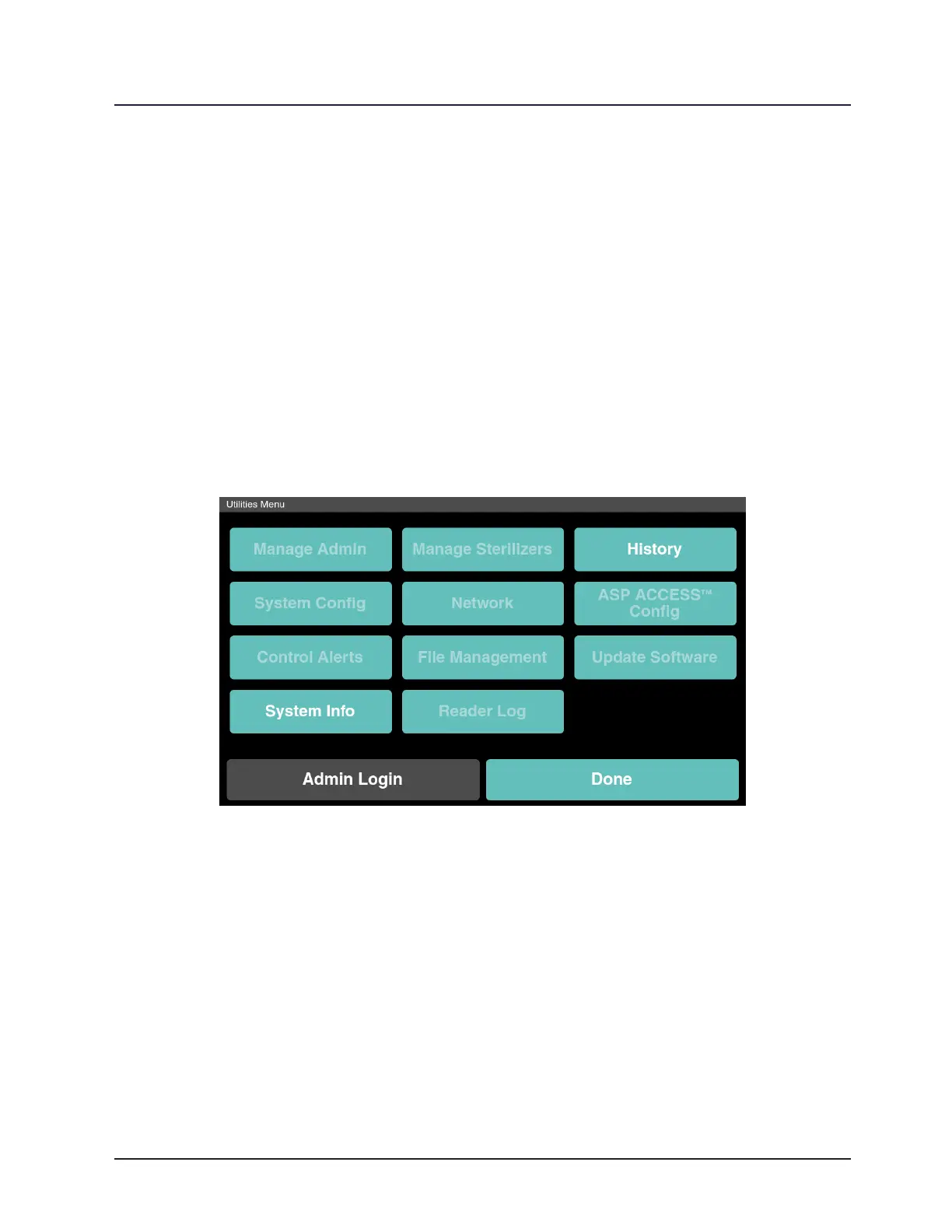
Utilities Menu
The Utilities Menu is available to all users, but only users with Administrator-
level or Service-level access privileges can alter the settings. Users with Operator-level
privileges are only able to view information in the Utilities Menu. The Utilities Menu
allows administrators to congure the reader and its network connection, set the date
and time, set up and maintain user privileges, view and print past results, perform
diagnostic tests, and update the software. The following is a step by step explanation of
the Utilities Menu and its functions.
Figure 23. Utilities Menu
Admin Login
From the Status Screen touch Utilities. The Utilities Menu is where to manage the
settings of the reader. Touch Admin Login to make changes to the reader setup. Select the
access level, and then select the Username eld. This will open the on-screen keyboard.
Type the username and password. Touch Enter to return to the previous screen. If the
username and password match an account a green checkmark will appear to the left of
the entry, otherwise a red “X” will appear. After ve unsuccessful login attempts the user
is locked out for fteen minutes. Touch Login once the information is complete.



 To Next Page