Appendix C
STERRAD VELOCITY Reader User’s Guide 63
Appendix C.
User’s Network Connection
Information
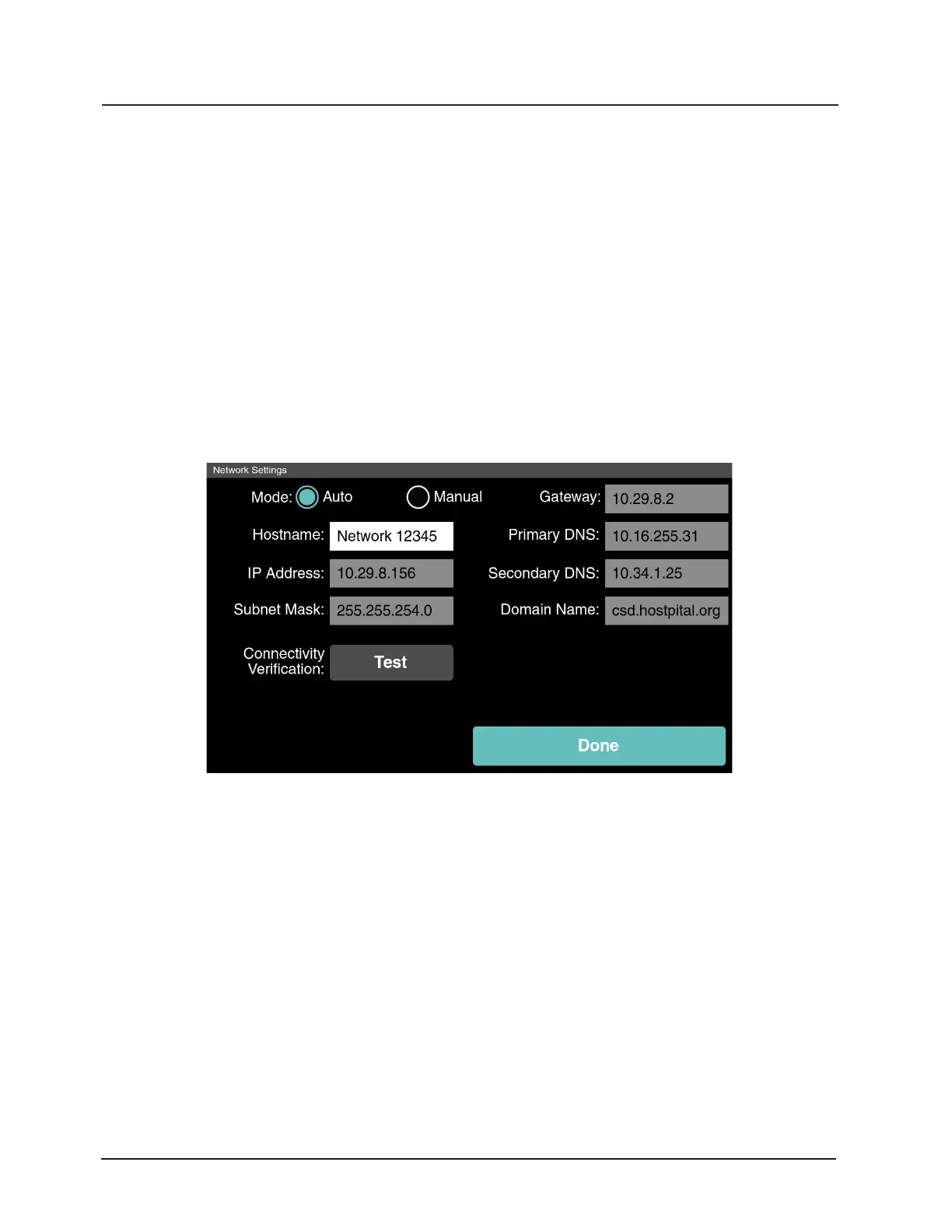
In the Utilities Menu touch Network. On the Network Settings screen touch
Manual mode and ll in the network settings for the local network, or touch Auto mode
to enable DHCP and allow the reader to obtain this information from the network. Touch
Done to return to the Utilities Menu.
Figure 25. Network Settings Utility
Touch Test to verify the network connection. While the connection is veried an
animation will appear which says “One Moment… Verifying Connection”. A successful
network connection test will display a green circle with a check mark and the message
“Connection Veried”. After a short time, the user will be returned to the Network
Settings screen. A failed connection test will display a red circle with an “X” and the
message “No Connection”. After returning to Network Settings verify that the network
settings are correct and try the network connection test again. If the test fails a second
time refer to the “Troubleshooting” section of this guide (Chapter 8).



 To Next Page