Access Levels and Administrator Tasks 7
STERRAD VELOCITY Reader User’s Guide 41
System Configuration
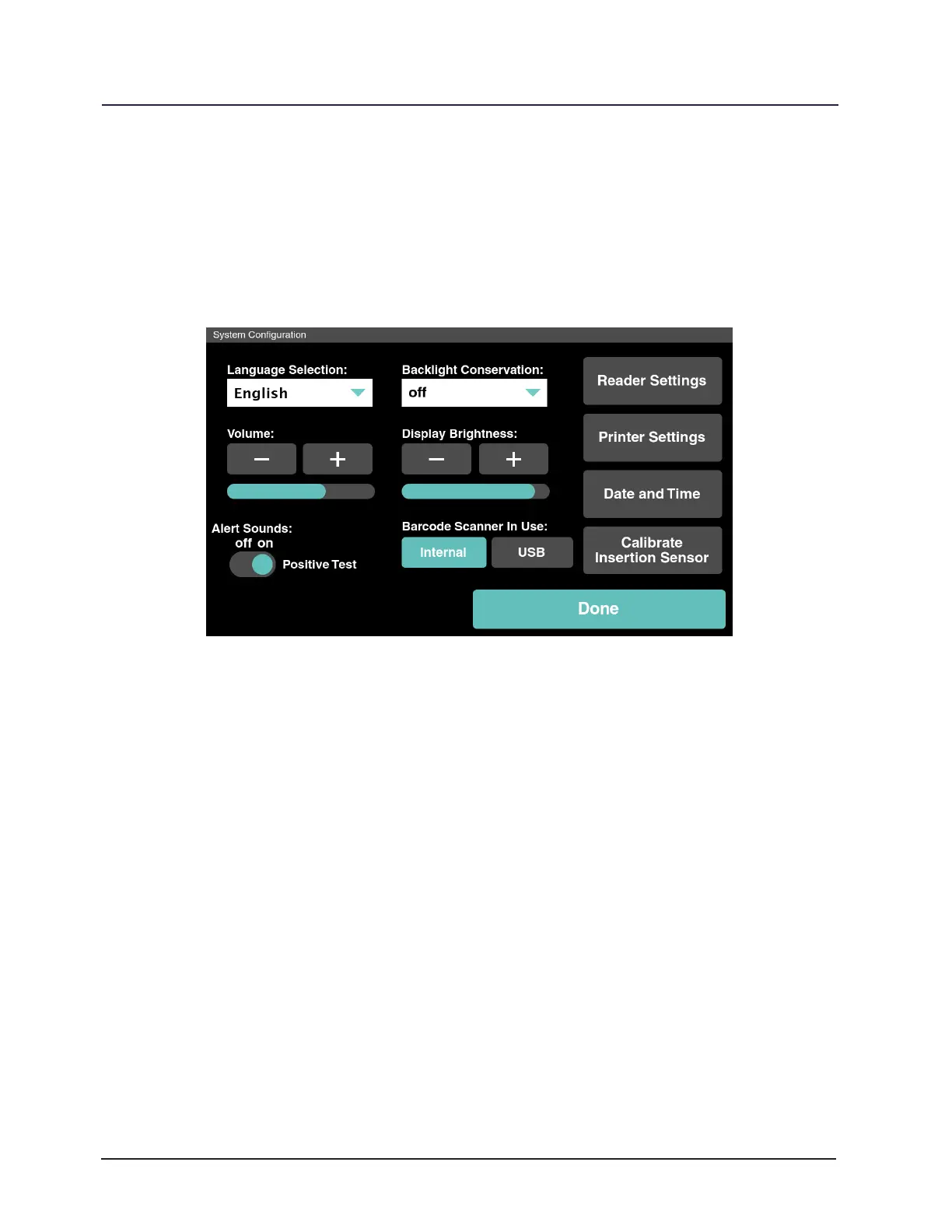
In the Utilities Menu touch System Cong. The System Conguration has
options for language selection, backlight timing adjustment, alarm volume adjustment,
and display brightness adjustment. View the Reader Settings and adjust the Printer
Settings. Touch Done to return to the Utilities Menu.
Figure 24. System Conguration Utility
Language Selection
Language Selection allows the operator to select the language displayed on the
reader software. Use the drop down menu to select the most appropriate language.
Backlight Conservation
Backlight Conservation allows the operator to select how long the backlight
stays on when the reader is not in use. Use the drop down menu to select the most
appropriate time period.
Volume
Volume allows the operator to adjust the internal speaker volume up or down.
Touch the plus sign (+) to increase the alarm volume, and touch the minus sign (-) to
decrease the alarm volume.



 To Next Page