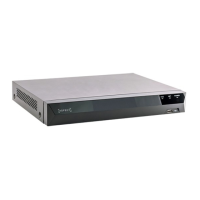
This document serves as a quick start guide for ASPECT Network Video Recorders (NVRs), covering models NVR-8MPOE-4, NVR-8MPOE-8, NVR-12MPOE-16, NVR-12MPOE-32, and NVR-12M-64. It provides essential information for installation, setup, and basic operation of the NVR system.
Function Description
The ASPECT NVR is designed as an out-of-the-box CCTV system, optimized for ease of installation and operation. Its primary function is to record and manage video footage from connected IP cameras. The NVRs feature Power over Ethernet (PoE) ports, which simplify camera connection by providing both data and power through a single Ethernet cable. This integrated approach allows for quick deployment and automatic recognition of ASPECT IP cameras, displaying video and initiating recording upon connection.
The NVR supports various recording types, including continuous, alarm-triggered, and system alarm recording, with the flexibility to define up to six recording periods. It also offers the ability to record sub-streams, which can enhance playback performance and reduce mobile data usage, especially with high-resolution cameras.
For remote access and management, the NVR includes P2P (Peer-to-Peer) connection capabilities, allowing users to view live video and manage the system via a smartphone application. This feature simplifies remote setup by utilizing QR codes for quick device identification and connection.
The NVR also supports a comprehensive menu system accessible from the live view, providing access to various functions such as channel configuration, playback, record control, PTZ (Pan-Tilt-Zoom) camera control, color settings, output adjustments, and system shutdown options.
Usage Features
Installation and Setup:
- Rear Panel Connections: The NVRs offer a range of ports for connecting cameras, displays, and external devices. Ethernet ports are used for connecting and powering cameras. A dedicated Ethernet/WAN port connects the NVR to the internet, a router, or a network switch (without PoE).
- Display Outputs: VGA and HDMI ports are available for connecting to main display monitors, supporting resolutions up to 1920x1080 (VGA) and 3840x2160 (HDMI).
- Audio and Alarm: RCA connectors are provided for microphones and speakers (Audio In/Out). Alarm input terminals (AI1~AI16, GND) and alarm relay output ports (N/O, N/C, COM) enable integration with external alarm systems.
- PTZ Control: An RS-485 communications port is included for connecting PTZ cameras.
- Front Panel Features: The front panel includes an IR remote control receiver, two USB ports for connecting devices like a mouse, and a STATUS LED to indicate power, network, and hard drive status.
- Quick Start Wizard: A startup wizard guides users through the initial setup, including configuring record schedules, P2P settings, and setting an enhanced administrator password. This wizard can be enabled or disabled for future boot-ups.
- Default Credentials: The default username is "admin" with no password. Users are strongly advised to create a strong password with uppercase and lowercase letters, numbers, and special characters for enhanced security.
- Network Settings: DHCP is enabled by default, but users can untick DHCP to apply a static IP address, ensuring stable connections to IP cameras and remote access. An on-screen keyboard facilitates entering network settings.
- Adding IP Cameras: ASPECT IP cameras connected to the NVR's PoE ports will automatically populate and start recording. For other IP cameras, manual configuration of the IP address may be required. The NVR also supports adding IP cameras from the WAN by configuring them to the same IP range as the NVR.
Operation:
- Live View Menu: Right-clicking the mouse in Live View provides access to the main menu, offering shortcuts to various functions such as the startup wizard, auto channel configuration, IP channel settings, channel status, playback, record control, PTZ control, color settings, output adjustments, mute, shutdown options, and live view layout changes.
- Playback: The NVR supports six types of playback: Normal, Event, Bookmark, Smart, Time Division, and Snapshot. Users can select the channel and date, then use the control bar to play, pause, speed up, slow down, or stop video. Options for clipping, labeling, or locking video files are also available.
- P2P Connection: The ASPECT application for smartphones (iOS and Android) allows users to register an account, add devices by scanning QR codes (Cloud ID), and view live video remotely. Users can choose to stream sub-streams to conserve mobile data.
Maintenance Features
- Password Management: The NVR supports a password reset function for forgotten user account passwords. This requires the NVR to be properly configured to a network. A password recovery code is sent to a registered email address, allowing the user to reset their password after a device reboot.
- Backup: The 'Backup' tab in the main menu allows users to search for video files by channel, record type, time, and day. Video files can be backed up to a connected USB device. The NVR provides options to detect and format USB devices if needed.
- CMS Connection: The ASPECT CMS (Central Management Software) is a computer program designed to connect to NVRs over the WAN. It allows for device management, live video display, playback search, e-map setup, and device setting configurations from a centralized platform.
- PC Playback: After backing up video files, the ASPECT video player software can be used on a computer to play the recorded footage. It allows users to add files to a playlist and control playback speed and direction.
The ASPECT NVR system is designed for user-friendly operation, from initial setup to daily monitoring and maintenance, with features aimed at enhancing security and convenience.

 Need help?
 General

 To Next Page