2525
2525
25
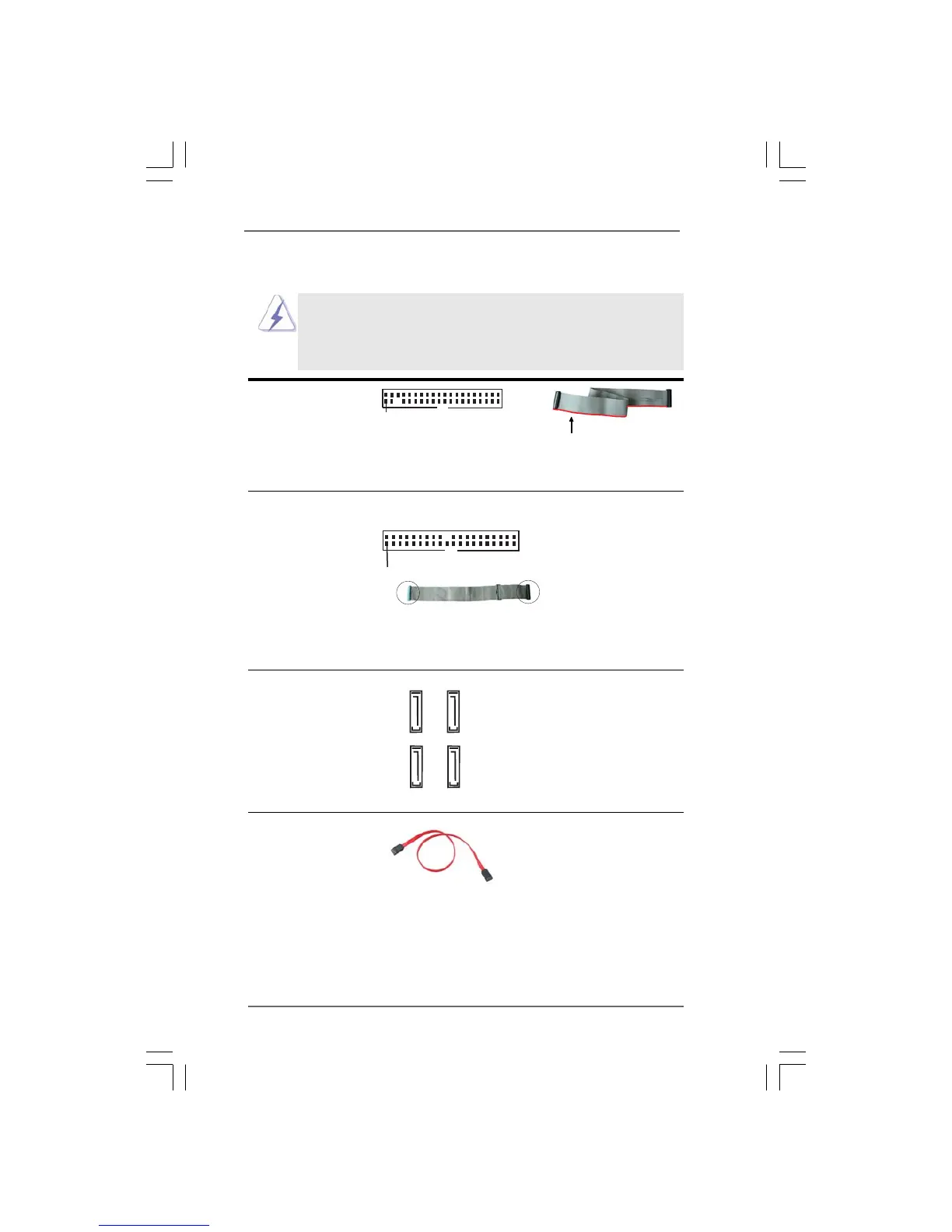
FLOPPY1
Pin1
the red-striped side to Pin1
connect the black end
to the IDE devices
connect the blue end
to the motherboard
80-conductor ATA 66/100 cable
2.11 Onboard Headers and Connectors2.11 Onboard Headers and Connectors
2.11 Onboard Headers and Connectors2.11 Onboard Headers and Connectors
2.11 Onboard Headers and Connectors
Onboard headers and connectors are NOT jumpers. Do NOT place
jumper caps over these headers and connectors. Placing jumper caps
over the headers and connectors will cause permanent damage of the
motherboard!
FDD connector
(33-pin FLOPPY1)
(see p.10 No. 22)
Note: Make sure the red-striped side of the cable is plugged into Pin1 side of the
connector.
Primary IDE connector (Blue)
(39-pin IDE1, see p.10 No. 9)
Note: Please refer to the instruction of your IDE device vendor for the details.
Serial ATAI Connectors These four Serial ATA
(SATA_0: see p.10, No. 15) (SATA) connectors support
(SATA_1: see p.10, No. 14) SATA data cables for internal
(SATA_2: see p.10, No. 12) storage devices. The current
(SATA_3: see p.10, No. 13) SATA interface allows up to
1.5 Gb/s data transfer rate.
Serial ATA (SATA) Either end of the SATA data cable
Data Cable can be connected to the SATA
hard disk or the SATA connector
on the motherboard.
SATA_1
SATA_0
SATA_3
SATA_2
IDE1
PIN1




 To Next Page