2828
2828
28
2.122.12
2.122.12
2.12
Serial ASerial A
Serial ASerial A
Serial A
TT
TT
T
A (SAA (SA
A (SAA (SA
A (SA
TT
TT
T
A) Hard Disks InstallationA) Hard Disks Installation
A) Hard Disks InstallationA) Hard Disks Installation
A) Hard Disks Installation
This motherboard adopts Intel ICH6R south bridge chipset that supports Serial ATA
(SATA) hard disks and RAID (RAID 0, RAID 1, and Intel Matrix Storage) functions.
You may install SATA hard disks on this motherboard for internal storage devices.
This section will guide you to install the SATA hard disks.
STEP 1: Install the SATA hard disks into the drive bays of your chassis.
STEP 2: Connect the SATA power cable to the SATA hard disk.
STEP 3: Connect one end of the SATA data cable to the motherboard’s SATA
connector.
STEP 4: Connect the other end of the SATA data cable to the SATA hard disk.
It is not recommended to switch the “Configure SATA as” setting between
AHCI, RAID, and IDE mode after OS installation.
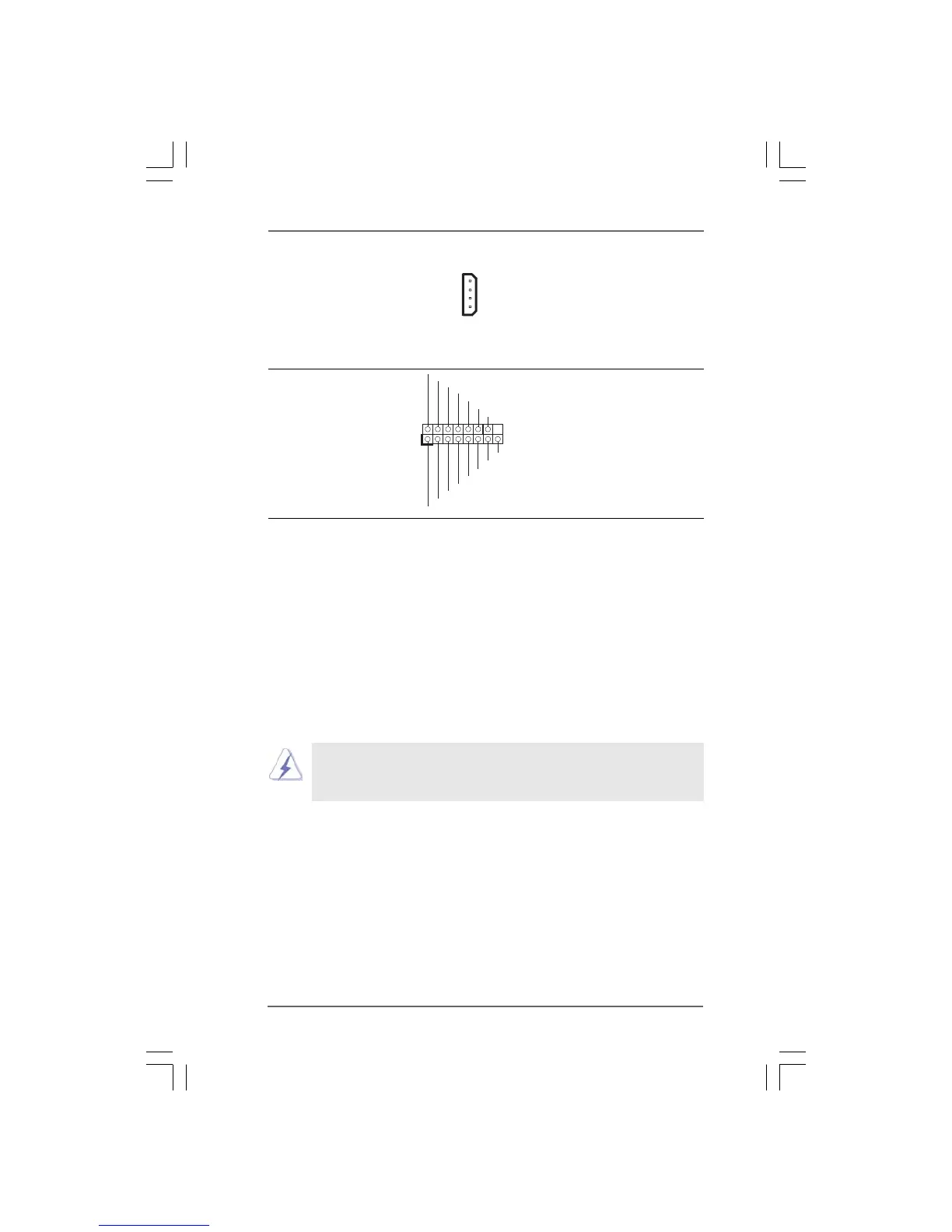
SLI/XFIRE_POWER1
MIDI_OUT
JAB2
JBY
JBB2
MIDI_IN
+5V
JAY
GND
GND
1
JAX
JAB1
+5V
JBX
JBB1
+5V
Game Port Header Connect a Game cable to this
(15-pin GAME1) header if the Game port bracket
(see p.10 No. 23) is installed.
SLI/XFIRE Power Connector It is not necessary to use this
(4-pin SLI/XFIRE_POWER1) connector, but please connect it
(see p.10 No. 31) with a hard disk power connecor
when two graphics cards are
plugged to this motherboard at
the same time.




 To Next Page